Section 9: Dynamics
9 - 12 Euphonix CS3000/2000 Operation Manual
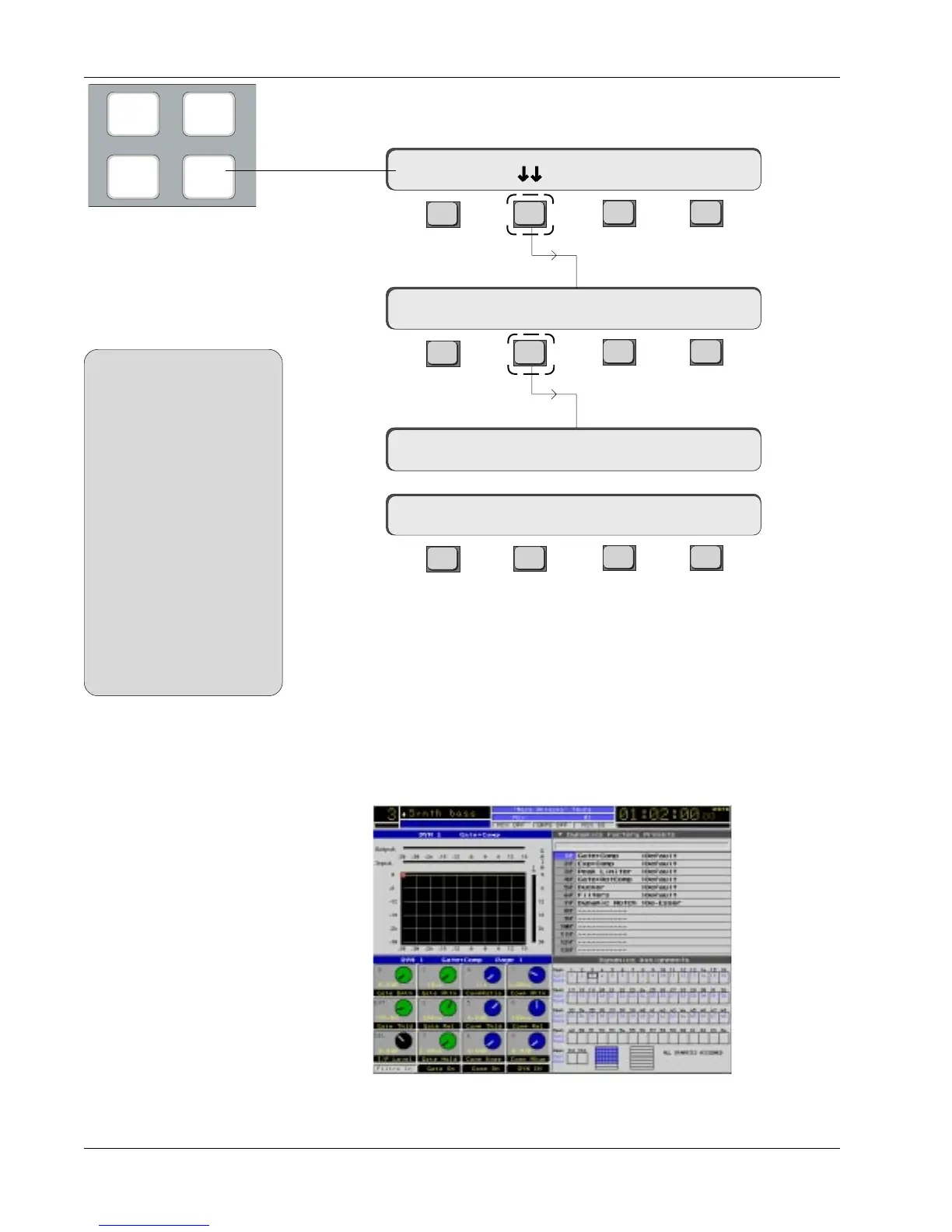
To assign the dynamics (i.e., to tell the console where each processor is
patched or normalled), first press the [Dyn]amics mode key on the DSC.
F3F1 F2 F4
F3F1 F2 F4
F3F1 F2 F4
As you enter the Dynamics Assign menu, the display shows how many chan-
nels of dynamics are connected to the system. In this case there are 56 (7
ES108A units) in communication with the support computer.
If a “0 Dyn Chans Present” message appears, check that the processors are
switched on and that the MIDI control is properly wired to the MIDI interface
and the support computer. See the ES108A Service Manual for further details
and troubleshooting information.
DynEQ
Pg 1 Pg 2
Preset Assign Calib
56 Dyn Chans Present
Press [F2]:
Press [F2] again:
Momentary
display
Press the [DYN] Key
Dynamics Access
Menu
SIDE NOTE:
MixView senses how many
dynamics processors are
connected to the console and
writes the number of processors
to the SmartDisplay as they're
tallied. However, if there are a
lot of processors connected to
the system (over 56 or so), the
display may time out before the
final count is displayed. Do not
be alarmed if you have more
processors than the SmartDis-
play actually shows. The
Dynamics Configuration/
Assignment window on the DSC
screen should always accurately
reflect the number of processors
connected to the console.
The DSC screen should now look something like the above display. The lower
right quadrant is the Dynamics Configuration/Assignment window.
1D1-> Comp On -> >-
Clear 1/Ch 2/Ch Patch
Dynamics
Assign Menu



 To Next Page