Appendix B: Printer Controls and System Menus
MP65492–1 179 Linx 4900 Operating Manual
B.1.5 Keyboard Status Indicator
The Keyboard Status Indicator allows you to quickly see which character
will be displayed when a keyboard key is pressed:
Figure B-2 Keyboard Status Indicator: Default Position
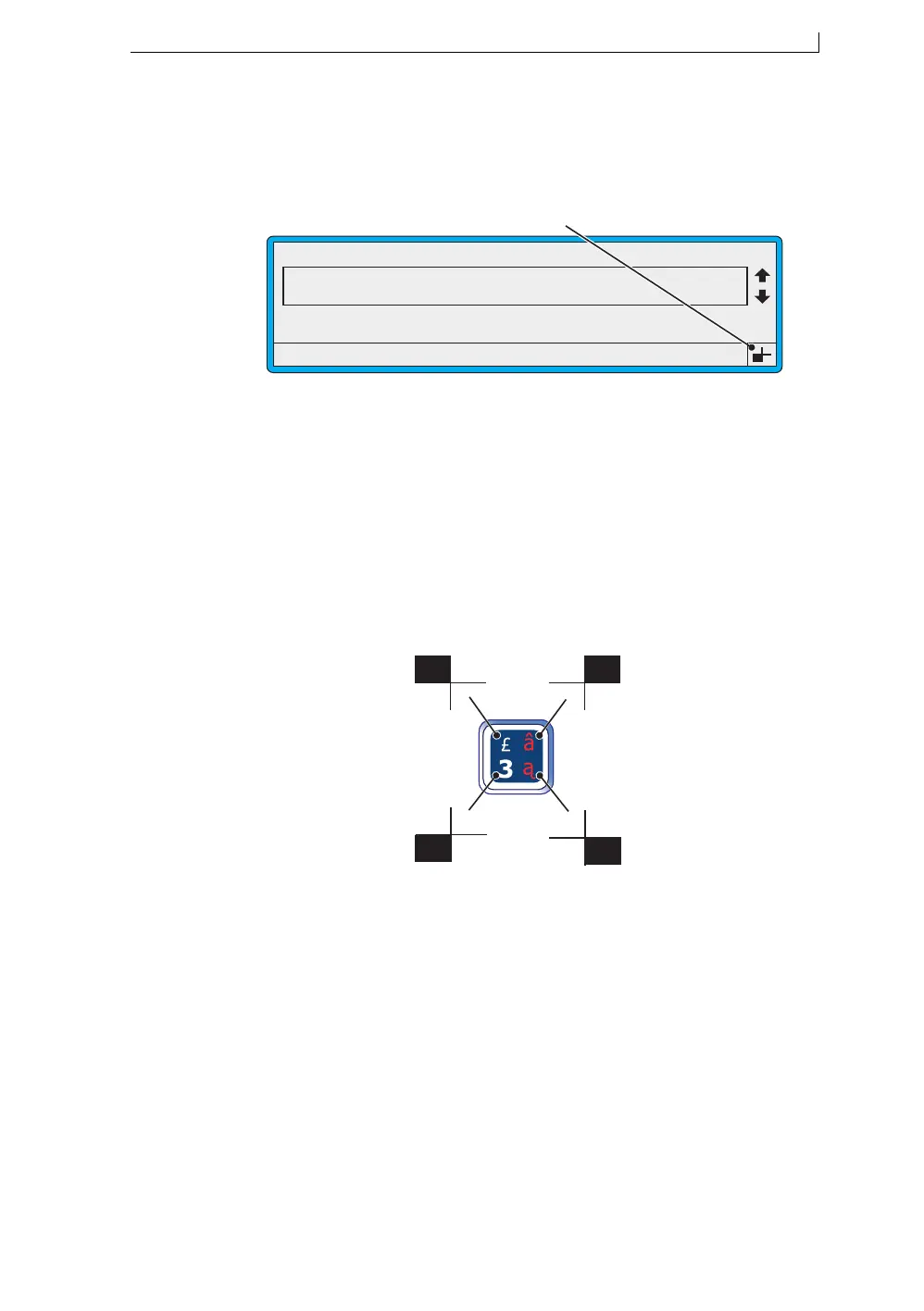
Each keyboard key allows you type up to four different characters, and the
Keyboard Status Indicator is designed to denote these four character
positions.
As you press a keyboard key in conjunction with one or more control keys:
[shift] key, [ctrl] key and [lock] key, the keyboard status indicator changes
according to the control key or keys that are pressed. This is illustrated in
Figure B-3 below.
Figure B-3 Using the Keyboard Status Indicator
49236
F1 : Change Message
F3 : New Message
F2 : Check Status
F4 : Change Setup
CURRENT MESSAGE : MESSAGE 1
Keyboard Status Indicator
LINX PRINTING
49287
[shift] key
[shift] + [ctrl] key
[ctrl] key
4900 Op Manual.book Page 179 Tuesday, September 9, 2003 12:32 PM



 To Next Page