Chapter 3: Day-to-Day Operations
Linx 4900 Operating Manual 40 MP65492–1
3.5 Handling System Events
A system ‘event’ is a message generated by the system when a certain
printer condition occurs. Events are classified as either a Failure, or a
Warning type event.
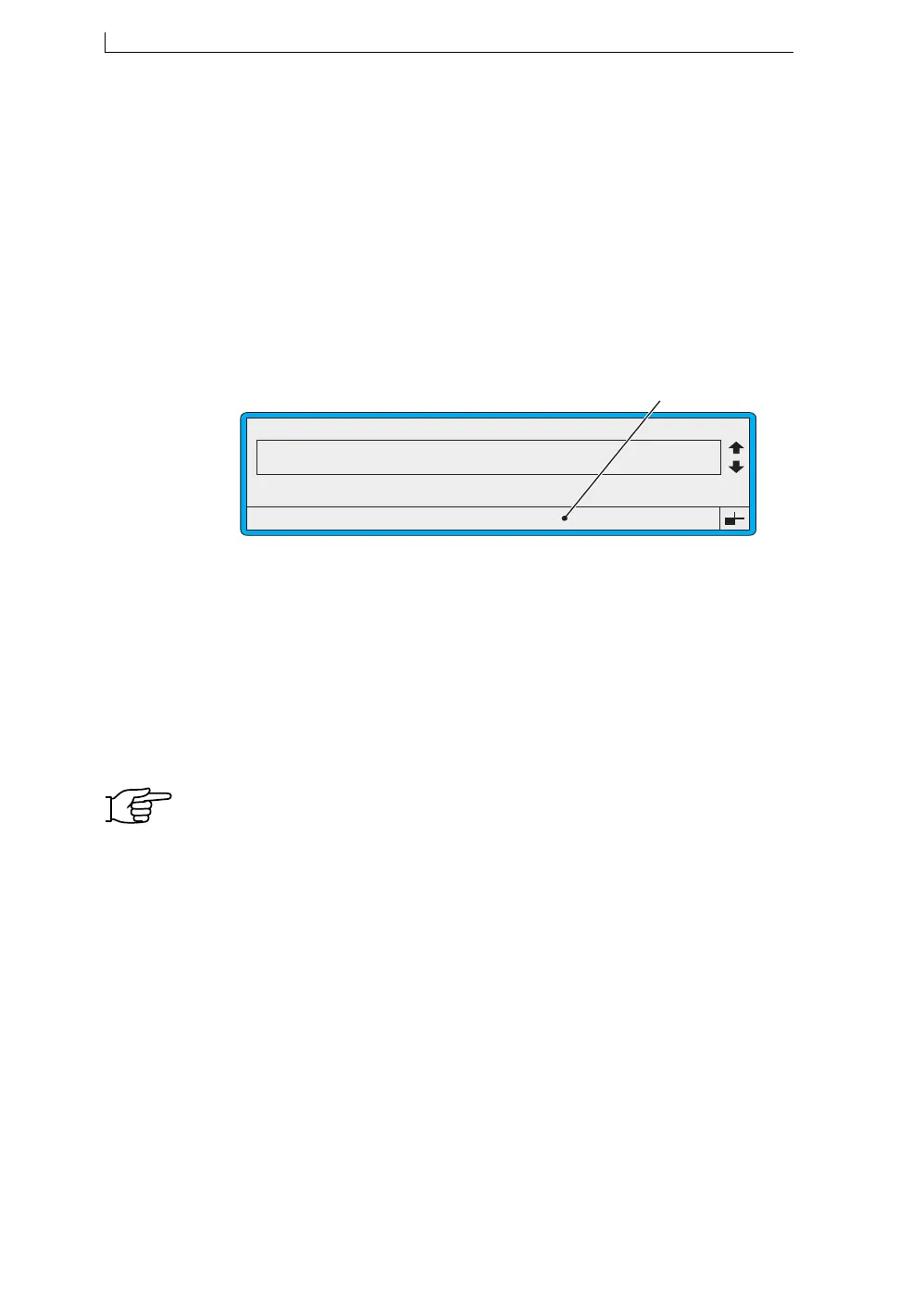
During day-to-day operation, if a Failure or a Warning type event occurs, a
message is displayed in the Status Line at the bottom of the screen (see
Figure 3-14 below), and the printer’s internal beeper is activated to draw
your attention to a particular printer condition that needs attention. The
relevant LED indicator (Fail or Warning) on the Printer Control Panel also
lights.
Figure 3-14 System Warning Event Message
Each event message is numbered for identification and classification as
follows:
NOTE: You should resolve the printer condition as soon as possible. If
necessary, refer to Appendix D, ‘System Event Messages’, where
all system events are listed and described.
System events are logged in the ‘Event List’ where they remain until they
are resolved, or until the printer is switched off. See ‘To View Events in the
List’ on page 41 for further information.
This type of event message... Starts with...
System Failure 1
Print Failure 2
System Warning 3
49303
F1 : Change Message
F3 : New Message
F2 : Check Status
F4 : Change Setup
CURRENT MESSAGE : MESSAGE 1
LINX PRINTING
Error 3.03 Ink Low
Status Line
4900 Op Manual.book Page 40 Tuesday, September 9, 2003 12:32 PM



 To Next Page