Chapter 4: Creating and Editing Messages
MP65492–1 51 Linx 4900 Operating Manual
4.1.4 Selecting the Size
When you select the size, you choose the character set for the message
field. This determines the size of the characters, which in turn dictates the
height of the message field.
You use the F1 : Size option at the EDIT MESSAGE screen to select the
character set:
Figure 4-3 Selecting the Character Set
Character Set Availability
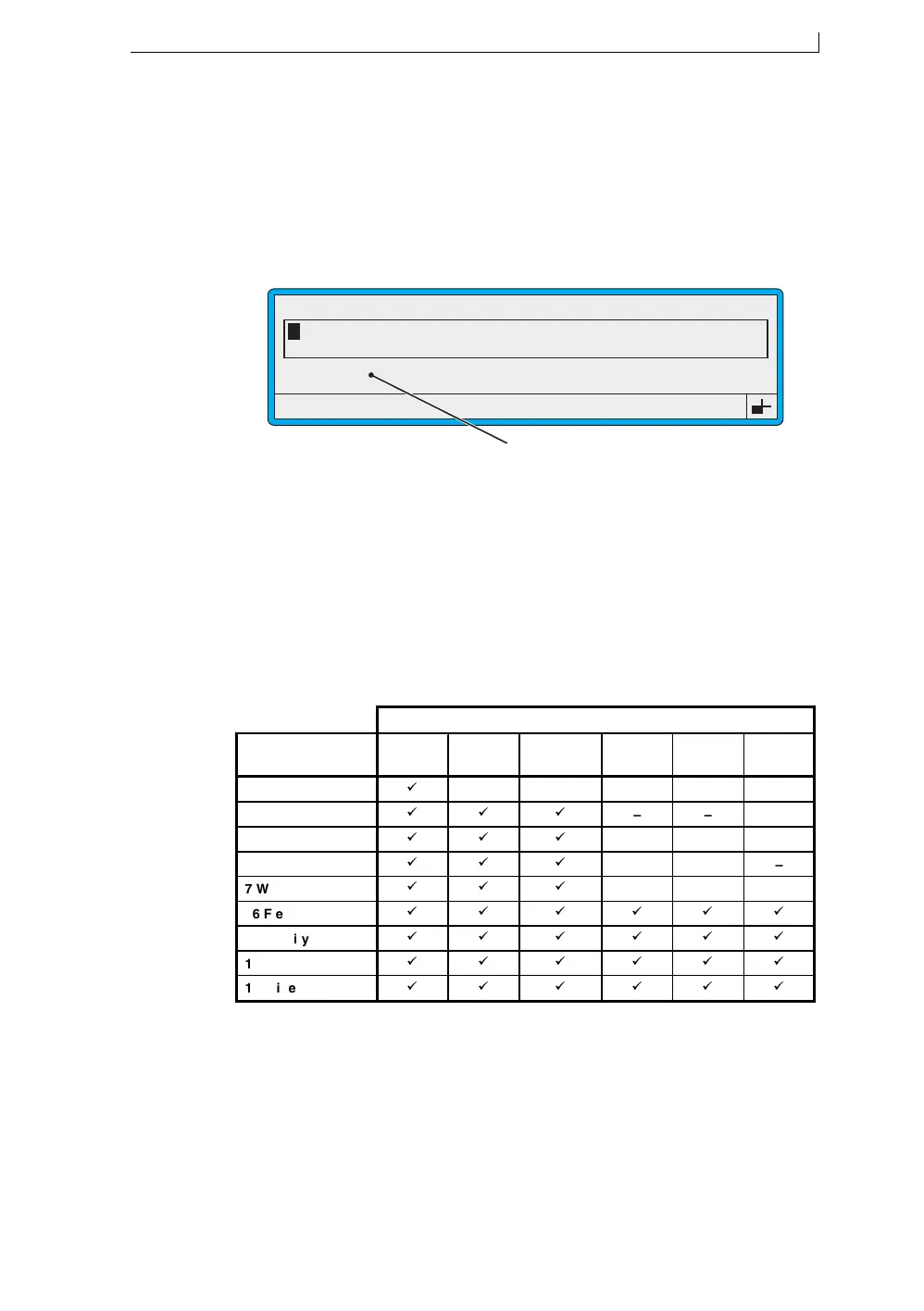
The range of character sets available is determined by the message type
selected. For example, using a 16-drop high message type, the character
size is limited to 16 or less (for a free format message), and for a 2-line
message, the maximum size is 7.
The following table shows which character sets are available for each
message type:
Figure 4-4 Character Sets
Note that the numerical value in the name of each message type and
character set indicates the height of the printed character, in drops.
49113
F1 : Size 7 FH (Caps)
F3 : Field Type
F2 : Bold Off
F4 : Save & Exit
EDIT MESSAGE : MESSAGE 1
Selecting the Character Set
49079
CHARACTER SETS
Message Types 5 FH
(Caps)
7 FH
(Caps)
7 Arab
Num
16 FH
(Caps)
16 non-
FH
16 Arab
Num
5 Wide
– – – – –
7 Flexible
– – –
7 Quality
– – –
7 Speed
– – –
7 Wide
– – –
16 Flexible
16 Quality
16 Speed
16 Wide
4900 Op Manual.book Page 51 Tuesday, September 9, 2003 12:32 PM



 To Next Page