Chapter 2: Getting Started
MP65492–1 11 Linx 4900 Operating Manual
2.2 Switching on and Starting Up
2.2.1 Switching the Printer On
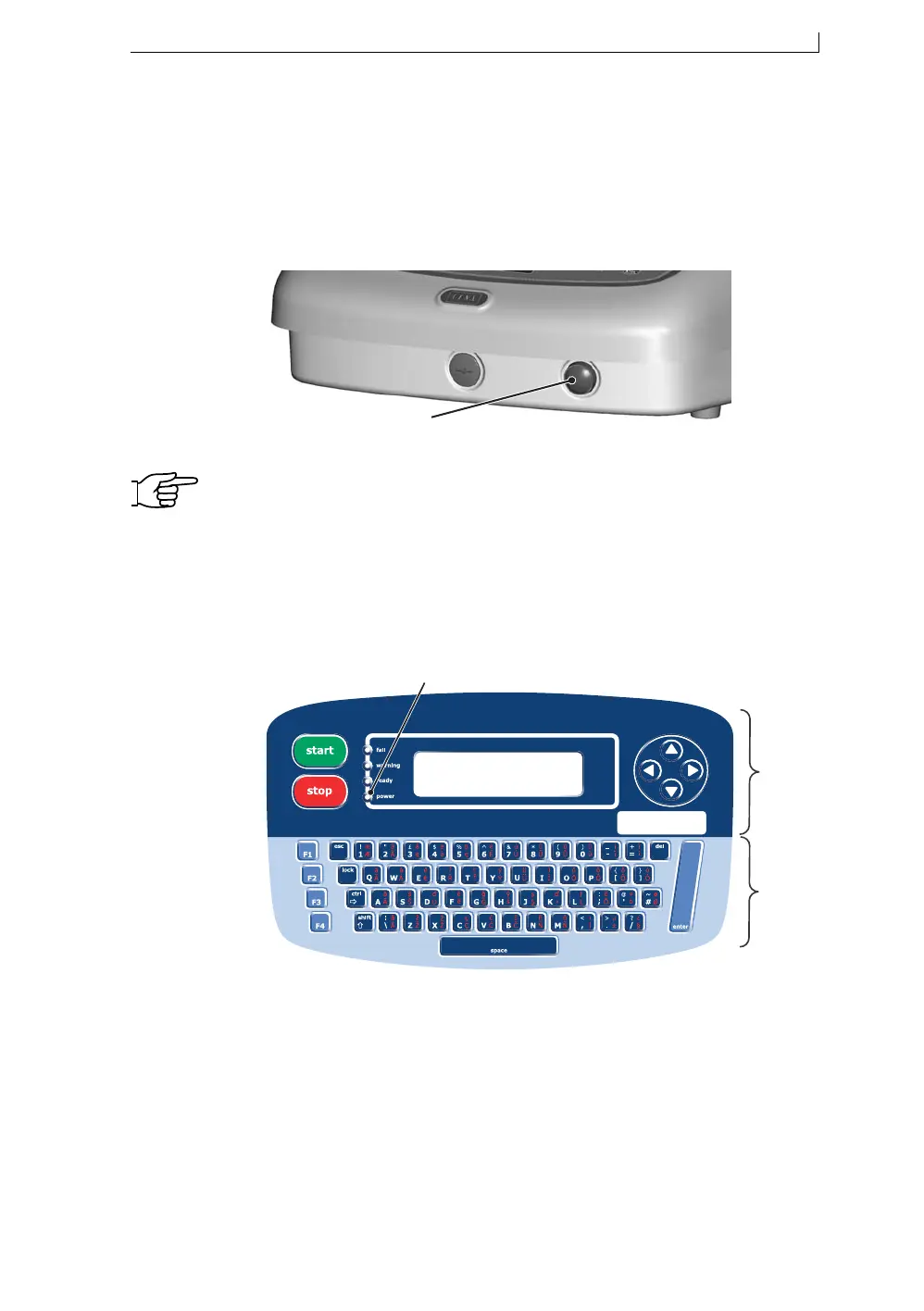
The printer is started up by pressing and holding the front power button for
at least 2 seconds.
Figure 2-2 Front Power On Button
NOTE: If the printer fails to start up immediately after the front power
button is released, check that the mains power supply switch at
the rear of the printer is set to the On position; see Figure 2-1 on
page 10. If necessary, switch on this mains power supply switch.
2.2.2 Checking the Power Indicator
Confirm that the printer has power applied. To do this, check that the green
LED power indicator on the printer control panel is lit.
Figure 2-3 Printer Control Panel
A Power LED indicator
B General Control keys and Display
C Keyboard and Function keys
49152
'Power On' Button
49049
C
B
A
4900 Op Manual.book Page 11 Tuesday, September 9, 2003 12:32 PM



 To Next Page