40
4. Notification app
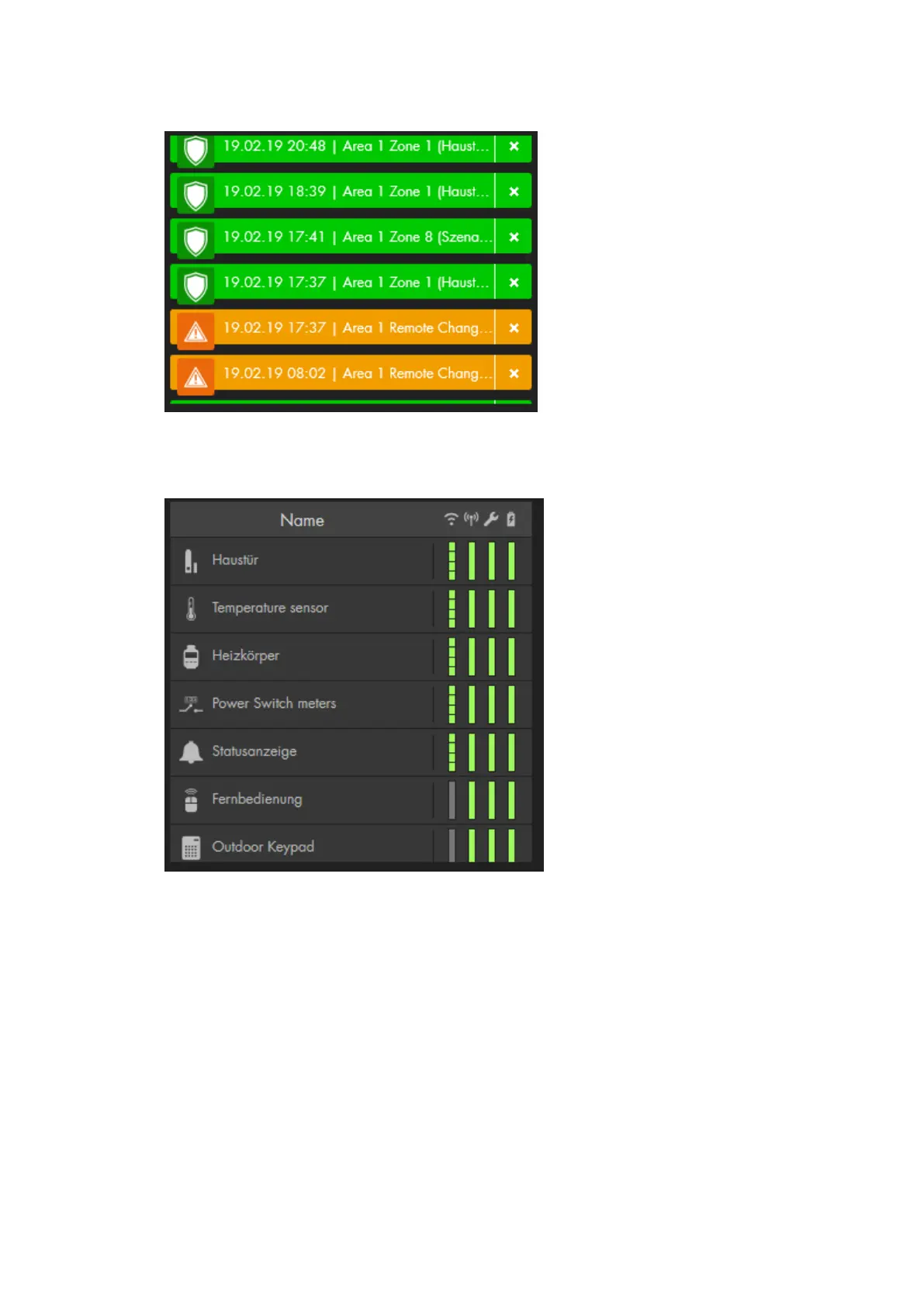
The notification app displays the important sensor and system messages. You
only see a list of the latest events.
5. Sensor list app
The Sensor list app displays the installed sensors with their icon and name. The
column to the right shows the signal strength of the sensor (“WIFI” symbol), the
status (“radio tower” symbol), the tampering contact (wrench symbol), and the
battery status (battery symbol). The indicators are colour coded, green signals that
everything is OK, red signals that there is a problem.
The amount of information in this app depends upon the selected size. If you
increase the size of this app, the amount of displayed information increases.



 To Next Page