60
1. Active: Use the checkbox in front to activate or deactivate the group.
2. Effective execution:
Green checkmark: Group is active and will be performed if the
condition is met.
Red exclamation mark: Group cannot be performed. Refer to “Profiles”
for details in this regard.
3. Nr.: A number is assigned to every rule (the first free number is chosen
automatically). You can change the number later on be means of the drop-
down menu (1-10).
4. Name: You can assign a name of maximally 31 characters to a group. Active
groups are highlighted in blue, inactive groups in grey.
5. Rules: Shows the previously defined rules assigned to the group. You can
add others in the drop-down menu or remove rules by pressing the X behind
the name of the rule.
6. Functions:
Use to save automations.
Use to cancel any changes.
Use to edit exiting automations.
Use to delete an automation.
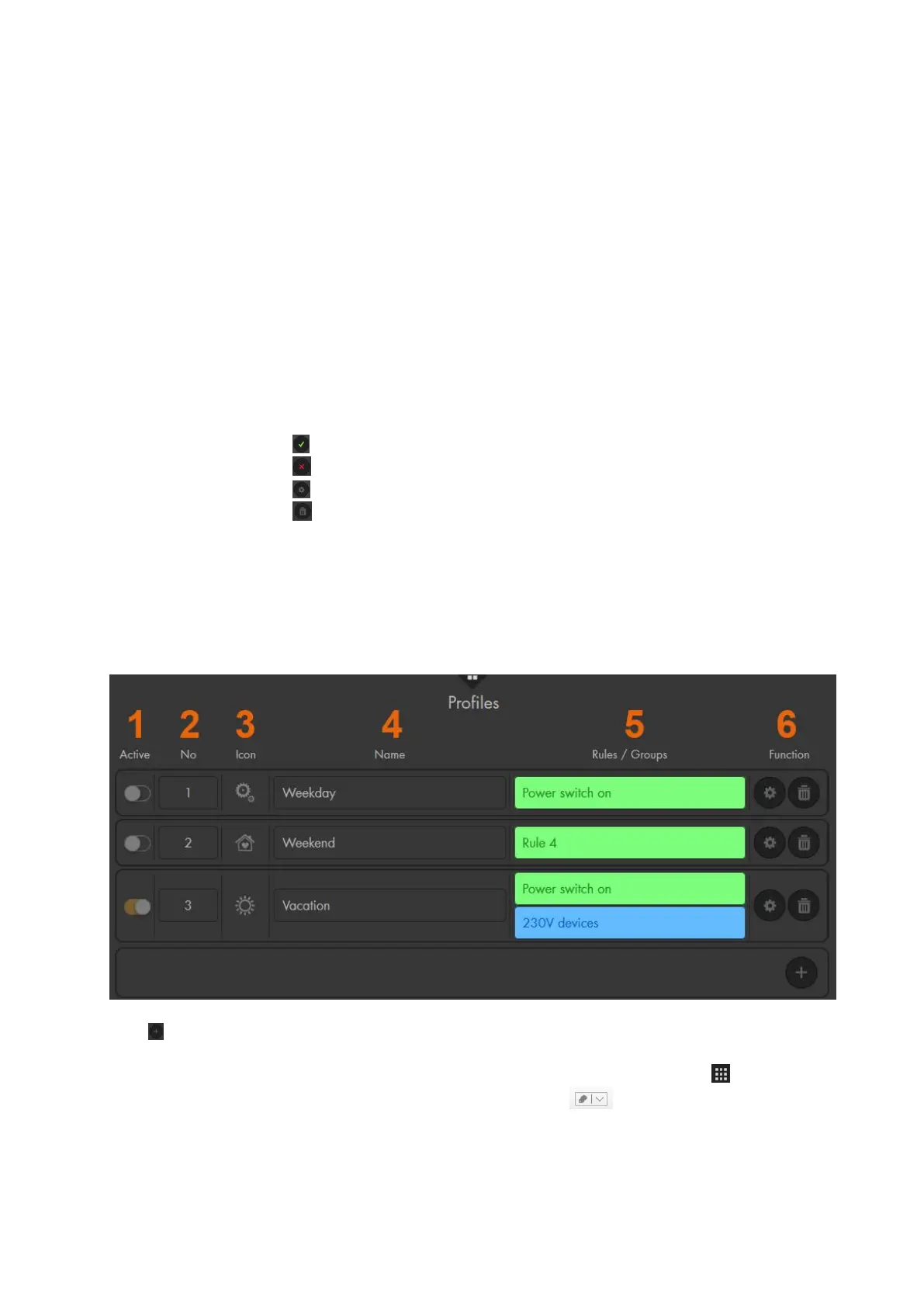
Profiles
Profiles are useful to control rules/automations differently, e.g. when you are on holidays
or at the weekend. For a rule to be executed, it is required, on the one hand, be activated
and, on the other hand, assigned to an active profile. You can create up to five profiles,
however, only one can be active.
Use to add new profiles.
1. Active: Use the activation switch to activate or deactivate the profile. You
can also change the profile by using the “Quick access menu”
“Smarthome”. option of the drop-down menu at the top and select
“Smarthome” “Profile:”



 To Next Page