93
Date and time
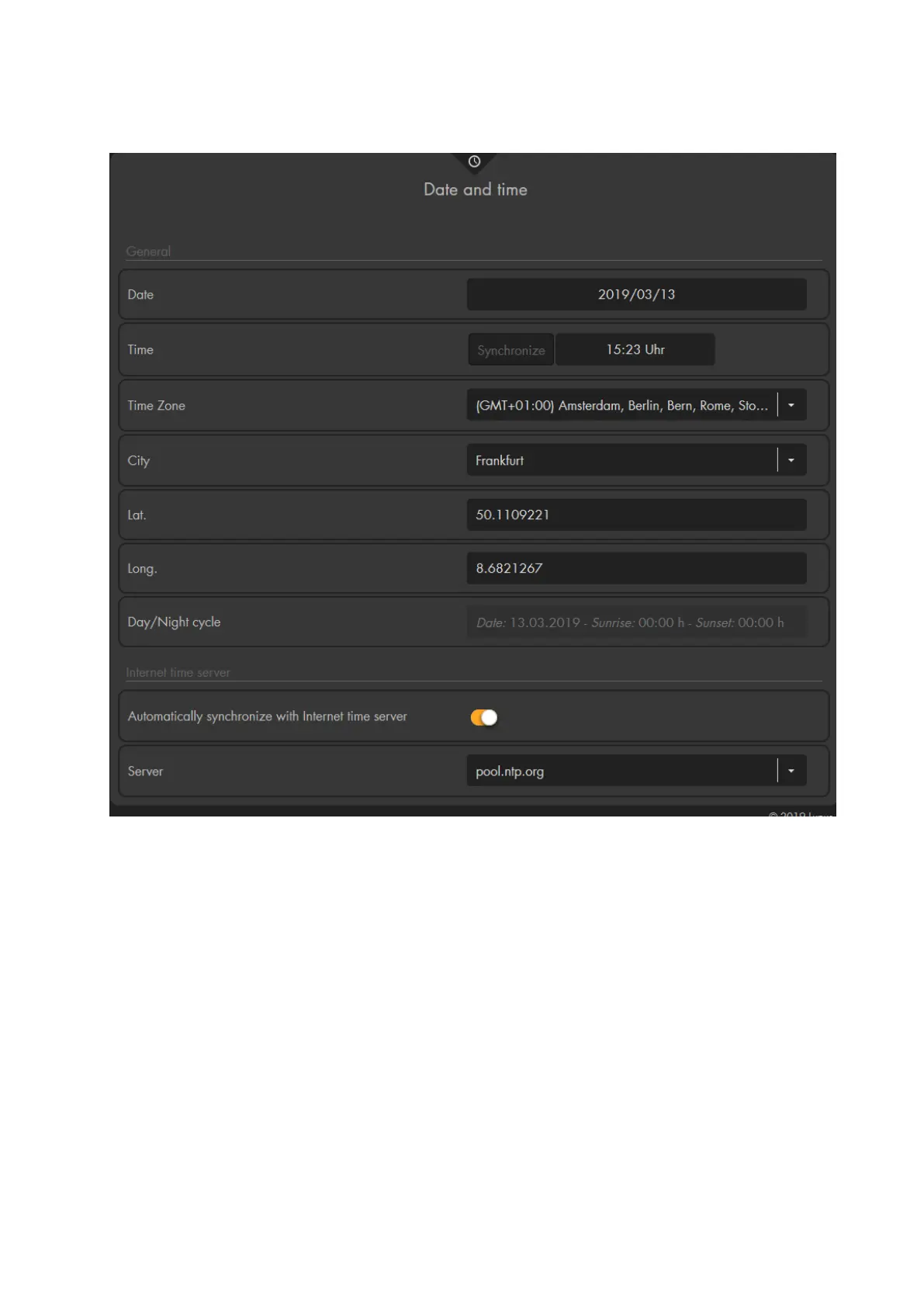
General
Date
Enter the current date (YYYY/MM/DD).
Time
Allows you to manually enter the current time (HH:MM). Click on “Synchronize”
to use the current time of your computer.
Time zone
Enter your current time zone.
City
Allows you to choose city close to your location from a drop-down list to get the
times of sunrise and sunset of this city. Thus, you can use the automation
schedules for sunrise and sunset in the automation menu!
Latitude / longitude
As an alternative to selecting the city, you can enter the exact coordinates of your
location to get the exact times of sunrise and sunset.
Day/night cycle
Shows the time of sunrise/sundown for the current day (depends upon the choosen



 To Next Page