215575 163 Revision B
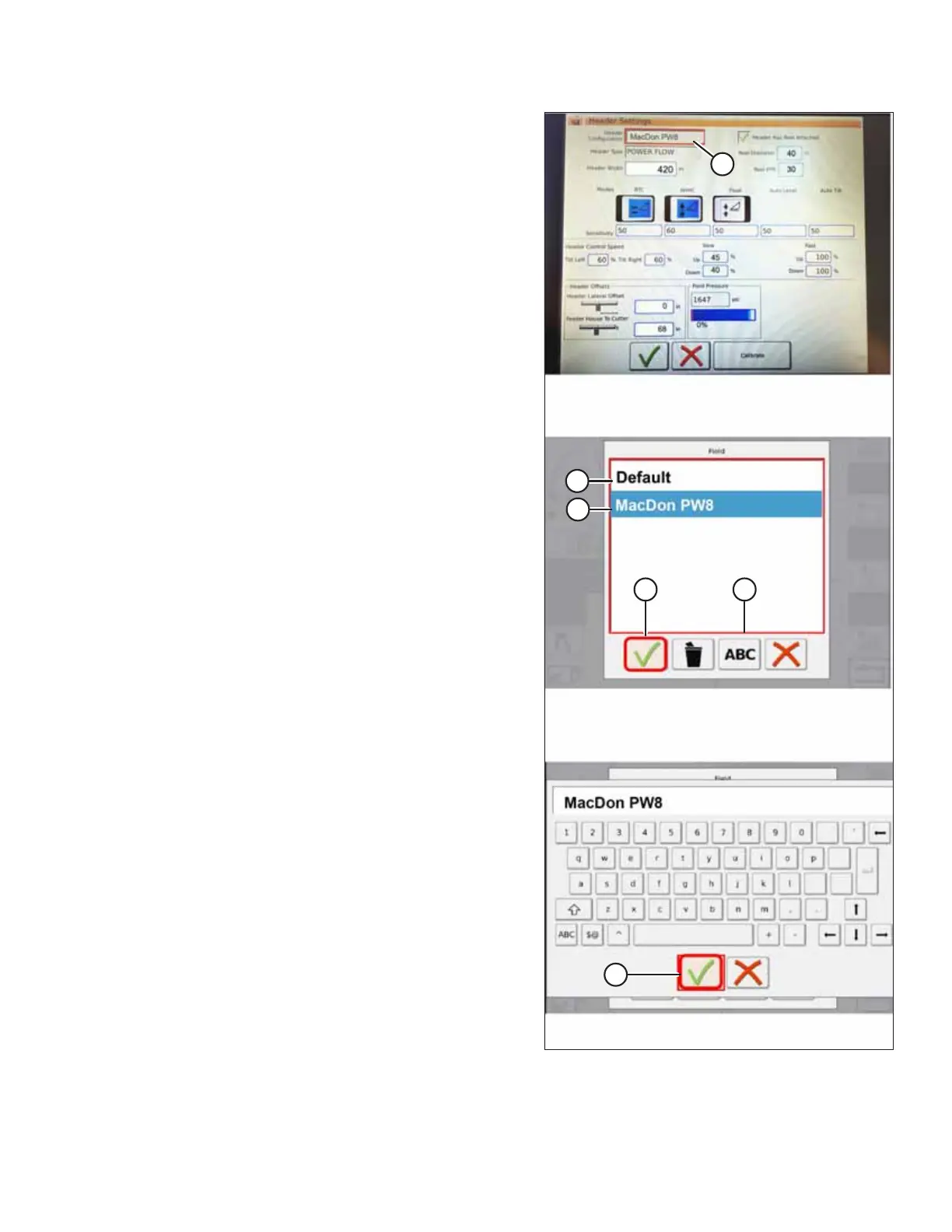
Figure 4.117: Header Configuration Menu on Header
Settings Page
3. Touch HEADER CONFIGURATION field (A). A page showing
the predefined header profiles opens.
• If your MacDon header is already set up, it appears on
header list. Touch MacDon header title (B) to highlight
the selection in blue, and then touch green check
mark (E) to continue.
• If only default header (D) is shown, touch ADD/
KEYBOARD button (C), and use the on-screen keyboard
to enter the relevant MacDon header information.
When complete, touch one of the areas at the bottom
of the page to return to the HEADER SETTINGS page.
– The green check mark saves your settings.
– The garbage can icon deletes the highlighted header
profile from the list.
– The red X cancels any change(s).
AUTO HEADER HEIGHT CONTROL



 To Next Page