215575 196 Revision B
$
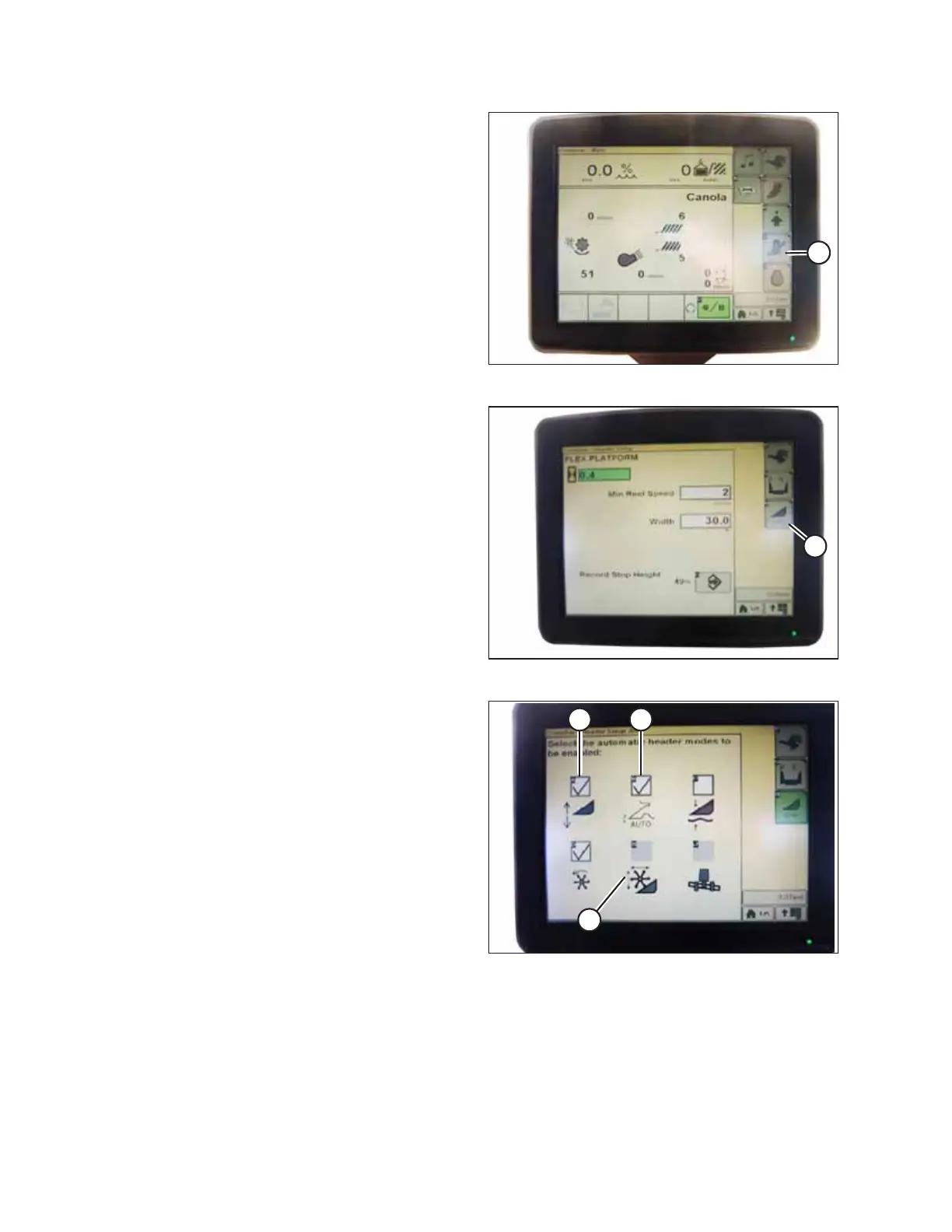
Figure 4.188: Combine Display
1. Press COMBINE – HEADER SETUP icon (A) on the main
page. The COMBINE – HEADER SETUP page appears. This
page is used to set various header settings such as the reel
speed, header width, and the height of the feeder house
for acre counter engagement.
$
Figure 4.189: Combine Display
2. Select COMBINE – HEADER SETUP AHC icon (A). The
COMBINE – HEADER SETUP AHC screen appears.
$ %
&
Figure 4.190: Combine Display
3. Select HEADER HEIGHT SENSING ENABLE (A), HEADER
HEIGHT RESUME ENABLE (B), and REEL POSITION RESUME
ENABLE (C) icons.
AUTO HEADER HEIGHT CONTROL



 To Next Page