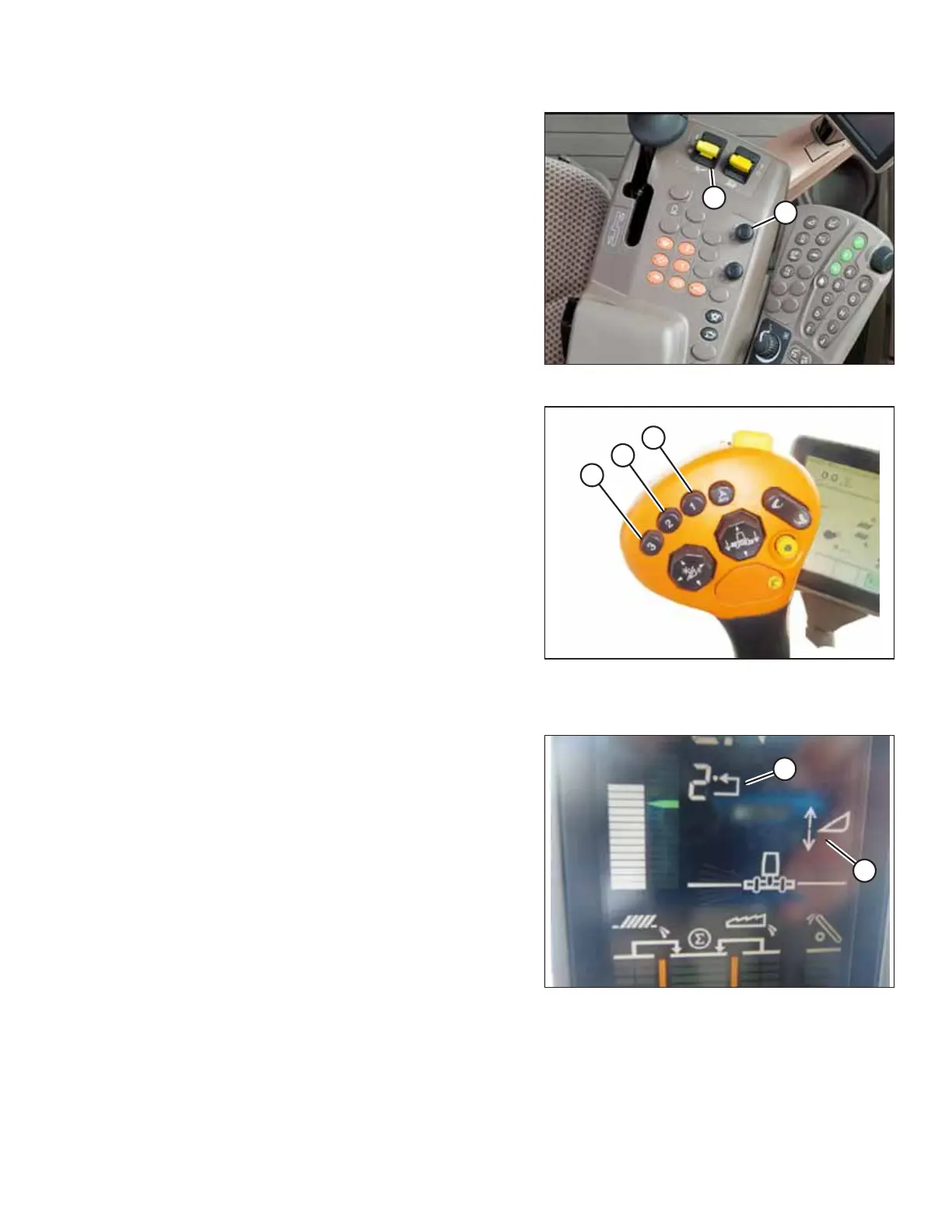
215575 197 Revision B
Figure 4.191: Combine Control Console
4. Turn on header engagement switch (A) and move the
header to the desired preset position.
5. The header position can be fine-tuned with HEADER
HEIGHT PRESSURE CONTROL DIAL (B).
Figure 4.192: Joystick Buttons
6. Hold joystick button 2 (B) until the AHHC icon flashes on
the monitor.
7. To store another preset, repeat Step 4, page 197 and
Step 6, page 197 for button 3 (C).
8. Select an appropriate ground pressure setting:
• Preset button 2 (B) on the joystick for a light ground
pressure setting. Lighter settings are suitable for muddy
or soft soil conditions.
• Preset button 3 (C) for a heavy ground pressure setting.
Heavier ground pressure settings are suitable for harder
soil conditions, and allow for a faster ground speed.
NOTE:
Preset button 1 (A) is reserved for the header lift function
on headlands; it is not used for ground cutting.
Figure 4.193: Combine Display
NOTE:
When the AHHC is engaged, AHHC icon (A) appears on the
monitor. Number (B) indicates which button was most
recently pressed.
AUTO HEADER HEIGHT CONTROL



 To Next Page