9.2 Functions via the WEB site
9.2.1 General information
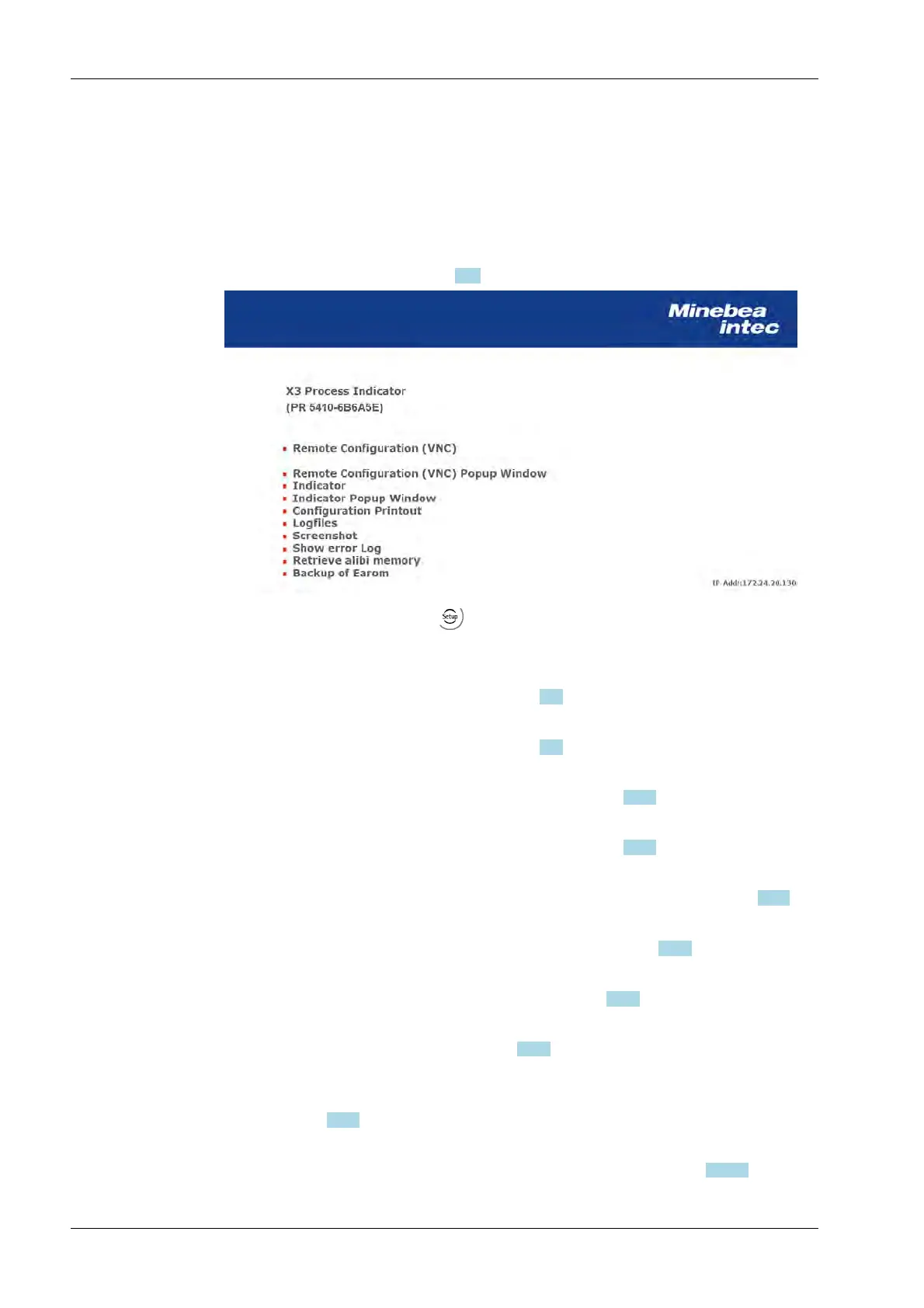
If the device is connected to the network, it can be displayed e.g.in the "Windows"
operating system under "Network".
Double-click the device icon to open the WEB menu (in English only) in the available
Internet browser (see also Chapter 7.12).
The device name entered under -[Network parameter]- [Hostname] is shown under
the header in brackets.
[Remote Configuration (VNC)]
Operation using the VNC program, see Chapter 7.11.
[Remote Configuration (VNC) Pop-up Window]
Operation using the VNC program, see Chapter 7.11.
[Indicator]
Displays the weighing point in a status window, see Chapter 9.2.2.
[Indicator pop-up window]
Displays the weighing point in a status window, see Chapter 9.2.2.
[Configuration printout]
Display configuration printout, saving and printing out as a text file, see Chapter 9.2.3.
[Log files]
Display logfiles, saving and printing out as a text file, see Chapter 9.2.4.
[Screenshot]
Displaying, saving and printing a screenshot, see Chapter 9.2.5.
[Show error Log]
Display and save the error logs, see Chapter 9.2.6.
[Retrieve alibi memory]
This alibi memory can be used to save approx. 80,000 entries and to retrieve them, if
necessary; see 9.2.7.
[Backup of Earom]
Saving and restoring the configuration and calibration data, see Chapter 9.2.8.1.
X3 Process Indicator PR 5410 9 Extended functions
EN-294 Minebea Intec



 To Next Page