Note:
If [OIML], [NTEP], or [NSC] has been selected, printing is done only if the stability criteria
is fulfilled.
The weight is shown in "< >".
For [NTEP] or [NSC] the gross weight is indicated with G (otherwise B).
Press to return to the Setup menu.
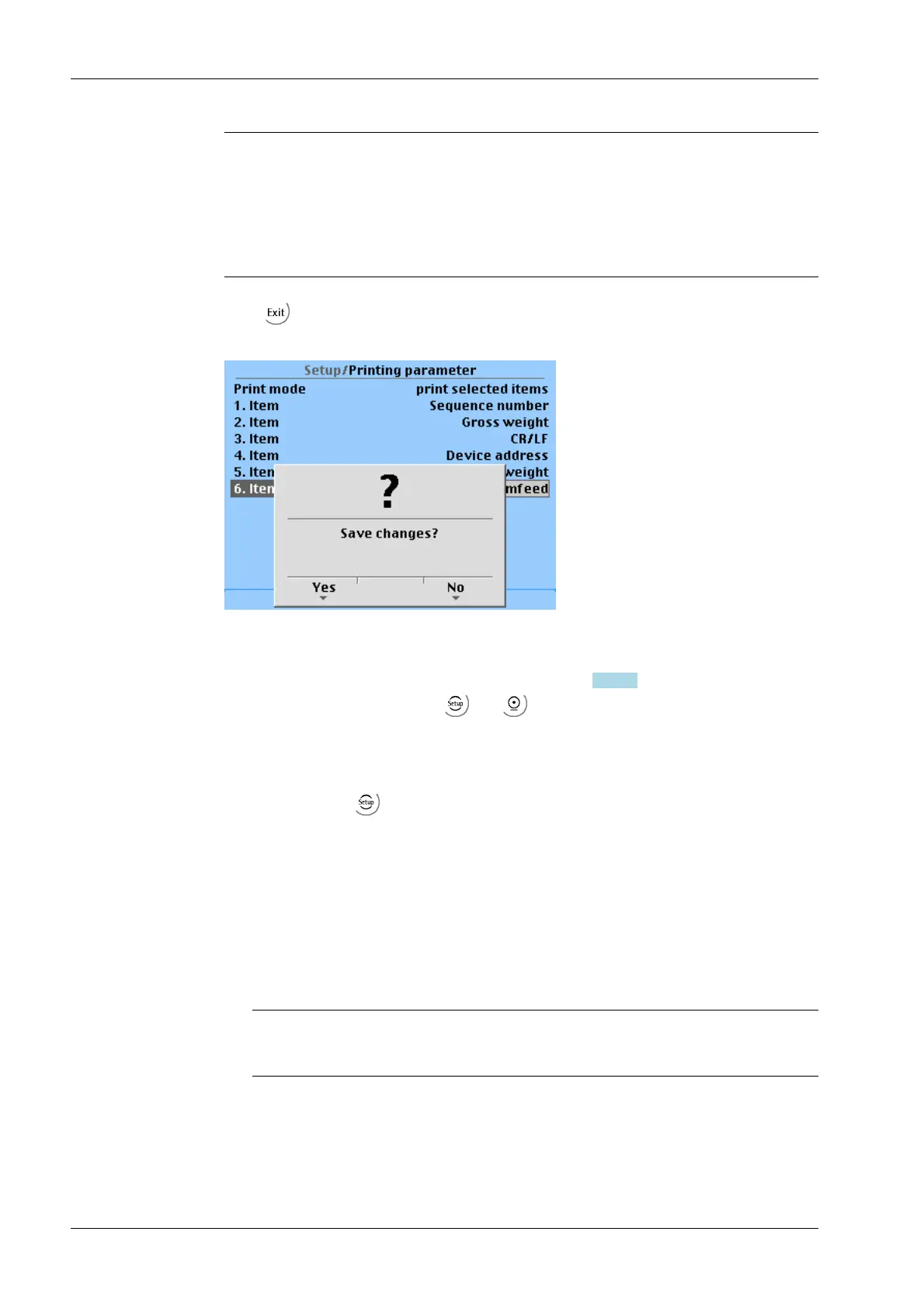
The following prompt window appears if parameters were changed.
Save the data with [Yes].
Press [No] to exit the menu without changing data.
If a printer has been connected and set up (see Chapter 7.18.1.1), the configuration
printout can be triggered via the
and keys (clicked one after the other).
7.18.5 Fieldbus parameters
The fieldbus parameters are set under this menu item.
Open the menu via
-[Fieldbus parameter].
This menu item can only be selected if a fieldbus card is installed.
The protocol displayed automatically depends on of the installed fieldbus card:
- [ProfiBus-DP] for PR 1721/31
- [InterBus-S] for PR 1721/32
- [DeviceNet] for PR 1721/34
- [CC-Link] for PR 1721/35
Note:
This fieldbus card does not support the "EasyFill" application.
- [ProfiNet I/O] for PR 1721/36
- [EtherNet-IP] for PR 1721/37
X3 Process Indicator PR 5410 7 Getting started
EN-240 Minebea Intec



 To Next Page