OPERATE WebLCT 1-15
iPASOLINK EX Advanced: SET NETWORK AND SYSTEM PROVISIONING GGS-000547-01E
1.9 WebLCT Main Window
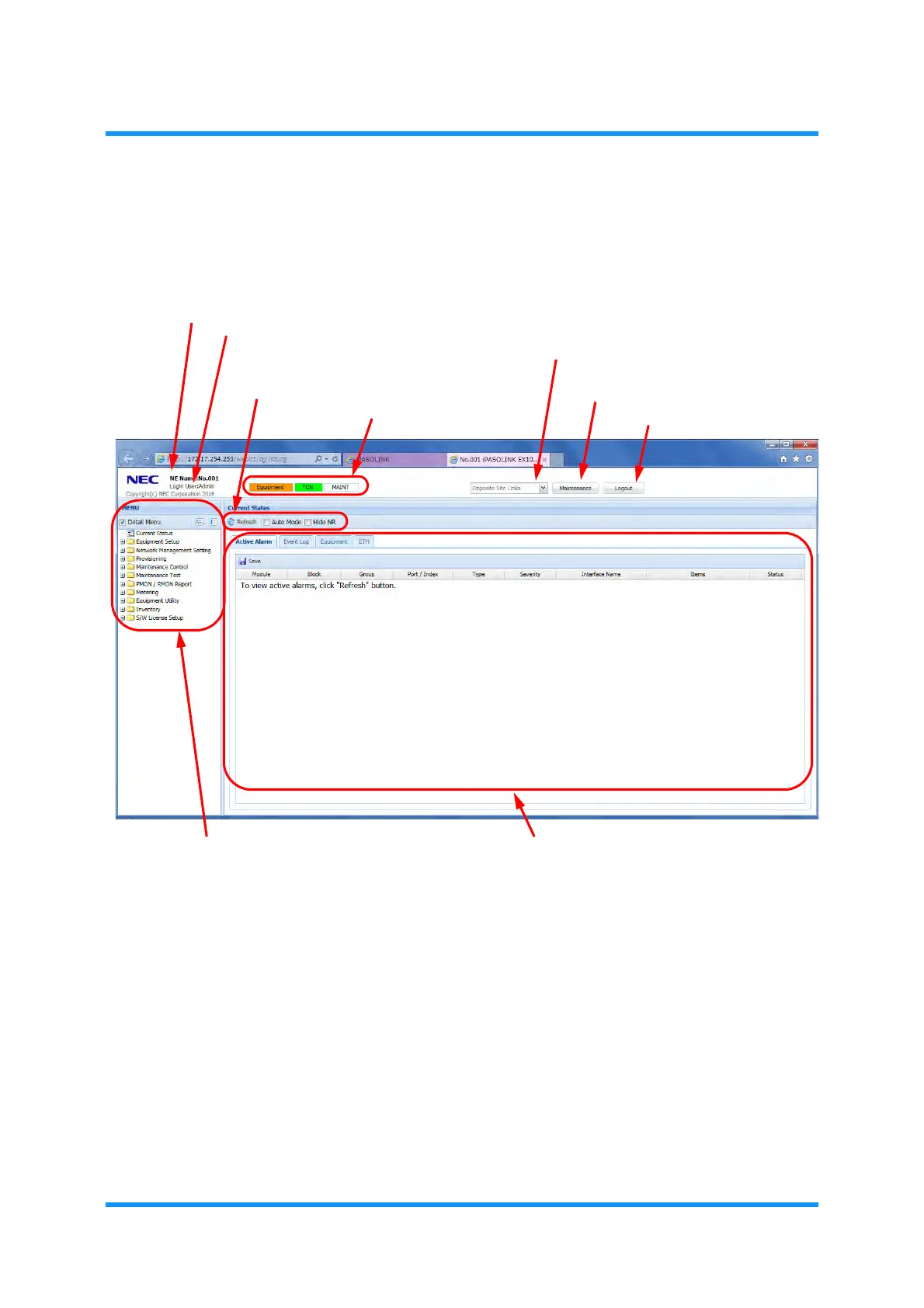
Following describes the contents and structure of WebLCT main window:
Figure 1-21 WebLCT Main Window Contents
(1) NE Name
This field indicates a registered equipment name.
(2) Logged-In User Name [Login User]
This field indicates a user name that is currently logged in.
(3) Refresh button
Click
Refresh button to manually update the current status displayed in the WebLCT
main window.
(1) NE Name
(3) Refresh button
(4) Auto Mode check box
(6) Equipment Status View
(7) Opposite Site Links
(8) Maintenance button
(9) Logout button
(10) Menu Tree
(11) Detailed Information
(5) Hide NR
(2) Logged-In User Name


 To Next Page
 Loading...

