EQUIPMENT SETUP 4-3
iPASOLINK EX Advanced: SET NETWORK AND SYSTEM PROVISIONING GGS-000547-01E
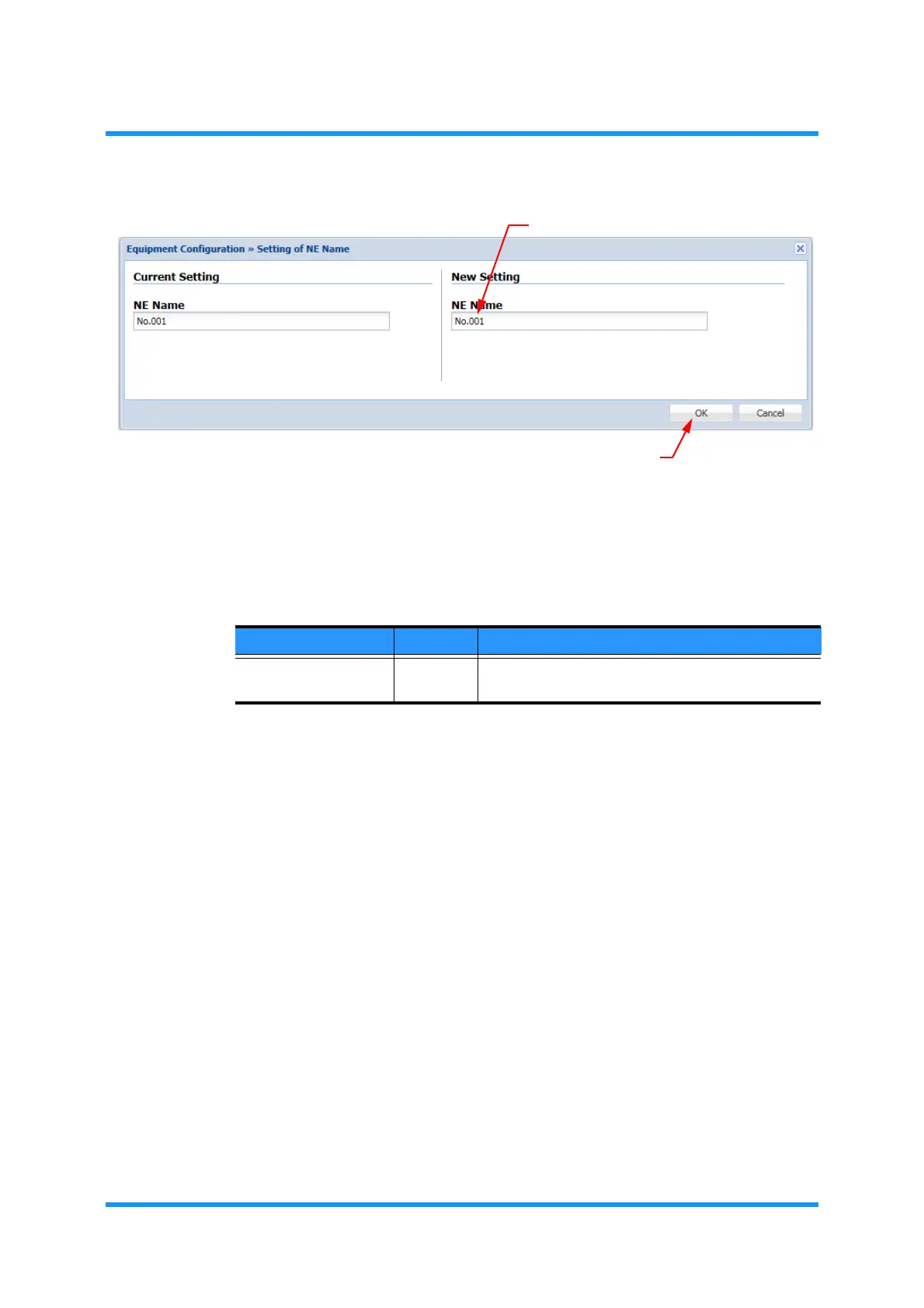
Figure 4-2 Equipment Configuration Option Window
NOTE: The display on the left shows the current setup, while that on the right is for a
user to edit the configuration.
Table 4-1 Equipment Configuration Parameter
Parameter Value Description
NE Name (text field) Enter the equipment name. Valid value is 1 to 32
characters long.


 To Next Page