5-40 NETWORK MANAGEMENT
GGS-000547-01E iPASOLINK EX Advanced: SET NETWORK AND SYSTEM PROVISIONING
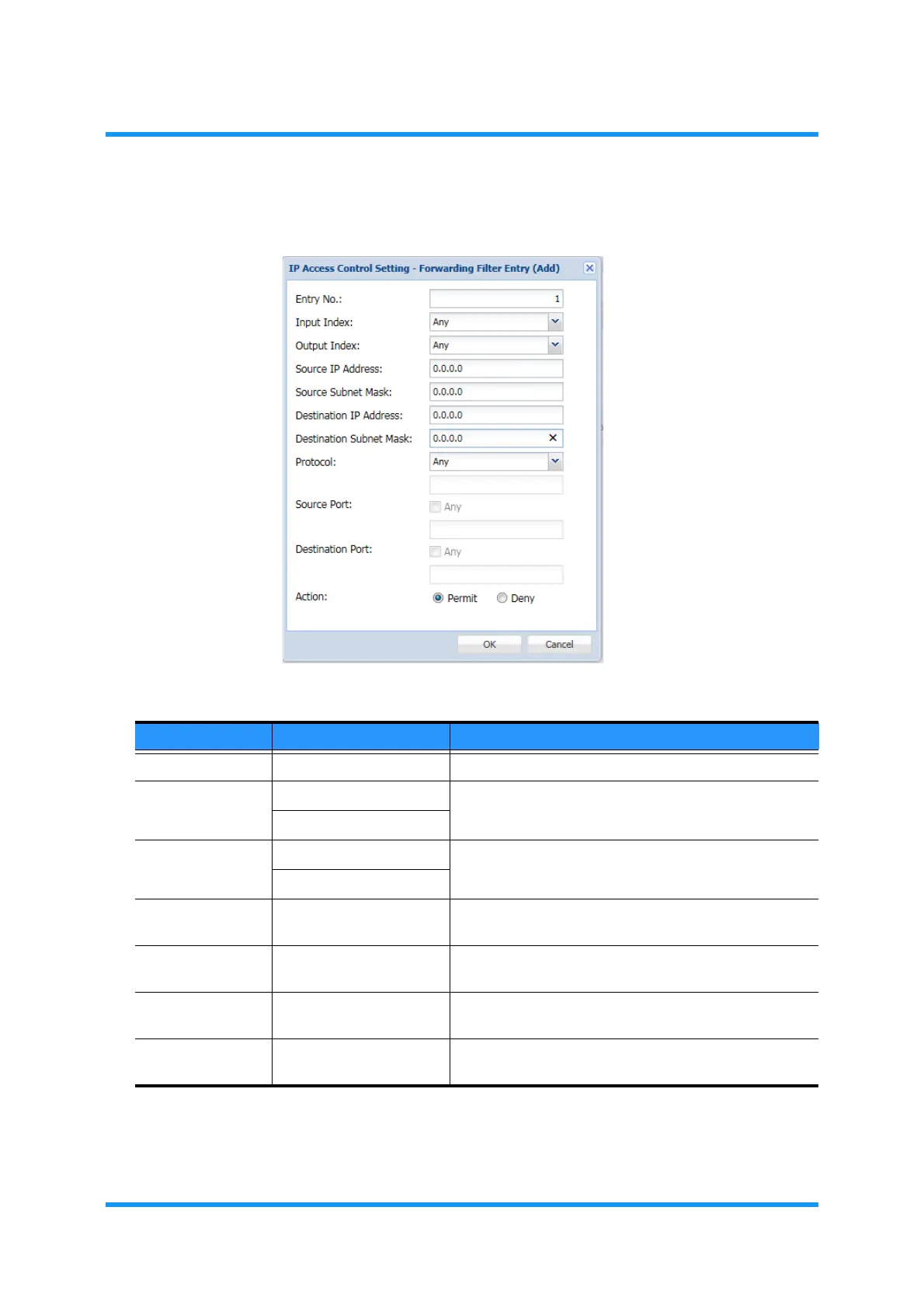
4. Set the filter conditions:
Figure 5-62 Forwarding Filter Entry (Add) Option Window
Table 5-12 Forwarding Filter Entry (Add) Parameters (1 of 2)
Parameter Value Description
Entry No. 1 to 50 Enter the entry number.
Input Index Any Selects the ingress port.
Bridge01 to Bridge06
Output Index Any Selects the egress port.
Bridge01 to Bridge06
Source IP
Address
x.x.x.x Specify the Source IP Address to output packets.
Source Subnet
Mask
x.x.x.x Specify the Subnet Mask of the Source IP Address for
output packets.
Destination IP
Address
x.x.x.x Specify the Destination IP Address to output packets.
Destination
Subnet Mask
x.x.x.x Specify the Subnet Mask of the Destination IP Address
for the output packets.



 To Next Page