5-60 NETWORK MANAGEMENT
GGS-000547-01E iPASOLINK EX Advanced: SET NETWORK AND SYSTEM PROVISIONING
4. Select DHCP Server from the Server/Relay drop-down list, and specify the
remaining options:
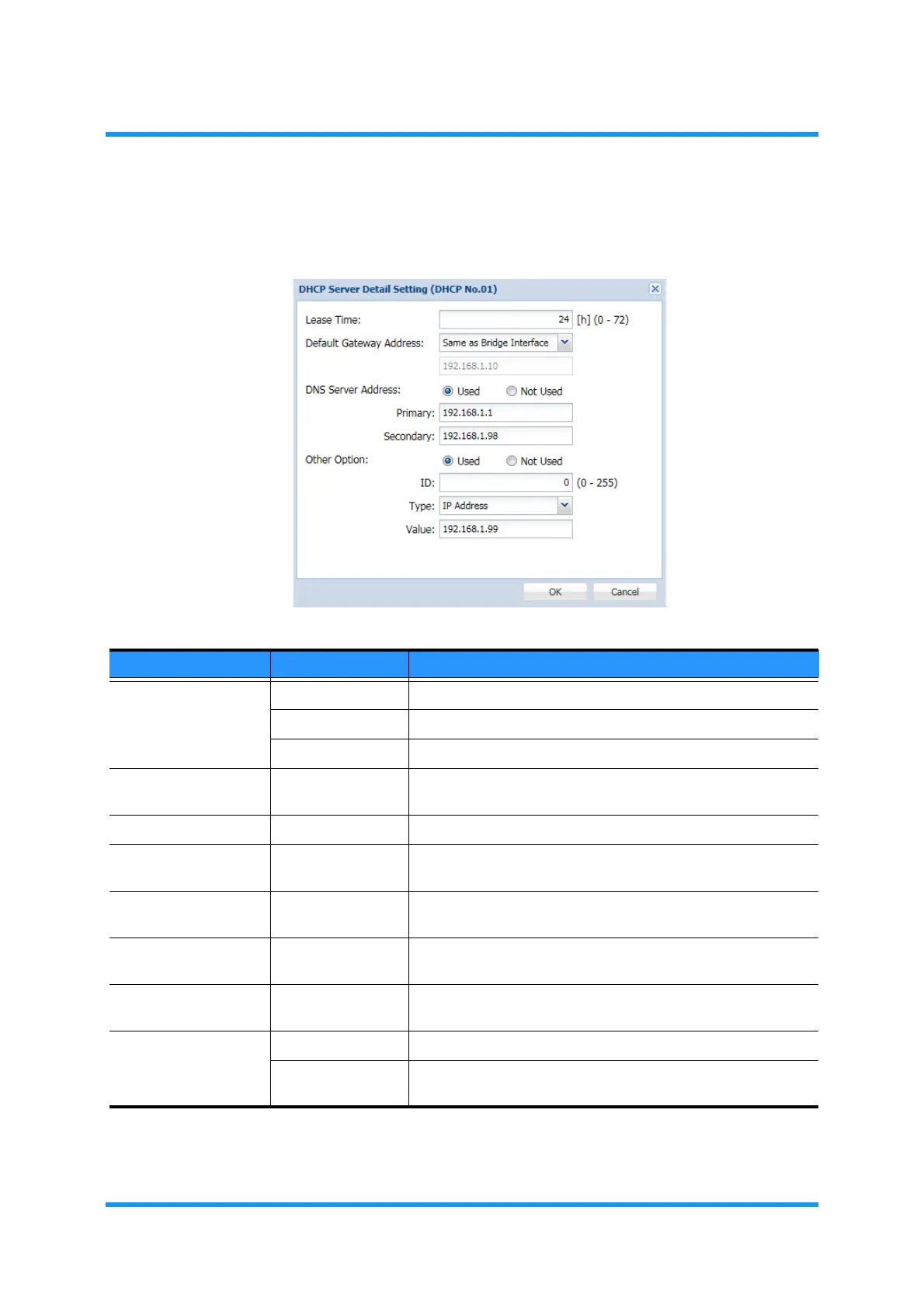
Figure 5-93 DHCP Server/Relay Option Window
Table 5-17 DHCP Server/Relay Setting Parameters
Parameter Value Description
Server/Relay Disable Not to use DHCP.
DHCP Server Set DHCP Server.
DHCP Relay Do not select this choice here.
Bridge No. (IP
Address)
(available No and
IP addresses)
Registered and available Bridge numbers (IP addresses) is/are
listed to be selected.
DHCP Server Address —— This option is enabled when the choice is DHCP Relay.
IP Address Range
(Start)
192.168.xxx.xxx Specify the starting address of the range of Class C Private IP
Address.
IP Address Range
(End)
192.168.yyy.yyy Specify the ending address of the range of Class C Private IP
Address.
Exception (Start) ***.***.***.*** Specify the starting address of the exceptional IP Address
range.
Exception (End) ***.***.***.*** Specify the ending address of the exculpation IP Address
range,
Security Any No security (allows any MAC address)
Only Registered Allows only clients that have the registered MAC Addresses to
lease IP address.



 To Next Page