NETWORK MANAGEMENT 5-61
iPASOLINK EX Advanced: SET NETWORK AND SYSTEM PROVISIONING GGS-000547-01E
5. Click the Detail link (lower right of the option window).
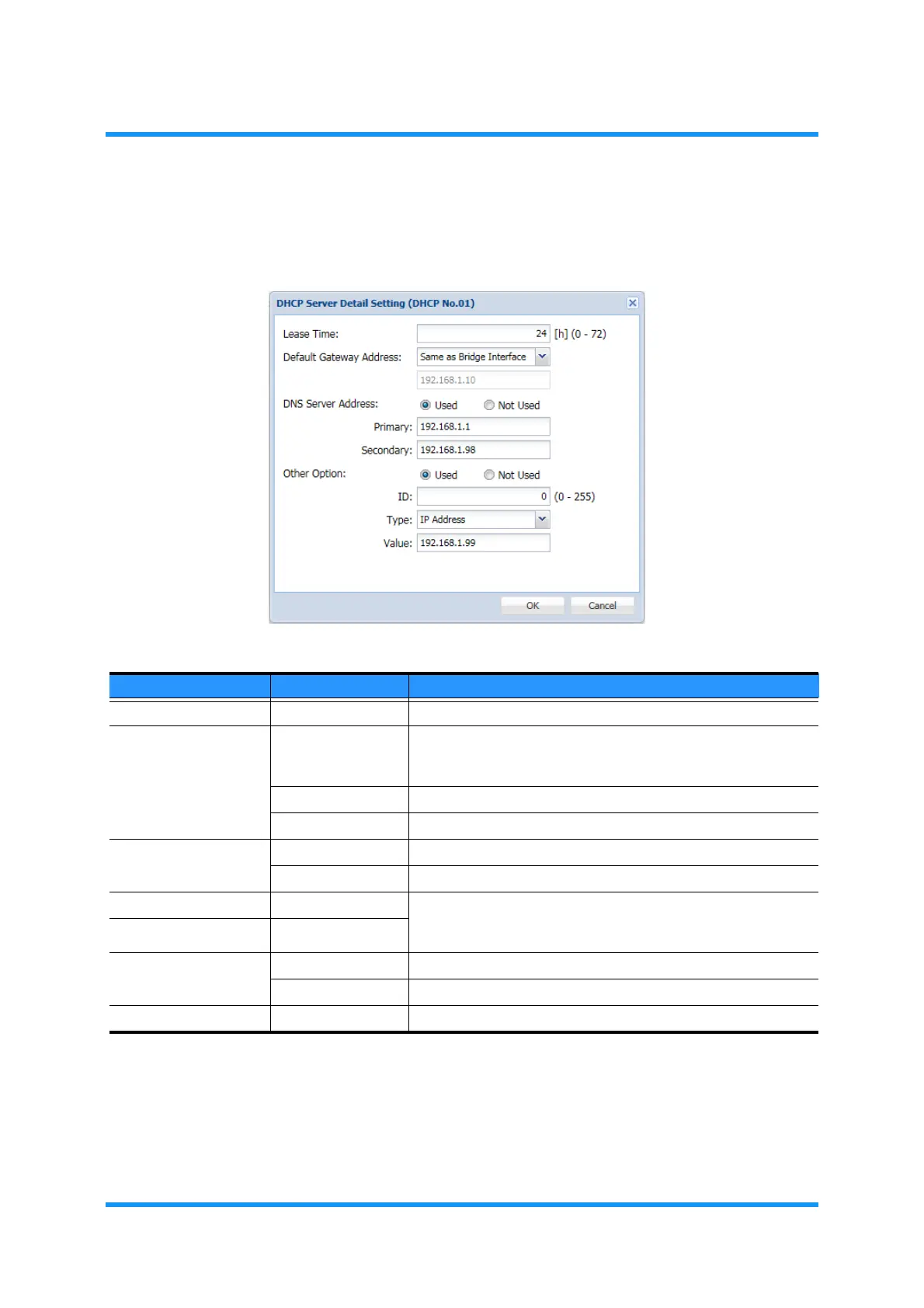
6. DHCP Server Detail Setting option window appears. Specify the parameters:
Figure 5-94 DHCP Server Detail Setting Option Window
Table 5-18 DHCP Server Detail Setting Parameters
Parameter Value Description
Lease Time 0 to 72 [h] Specify a period of leasing IP Address. [unit: hour]
Default Gateway
Address
Same as Bridge
Interface
Set the same Default Gate Way as that of Bridge Interface to
lease. The Bridge numbers have been selected by the Network
Management procedures.
Specify Specify the Default Gateway Address.
Disabled No Default Gateway will be leased.
DNS Server Address Used Selects to use DNS Server.
Not Used Selects not to use DNS Server.
Primary —— When the option above (DNS Server Address) selects Used,
these options are enabled. Specify the Primary and Secondary
addresses of DNS Server.
Secondary ——
Other Option Used To set more parameters below, select Used.
Not Used To ignore setting the parameters below, select Not Used.
ID 0 to 255 Select an ID number as the additional information.



 To Next Page