Set ETH Function 8-15
iPASOLINK EX Advanced: SET NETWORK AND SYSTEM PROVISIONING GGS-000547-01E
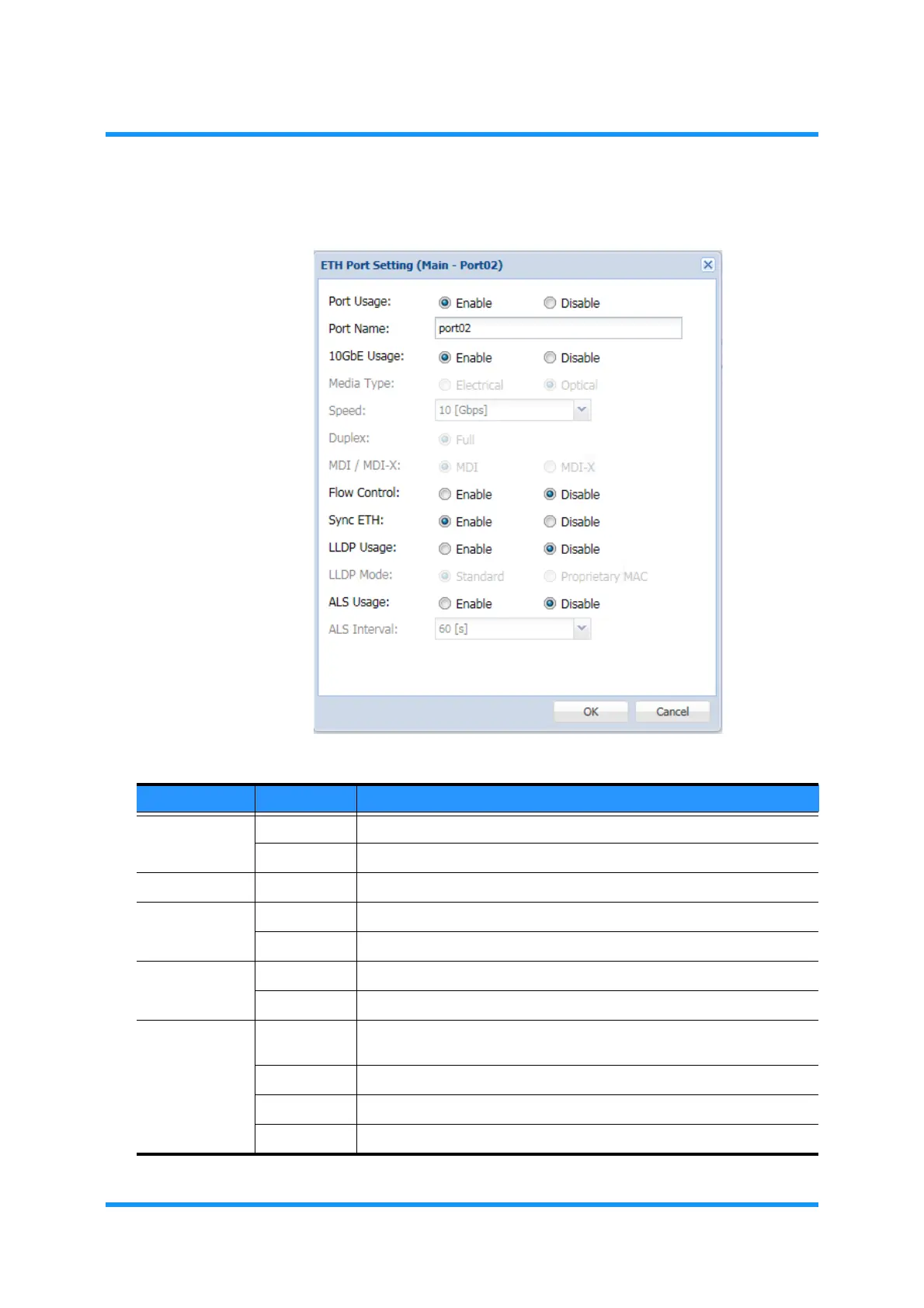
4. Assign the appropriate value to each parameter:
Figure 8-14 ETH Port Setting Option Window
Table 8-4 ETH Port Setting Parameters (1 of 2)
Parameter Value Description
Port Usage Enable Enable the port administratively.
Disable Shut down the port administratively.
Port Name (text field) Enter the Ethernet Port name. Valid value is zero to 32 characters long.
10GbE Usage Enable Specifies to use the port as 10 Gbit/s Ethernet interface.
Disable Specifies not to use the port as 10 Gbit/s Ethernet interface.
Media Type Electrical Specifies the SFP Port to the Electrical use
Optical Specifies the SFP Port to the Optical use.
Speed AUTO Sets Autonegotiation to select the speed at establishing each link.
Selecting AUTO disables Duplex and MDI and MDIX options below.
10Mbps Specifies 10 Mbit/s rate.
100Mbps Specifies 100 Mbit/s rate.
1000Mbps Specifies 1000 Mbit/s rate.



 To Next Page