Set ETH Function 8-19
iPASOLINK EX Advanced: SET NETWORK AND SYSTEM PROVISIONING GGS-000547-01E
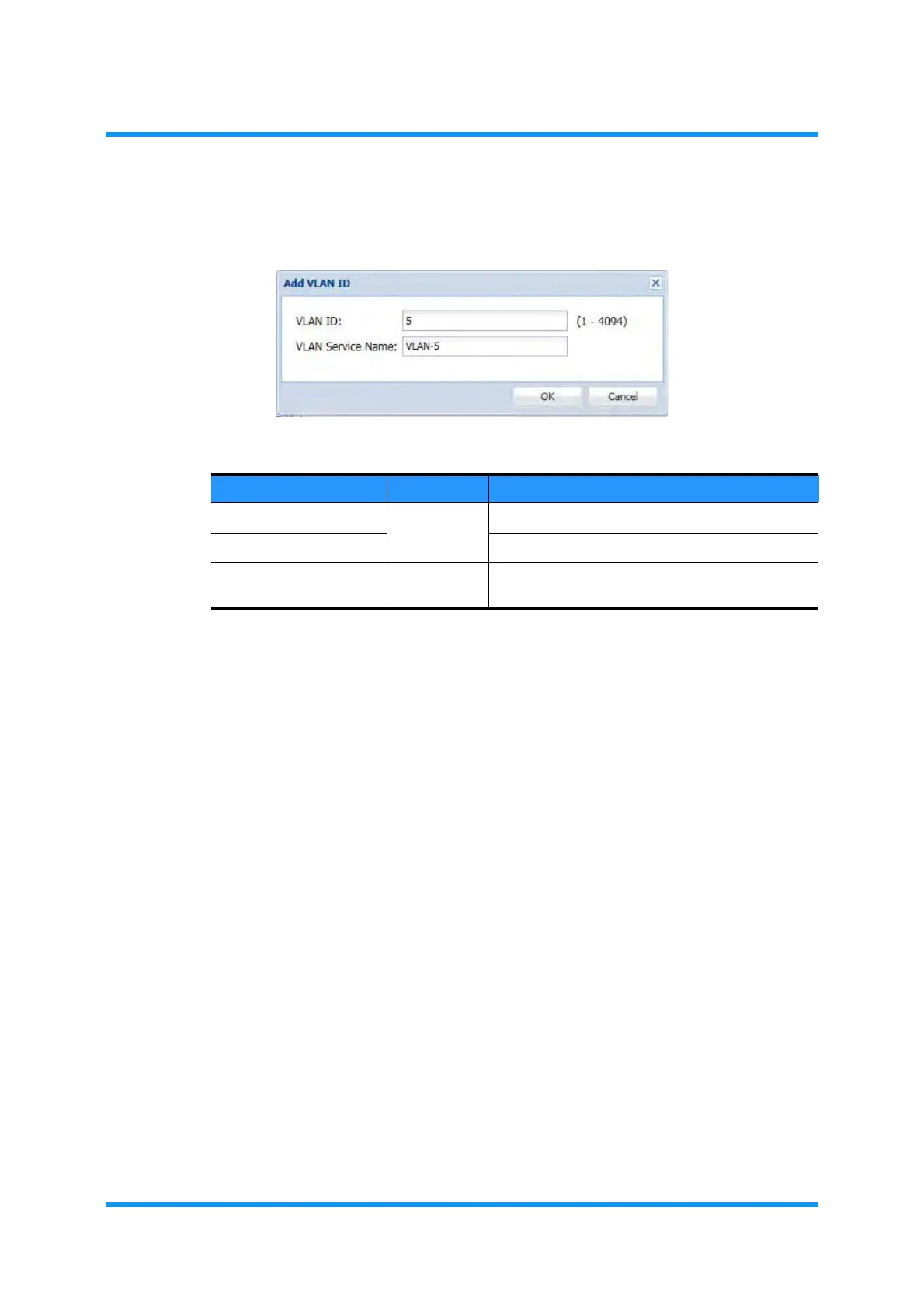
4. Specify VLAN ID (for 802.1q) or S-VLAN ID (for 802.1ad) and VLAN Service
Name
:
Figure 8-19 Add VLAN ID Option Window (example: 802.1q)
NOTE: Multiple VLAN IDs can be entered using comma(s) and/or hyphen as
shown below:
VLAN ID:1,2,3,1000-4094
VLAN Service Name:
(VLAN Name)
i) By the example above, VLAN IDs of 1, 2, 3, and 1000 to 4094, that is, 3098
IDs in total are registered. The order of entering IDs has no special rule, which
means that entering in the order of 1000-4094,1,3,2 is available as well.
ii) The VLAN ID entry field in the Filter option box indicates
1–20 by default,
which is only to limit the number of VLAN IDs to display in the beginning.
Entering a specific number or a range (
e.g., 4000–4094 for VLAN IDs 4000 to
4094) retrieves VLAN IDs as entered. To display all, remove the entry to leave
the field blank, and click the Search button.
iii) When registering multiple VLAN IDs,
-xxxx (xxxx: 0001 to 4094) is
automatically added to each VLAN Service Name. The maximum number of
characters for a VLAN Service Name is 27.
iv) If (an) automatically generated VLAN Service Name(s) within the multiple
VLAN IDs to be registered already exist(s), that/those VLAN ID(s) will be
registered without VLAN Service Name(s).
Table 8-5 Add VLAN ID Parameters
Parameter Value Description
VLAN ID
1 to 4094
[For 802.1q] Enter VLAN ID.
S-VLAN ID [For 8021.ad] Enter S-VLAN ID.
VLAN Service Name (text field) Enter VLAN Service Name. Valid value is 1 to 32
characters long.



 To Next Page