8-38 Set ETH Function
GGS-000547-01E iPASOLINK EX Advanced: SET NETWORK AND SYSTEM PROVISIONING
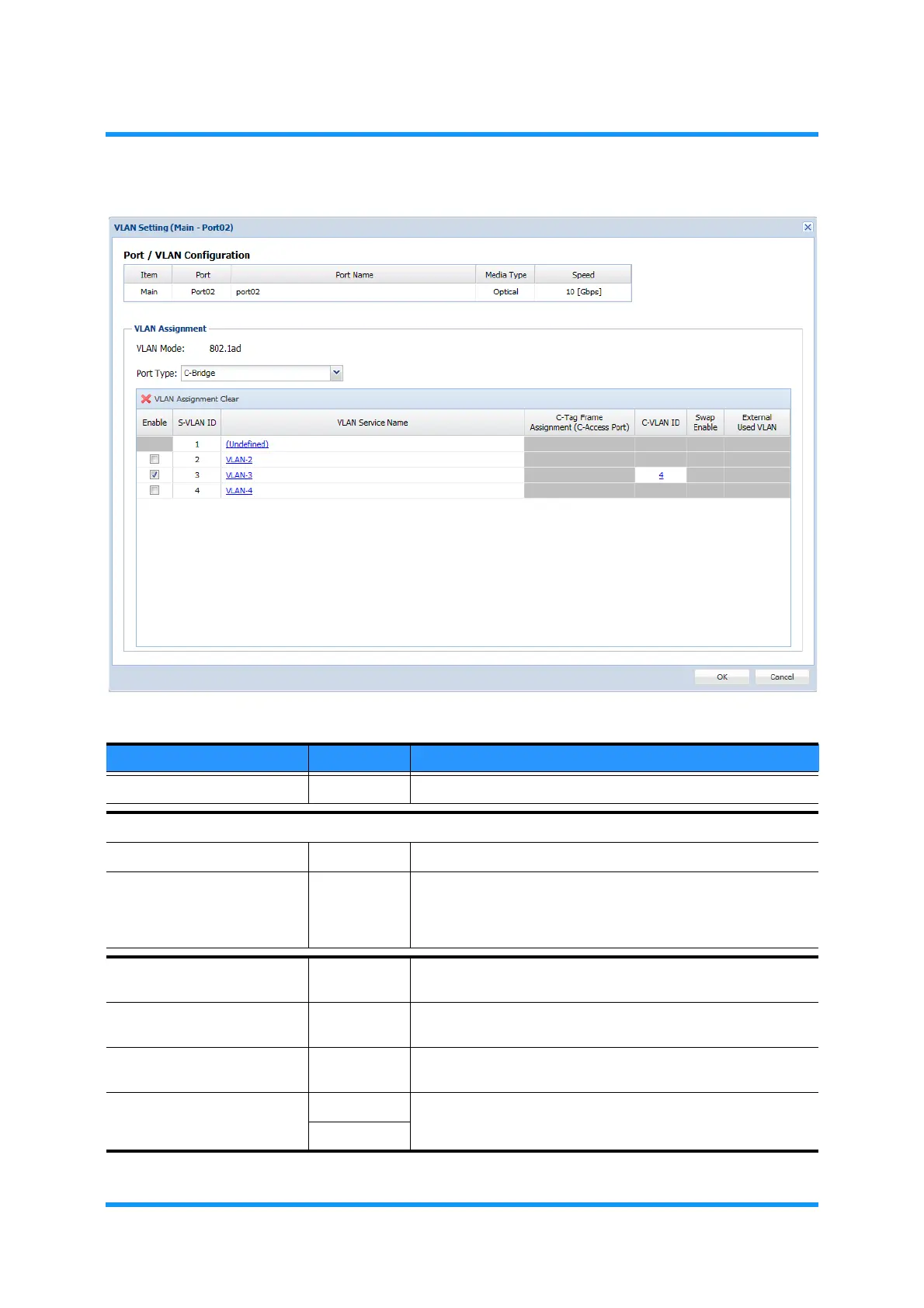
Figure 8-46 VLAN Setting Option Window
Table 8-9 VLAN Setting Parameters — C-Bridge
Parameter Value Description
Port/VLAN Configuration (read only) Indicates the information of selected port.
VLAN Assignment
VLAN Mode 802.1ad Indicates the VLAN Mode of the selected port.
Port Type C-Bridge Allows the selected tagged frames to pass through. Untagged
frames are discarded. For an outer tag with matching C-VLAN
ID, S-Tag corresponding to the C-Tag will be applied, then pass
through.
X VLAN Assignment Clear —— Removes (a) tick(s) in check box(es) below (cancels
selections).
Enable (check box) Tick the check box to select a VLAN to assign the selected port
type configuration.
C-Tag Frame Assignment
(C-Access Port)
(radio button) Clicking the radio button selects a VLAN ID to the untagged
frame.
C-VLAN ID Undefined Indicates the specified values.
1 to 40



 To Next Page