Set ETH Function 8-109
iPASOLINK EX Advanced: SET NETWORK AND SYSTEM PROVISIONING GGS-000547-01E
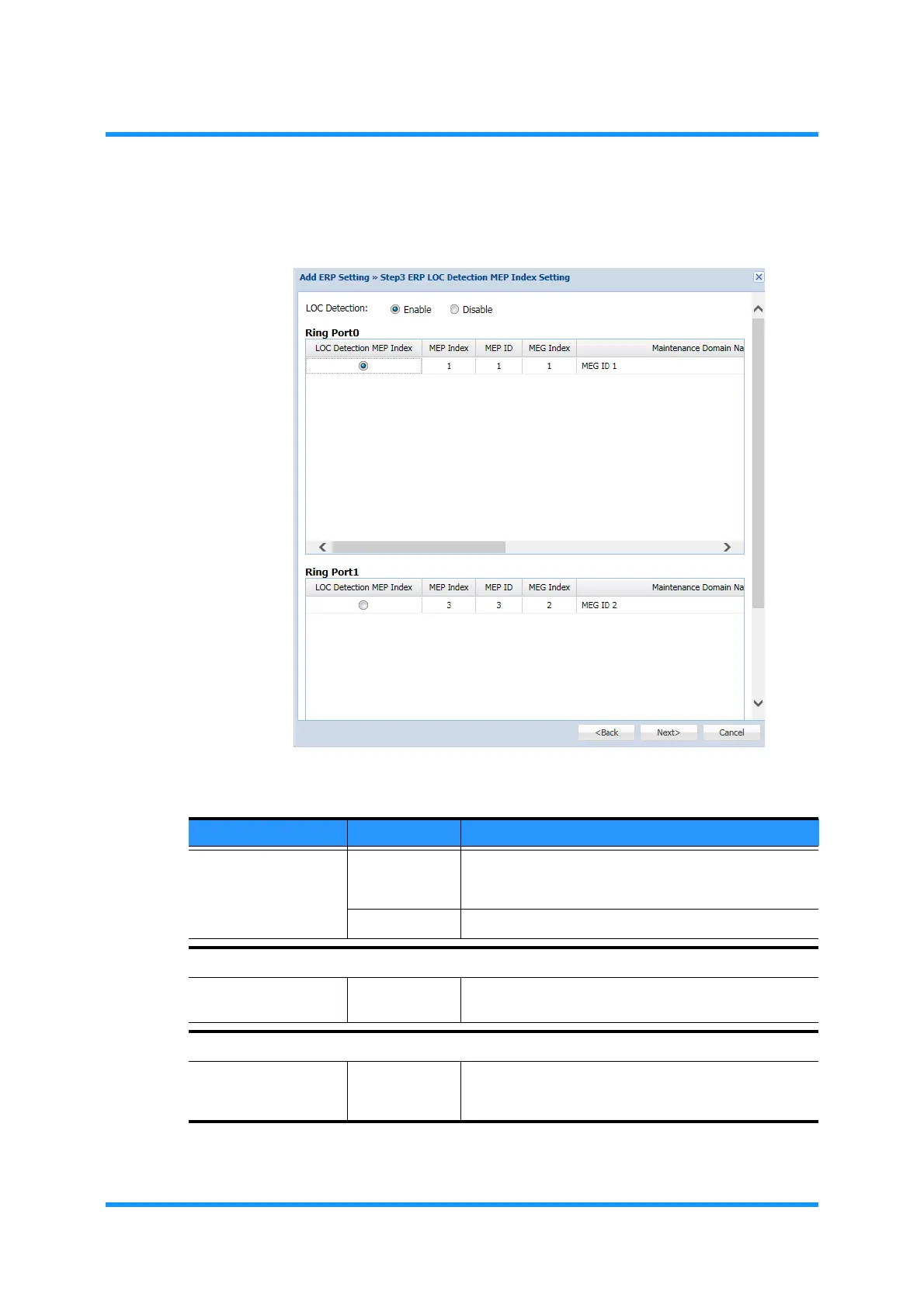
10. Step 3 ERP LOC Detection MEP Index Setting option window appears. Assign
the appropriate values, then click the
Next button.
Figure 8-151 Step 3 ERP LOC Detection MEP Index Setting Option Window
Table 8-28 Step 3 ERP LOC Detection MEP Index Setting Parameters
Parameter Value Description
LOC Detection Enable Enables to detect failures for switching the Ring using
ETH-CC. To carry out the switching under 50 ms, this
setting is required with 3.3 ms ETH-CC setting.
Disable Disables the LOC Detection.
Ring Port0
LOC Detection
MEP Index
(radio button) Click (select) to enable the use of MEP Index.
Ring Port1
LOC Detection
MEP Index
(radio button) Click (select) to enable the use of MEP Index. This
option does not need to be set for Sub-Ring
(Interconnection Node).



 To Next Page