Set Equipment Clock and Synchronization 9-7
iPASOLINK EX Advanced: SET NETWORK AND SYSTEM PROVISIONING GGS-000547-01E
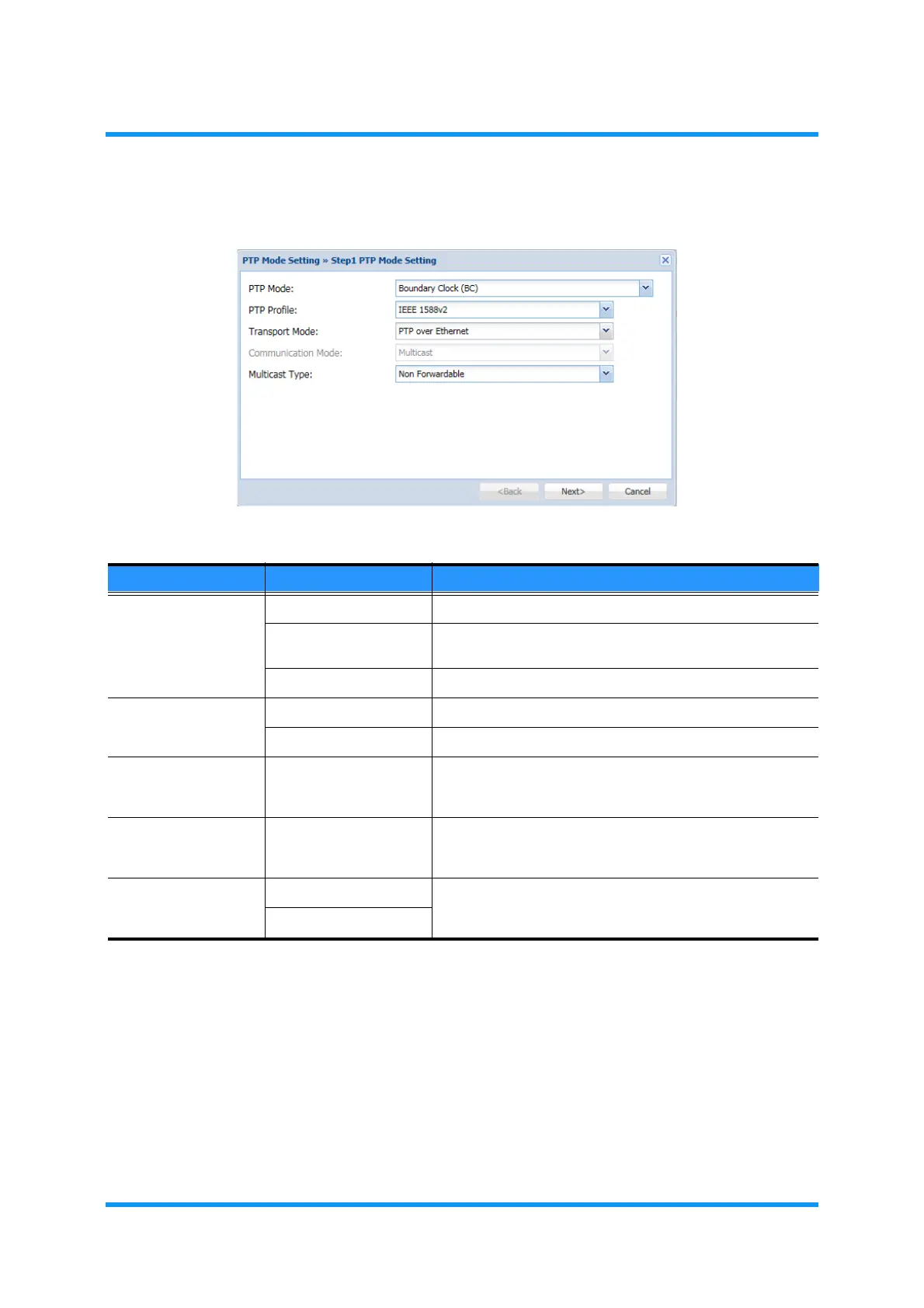
4. Assign the appropriate value to each parameter:
Figure 9-7 Step 1 PTP Mode Setting Option Window
NOTE: PTP function (TC mode and BC mode) is supported for 1Gbps or
10Gbps transmission.
5.
When completed, click the Next button.
6. Warning dialog box appears. Click the OK button of the dialog box to proceed.
Table 9-2 PTP Mode Setting Parameters
Parameter Value Description
PTP Mode
NOTE
Boundary Clock (BC) Enables the PTP Mode (Boundary Clock mode) settings..
Transparent Clock
(TC)
Enables to PTP Mode (Transparent Clock mode) settings.
Disable Disables the PTP Mode settings.
PTP Profile IEEE 1588v2 Sets the PTP Profile to IEEE 1588v2.
G.8275.1 Sets the PTP Profile to G.8275.1.
Transport Mode PTP over Ethernet Transport Mode is fixed to PTP over Ethernet, which
operates in the mode according to the IEEE1588-2008
Annex F.
Communication
Mode
Multicast Communication Mode is fixed to Multicast traffic, which
operates in the mode according to the IEEE 1588-2008
Annex F.
Multicast Type Non Forwardable Select the Multicast Destination Address to use, which
should be associated with that of the opposing site
equipment.
Forwardable



 To Next Page