9-8 Set Equipment Clock and Synchronization
GGS-000547-01E iPASOLINK EX Advanced: SET NETWORK AND SYSTEM PROVISIONING
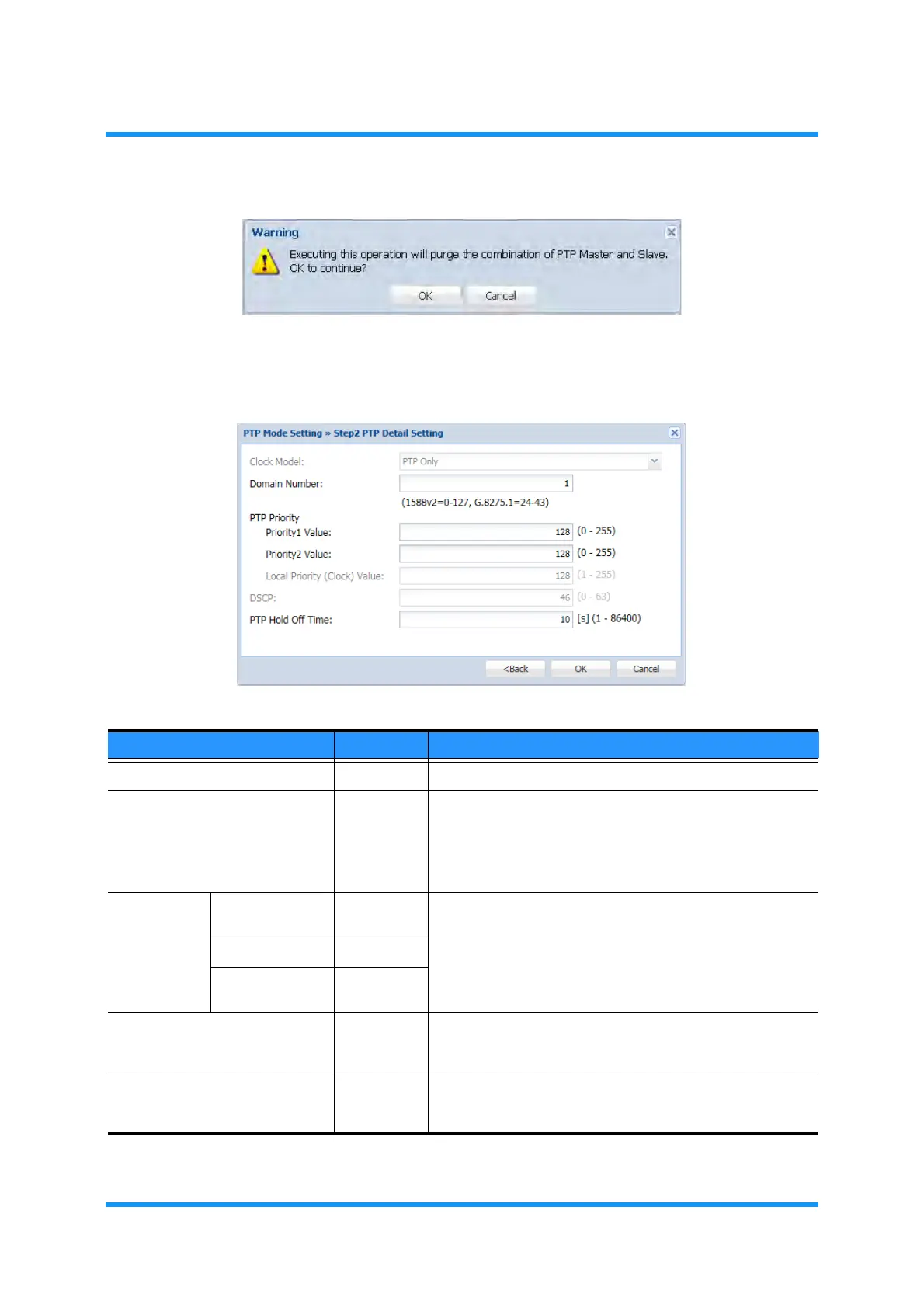
Figure 9-8 Information Dialog Box
Step 2 PTP Detail Setting
option window appears.
7.
Assign the appropriate value to each parameter:
Figure 9-9 Step 2 PTP Detail Setting Option Window
Table 9-3 PTP Detail Setting Parameters
Parameter Value Description
Clock Model PTP Only Clock Model is fixed to PTP Only.
Domain Number 0 to 127
(24 to 43)
Specify PTP Domain Number that should be associated with
that of the opposing site equipment.
When PTP Profile selects G.8275.1, the available
numbers are limited to 43 from 24 in compliance with
G.8275.1.
PTP Priority Priority 1 Value 0 to 255 Specifies the priority to PTP packet, which should be associ-
ated with that of opposing site equipment.
Priority 2 Value 0 to 255
Local Priority
(Clock) Value
1 to 255
DSCP 0 to 63 Specify the DSCP value according to the network configura-
tion to use. This option is voided when Transport Mode
selects PTP over Ethernet.
PTP Hold Off Time 1 to 86400 Specifies the value of Holdoff Timer, which is a period to
release the Holdover state when the PTP function recovers
from the locked state. [unit: second]



 To Next Page