9-12 Set Equipment Clock and Synchronization
GGS-000547-01E iPASOLINK EX Advanced: SET NETWORK AND SYSTEM PROVISIONING
5. When completed, click the Next button.
6. Information dialog box appears. Click the OK button of the dialog box to
proceed.
Figure 9-14 Information Dialog Box
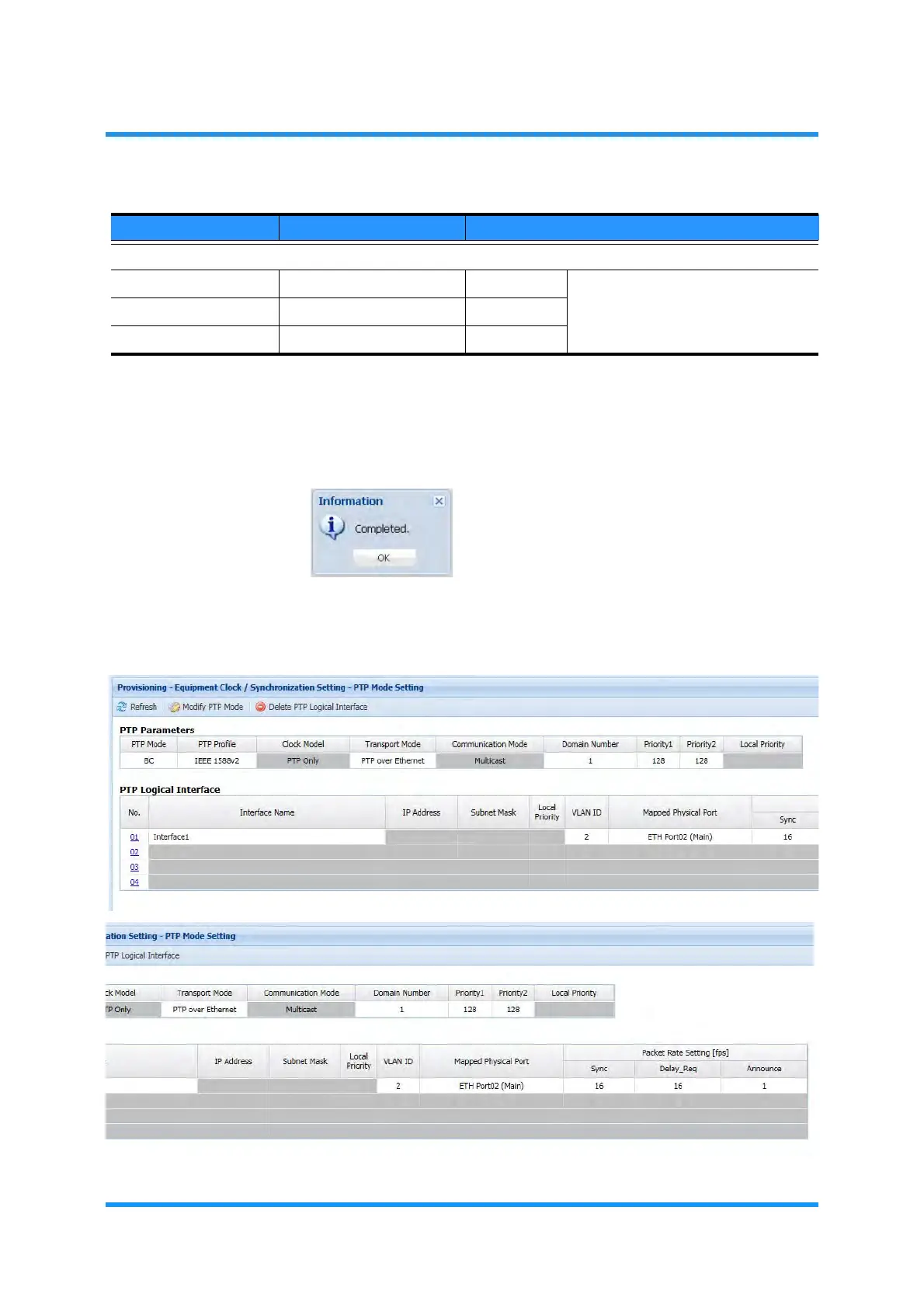
7. The PTP Mode Setting window updates the PTP Logical Interface information.
Verify the displayed information.
Figure 9-15 PTP Mode Setting Window
PTP Message Rage
Sync Message 1, 2, 4, 8, 16, 32, 64, 128 [unit: fps] When the PTP Profile selects
G.8275.1, the values for these
options are fixed; not user-
changeable.
Delay_Req Message 1, 2, 4, 8, 16, 32, 64, 128 [unit: fps]
Announce Message 0.5, 1, 2, 4 [unit: fps]
Table 9-4 PTP Logical Interface Setting Parameters (2 of 2)
Parameter Value Description



 To Next Page