Tungsten™ E2 Handheld 276
CHAPTER 15 Sending and Receiving Email Messages
3
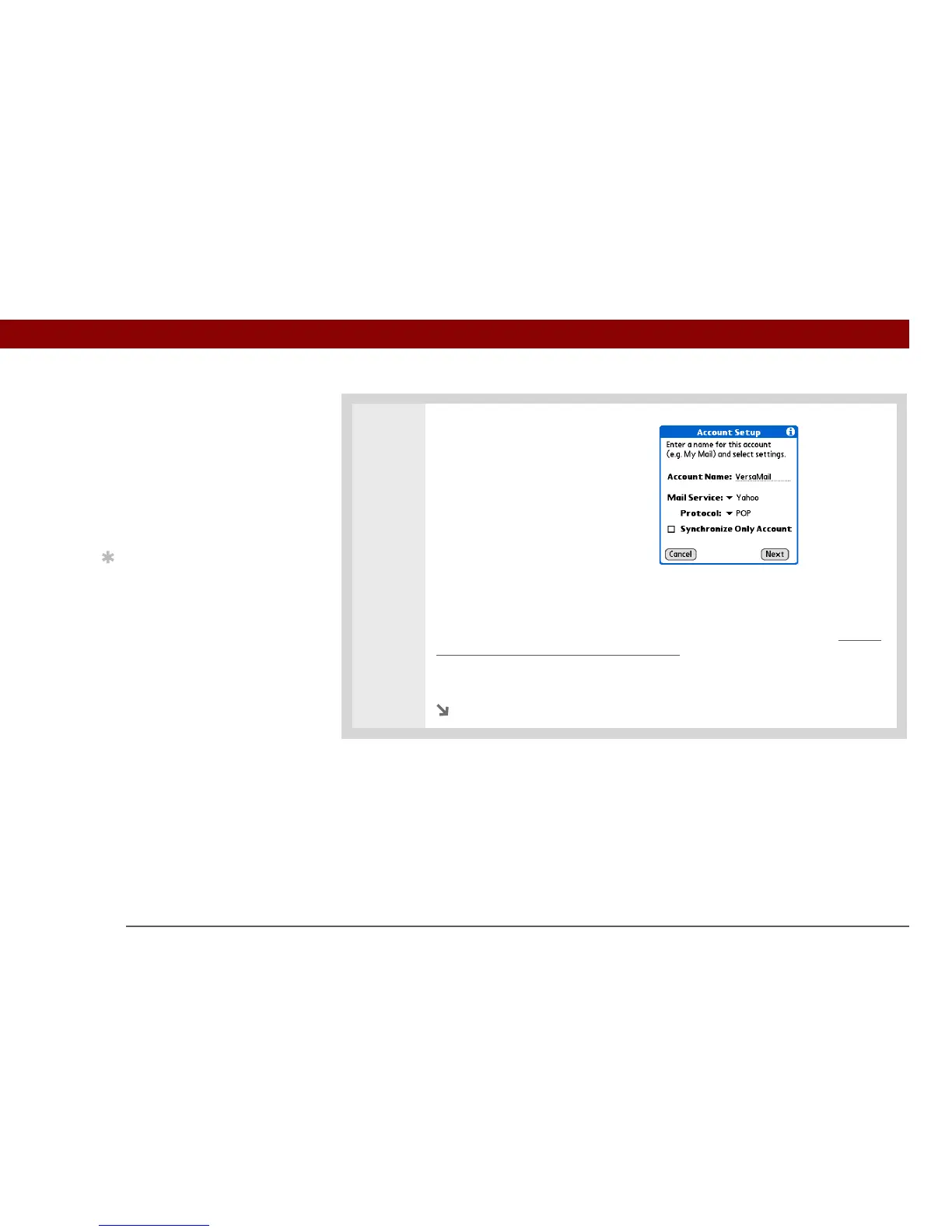
Enter the basic account information:
a. In the Account Name field, enter
a descriptive name.
b. Select the Mail Service pick list,
and then select your email
provider. Select Other if your
provider is not listed.
c. If you chose Other, select the Protocol pick list, and then select POP or IMAP.
Do not check the Synchronize Only Account box. If you plan
only to synchronize email on your handheld with email on your computer, do
not set up the account on your handheld. Instead, follow the steps for setting
synchronization options on your computer later in this chapter.
d. Select Next.
Continued
»
Key Term
Protocol Settings your
email provider uses to
receive email messages.
Most providers use the
Post Office Protocol
(POP); a few use the
Internet Message Access
Protocol (IMAP).
Tip
If your email provider
appears on the Mail
Service pick list, you don’t
need to select a protocol.
The correct protocol is
automatically displayed.
IMPORTANT
[
! ]



 To Next Page