Tungsten™ E2 Handheld 277
CHAPTER 15 Sending and Receiving Email Messages
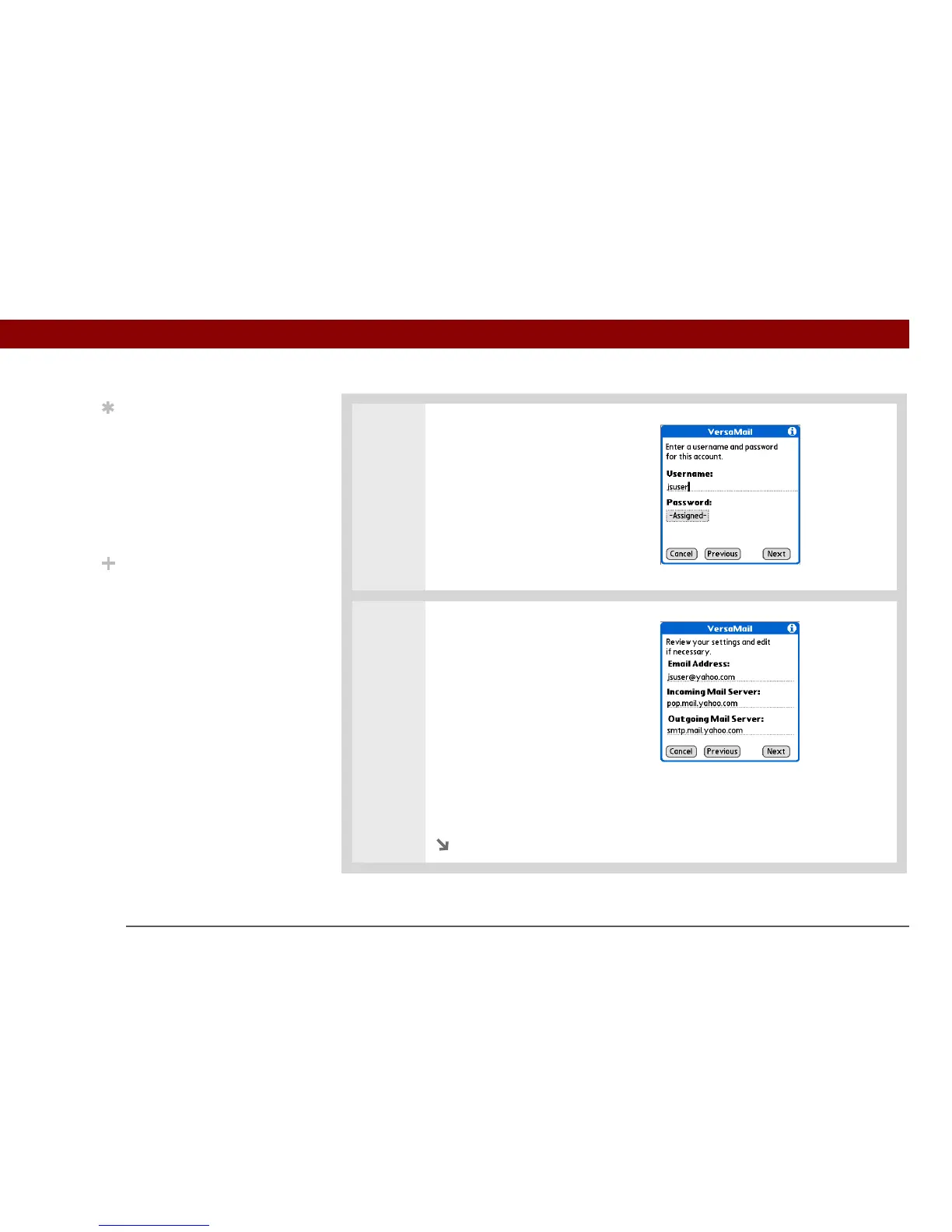
4 Enter the account username and
password:
a. Enter the username you use
to access your email.
b. Select the Password box,
enter your email account
password, and then select OK.
c. Select Next.
5 If you chose a common email
provider from the Mail Services
pick list on the Account Setup
screen, this screen is already
filled in. If not, enter the names
of the incoming and outgoing
mail servers:
a. Enter your email address.
b. Enter the names of your mail
servers.
c. Select Next.
Continued
Tip
Your username is usually
the part of your email
address appearing before
the @ symbol, not your
entire email address.
Check with your ISP if you
are not sure what
username to enter.
Did You Know?
Your incoming mail
server is also called your
POP or IMAP server; your
outgoing mail server is
also called your SMTP
server.



 To Next Page