18-2
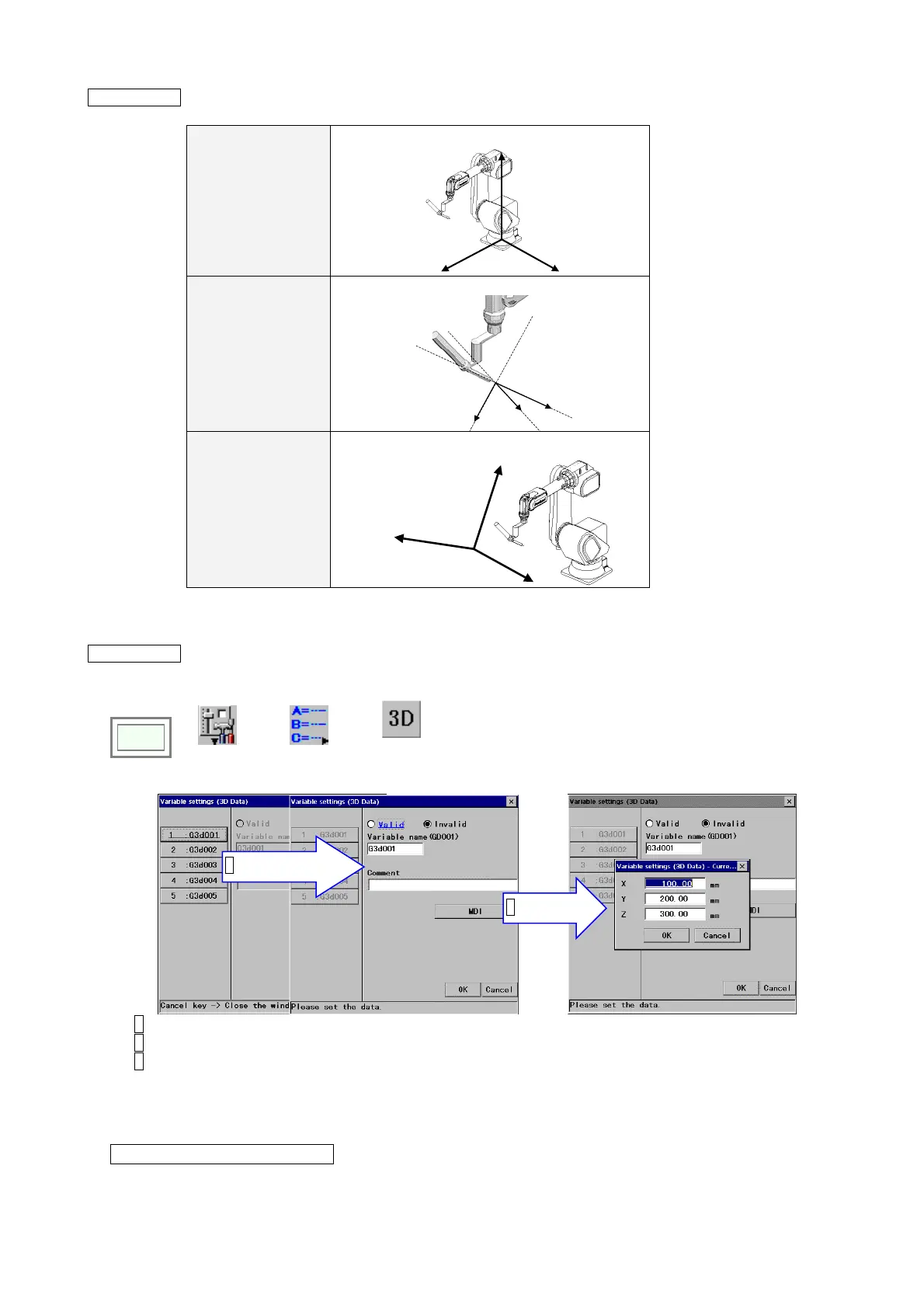
Supplement 1 You can specify the coordinate system the shift will be based on using the argument of the
SHIFT-ON command.
ROBOT Robot coordinate system
X
Y
Z
TOOL Tool coordinate system
Tx
Ty
Tz
USER User coordinate system
Xu
Yu
Zu
Supplement 2 There are two ways to change settings of 3-D position global variable.
(1) Use the menu:
Click
>>
Set
>>
Variable
>>
Position
(3D)
Î
1 Specify a name
2 Click MDI
1. Specify the variable name you would like to change.
2. Click MDI.
3. Set X, Y and Z values and click the OK button.
(2) Use a sequence command “
SETEL”:
For example, to change the value of GD001 “X” to “100”.
SETEL GD.X 1:GD001
= 100.00








 To Next Page