4535 612 10261 HD11 Service Manual Page 127
CSIP: Level 2 Installation: Physical Installation Procedures
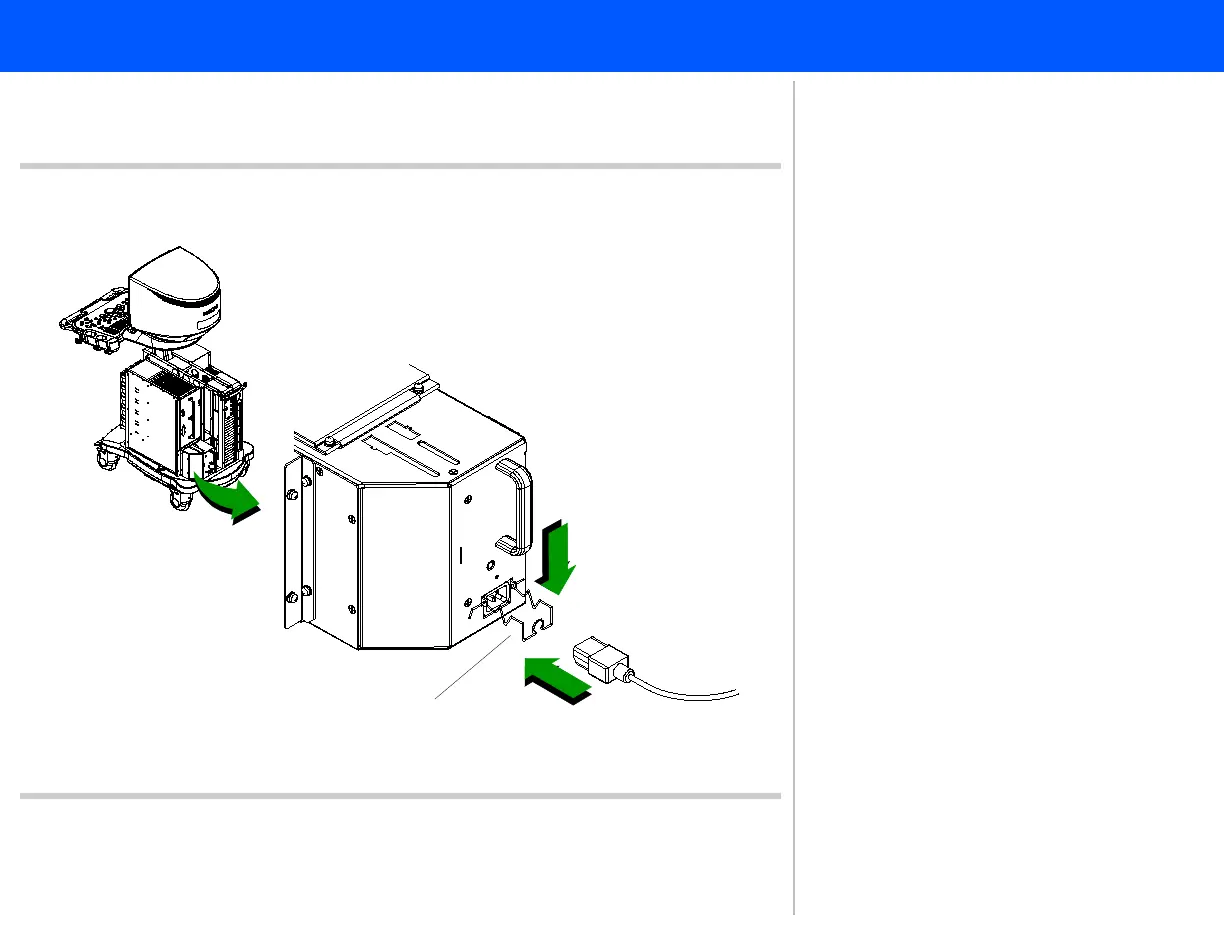
System Power Cord
Figure 5-35 Connecting the System Power Cord
2
1
Cable retainer clip
➤ To install the system power cord
1. Insert the system power cord that
came supplied with the system into
the receptacle located at the rear of
the power supply.
2. Press down on the cable retainer clip
until it snaps onto the power cord,
using your thumb to support the
bottom of the power cord.
3. Connect the power cord to the AC
supply source.
This completes the system power cord
installation procedure.
Return to Installation Procedure List.



 To Next Page