4535 612 10261 HD11 Service Manual Page 217
CSIP Level 1 Disassembly and Reassembly: Disassembly Procedures
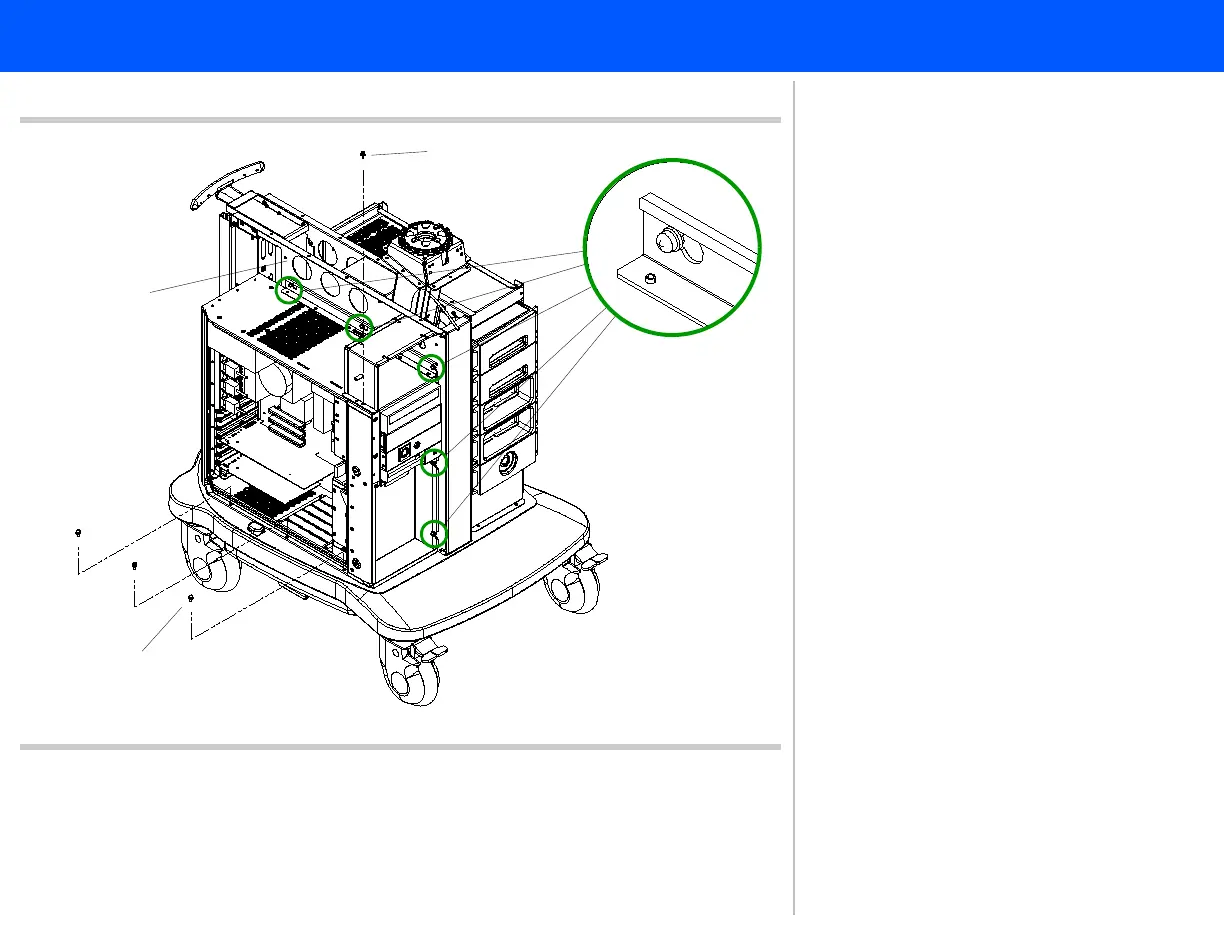
Figure 10-30 Locating the PC Mounting Screws
6
Torx screw
4
Torx screws
(3 plcs)
Left center
panel
Loosen only
5
3. Locate all nine of the screws that
secure the PC assembly to the cart
and follow the steps below.
4. Remove the one Torx screw that
secures the PC front panel drawer
bracket to the top of the PC case.
5. Remove the three Torx screws
securing the base of the PC assembly
to the cart frame.
6. Loosen the five Torx screws securing
the PC assembly to the left center
panel. Proceed to step 7.



 To Next Page