4535 612 10261 HD11 Service Manual Page 264
CSIP Level 1 Disassembly and Reassembly: Disassembly Procedures
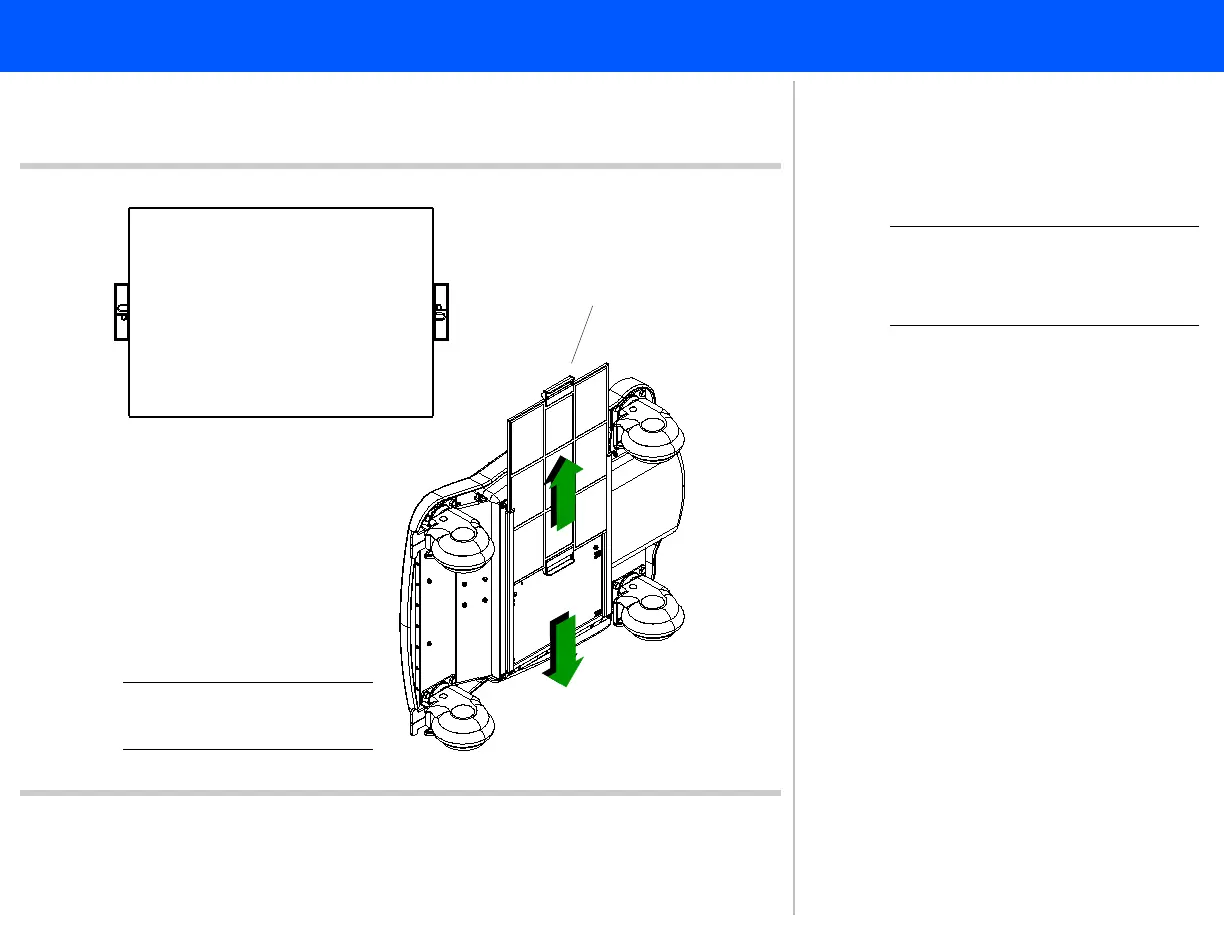
Fan Air Filter
Figure 10-77 Removing the Fan Air Filter
1
Filter handle
(both sides)
2
“UP” side of filter
Bottom of
system
NOTE System shown tilted for
illustration clarity.
➤ To remove the fan air filter
NOTE The filter can be removed from
either side of the system chas-
sis.
1. Locate the filter handle and pull the
filter straight out of the filter guides.
2. To install the filter, slide the filter
into the filter guides with the “UP”
on the handles facing toward the top
of the system.
This completes the fan filter removal and
reassembly procedure.
Return to Disassembly Procedure List (2
of 2).



 To Next Page