4535 612 10261 HD11 Service Manual Page 165
CSIP Level 1 Adjustments: Adjusting the Monitor
Adjusting VGA
Ver tical Size
For best viewing of the BIOS settings (Table 13-2), the monitor VGA vertical size can be
adjusted. This adjustment does not affect the normal display mode.
➤ To adjust the VGA vertical size
1. Reboot the system.
2. As the system boots up, press the Review key repeatedly, until the BIOS screen opens.
3. Access the monitor OSD Main Menu (same as step 1 through step 3). The OSD Main menu
is displayed. Scroll to SIZE & POSITION.
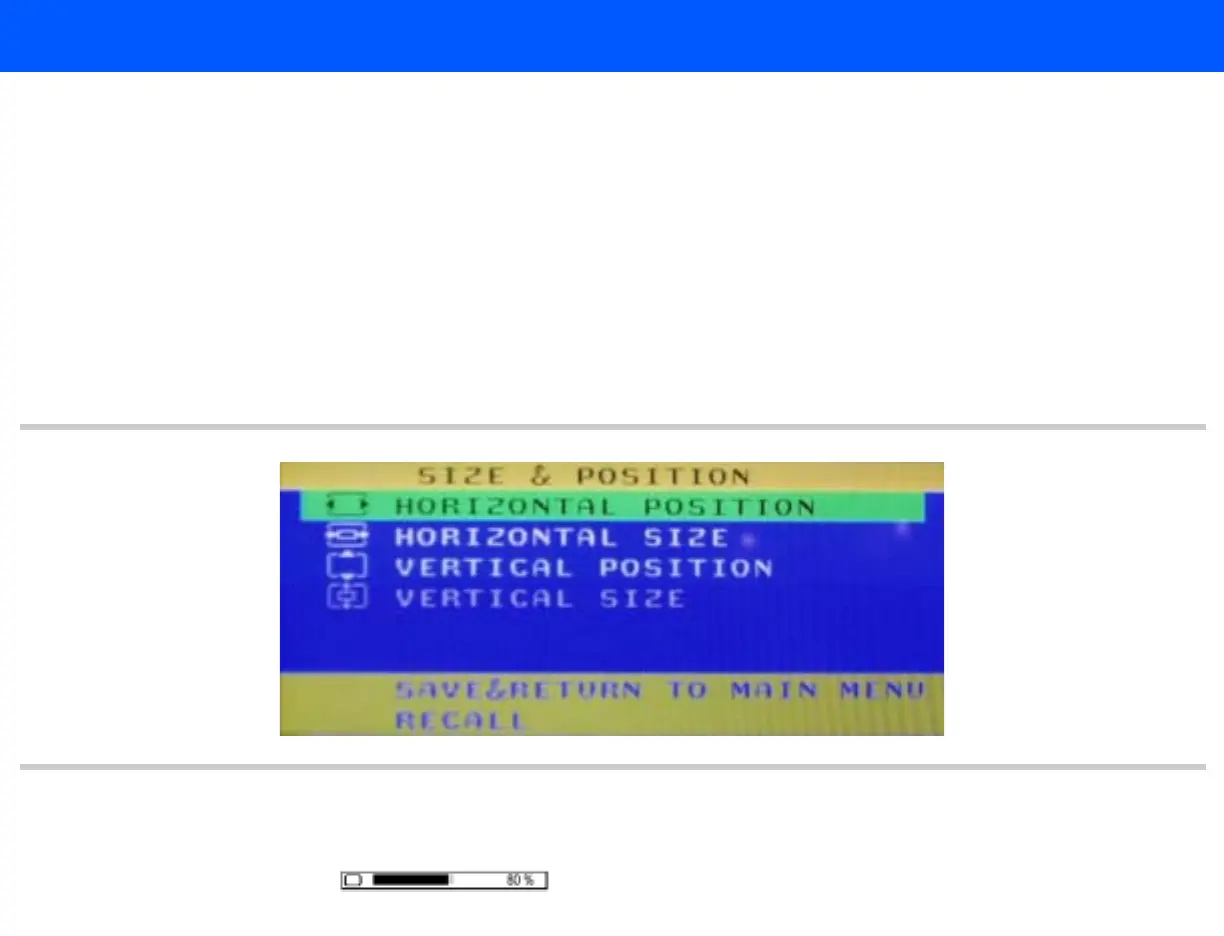
4. Press the leftmost monitor button. The Size & Position menu (Figure 7-3) is displayed.
Figure 7-3 Monitor OSD Size & Position Menu
5. Scroll to VERTICAL SIZE.
6. Press the leftmost monitor button. The vertical size adjustment bar is displayed:.



 To Next Page