Configuration with the web interface
98-137654-A Chapter 6: Configuration 6-23
6666
Configuration
The system has a list of reference satellites pre-installed in a
database. An up-to-date version of the database is included in each
new software version. When updating the software of the system the
database is automatically updated. For the Azimuth Adjustment
function to work properly, it is essential that these data are not
edited or new data are added unless instructed to do so by your
service partner.
6.3.7 Setting up Blocking zones
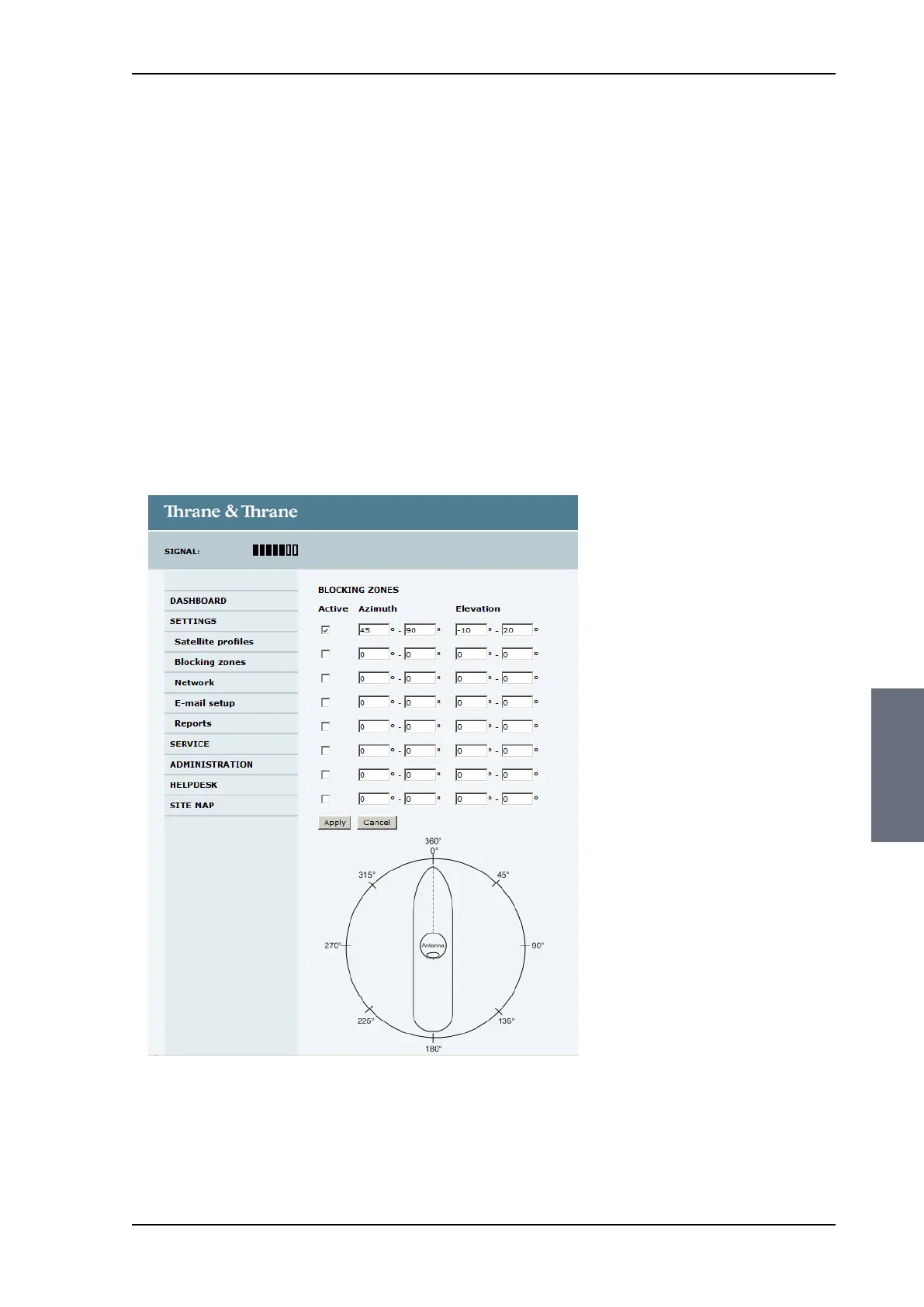
On this page you define blocking zones. You can use blocking zones
as a source of information in case there are problems in receiving
TV. Enter azimuth values and elevation angles for each blocking
zone.
You must select Active to enable a blocking zone.
To define and set a blocking zone, do as follows:
1. Select SETTINGS > Blocking zones.
Figure 6-17: Web interface: SETTINGS, Blocking zones — azimuth and elevation
SAILOR100TM.book Page 23 Tuesday, January 29, 2013 2:44 PM



 To Next Page