Configuration with the web interface
6-14 Chapter 6: Configuration 98-137654-A
6.3.3 Satellite profiles
6.3.3.1 Satellite profiles
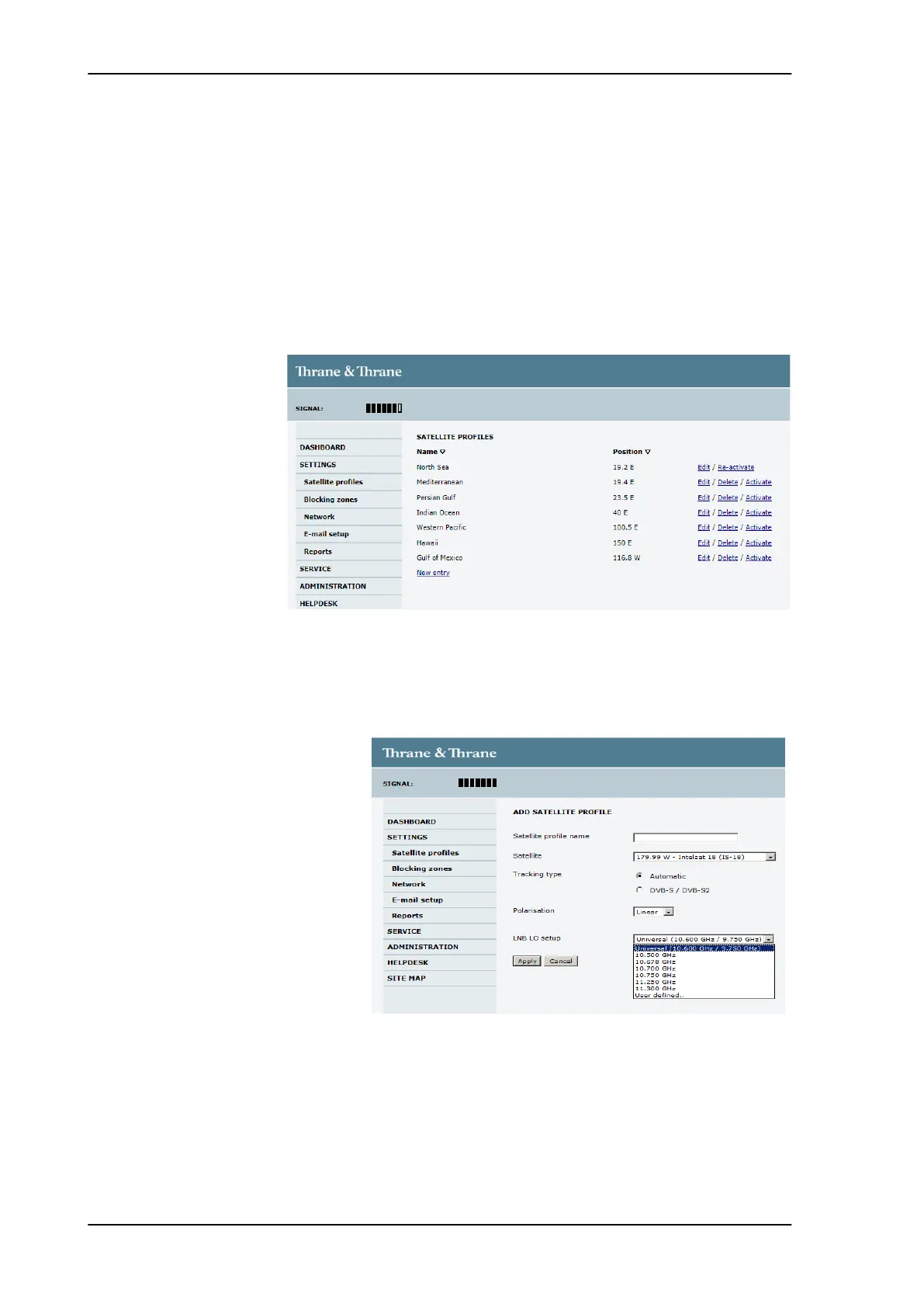
On the page Satellite profiles you add, edit and delete satellite
profiles. A satellite profile contains all settings that are necessary
for a successful reception from the satellite.
You must activate one satellite profile.
6.3.3.2 Satellite profiles — New entry and Edit
To add or edit a satellite profile, do as follows:
1. Go to SETTINGS or Satellite profiles and click Edit or New entry.
Figure 6-7: Web interface: SETTINGS - list of satellite profiles (example)
Figure 6-8: Web interface: SETTINGS, Satellite profiles — new entry
(example)
SAILOR100TM.book Page 14 Tuesday, January 29, 2013 2:44 PM



 To Next Page