Configuration with the Control Panel
98-137654-A Chapter 6: Configuration 6-43
6666
Configuration
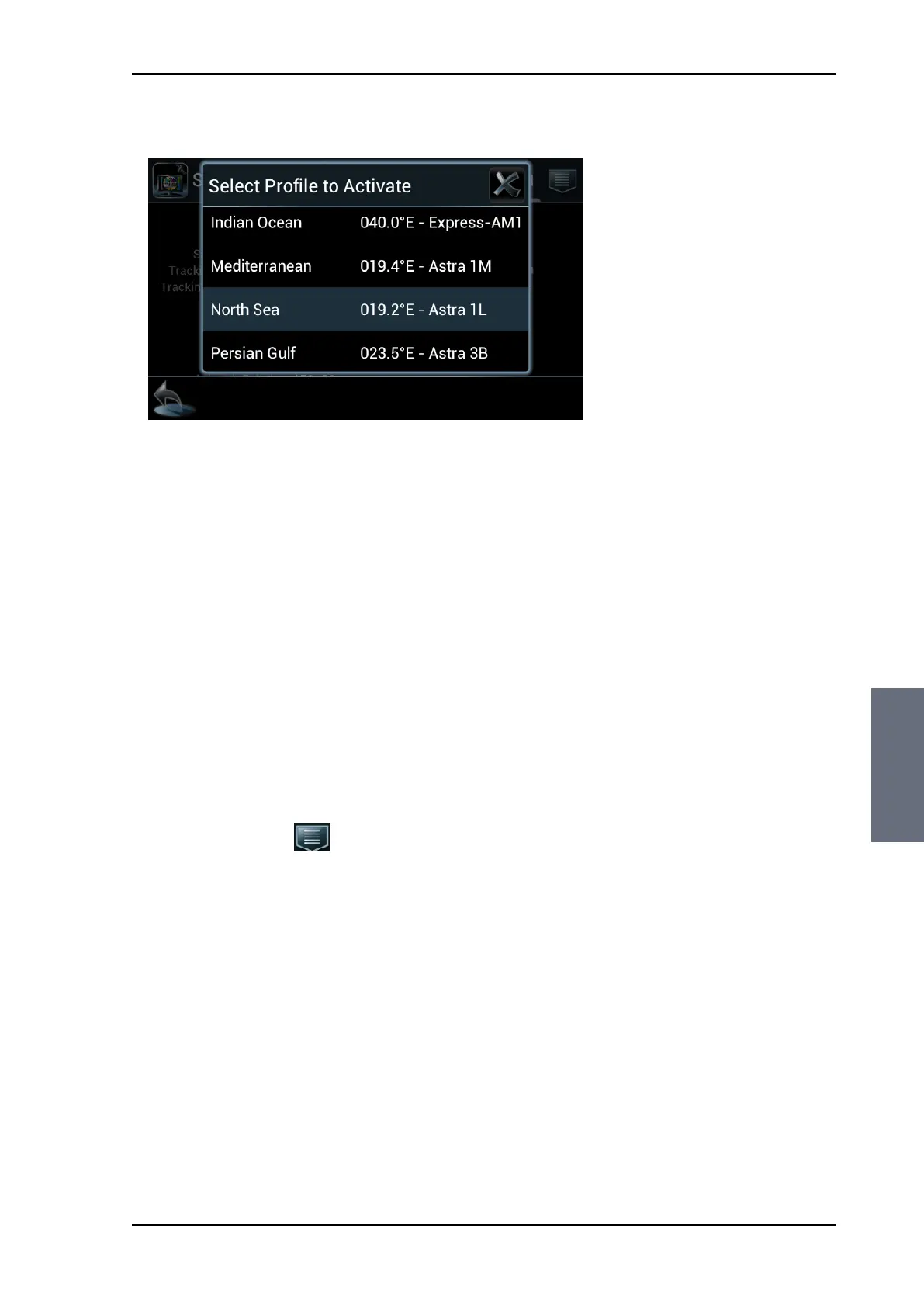
3. From the list of existing profiles select the new profile.
4. A confirmation window is displayed. Verify the activation of the
new profile and tap OK to accept.
5. The Dashboard is displayed again and the new profile is selected.
An azimuth adjustment is made (if enabled in the web interface
on the page SETTINGS > Calibration), and the antenna turns to
the new position and starts acquiring signal from the new
satellite.
6.4.4 Deleting a profile
You can delete profiles that you don’t use anymore. You cannot
delete the currently active profile.
To delete a profile, do as follows:
1. Tap the menu icon .
2. Select Settings.
3. Select Delete Profile.
4. Tap the profile you want to delete.
5. A confirmation window is displayed. Verify the profile name you
want to delete and press OK to accept.
6.4.5 Event list
This list provides active events and history of the system.
Notifications are earlier events, they are cleared after 24 hours.
There are two ways to display the Event list:
Figure 6-34: Control Panel — Selecting a satellite profile
SAILOR100TM.book Page 43 Tuesday, January 29, 2013 2:44 PM



 To Next Page