Removal and replacement of ADU modules
8-26 Chapter 8: Service & maintenance 98-137654-A
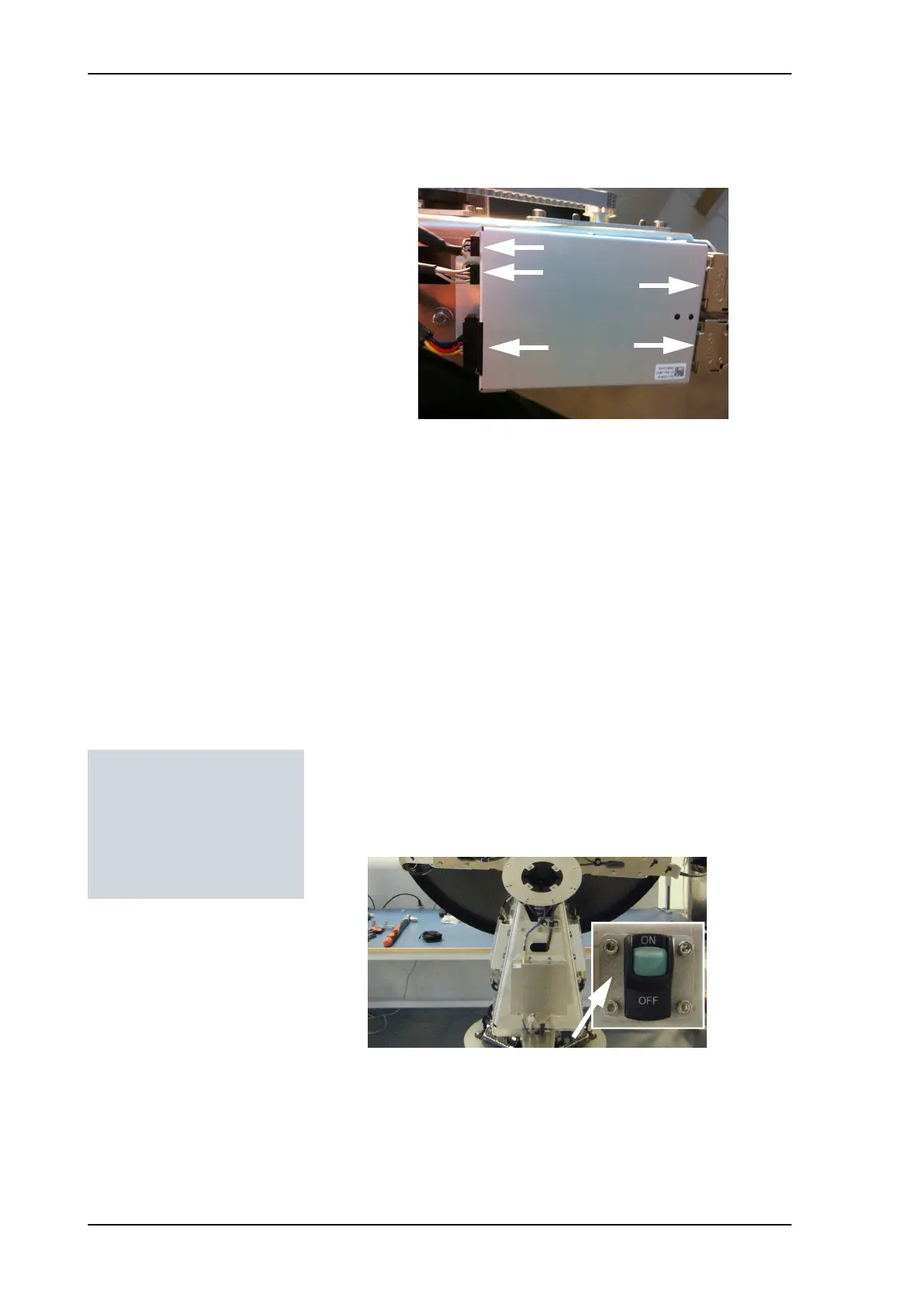
4. Disconnect the 3 connectors at the front of the Elevation DDM,
then the 2 SUB-D connectors at the rear of the Elevation DDM.
5. Remove the 4x4 mm Allen screws (thread size M5) (visible when
the connectors are removed) and remove the Elevation DDM.
8.5.3.4 Inserting a new Elevation DDM
To insert a new Elevation DDM follow the instructions above in
reverse order.
8.5.3.5 Removing the Azimuth DDM
To replace the Azimuth DDM, do as follows:
1. Open the service hatch by releasing the two latches with Torx
screws.
2. Switch off the power to the antenna on the service switch.
3. Rotate the antenna pedestal so that the Azimuth DDM faces the
service hatch.
4. Locate the Azimuth DDM at the front of the antenna.
Figure 8-23: Elevation DDM, connectors
Tools needed:
• 4 x 150 mm Allen key
(located inside the
service door of the ADU)
• Flat head screw driver
SAILOR100TM.book Page 26 Tuesday, January 29, 2013 2:44 PM



 To Next Page