Configuration with the web interface
6-24 Chapter 6: Configuration 98-137654-A
2. Select Active to enable the blocking zone.
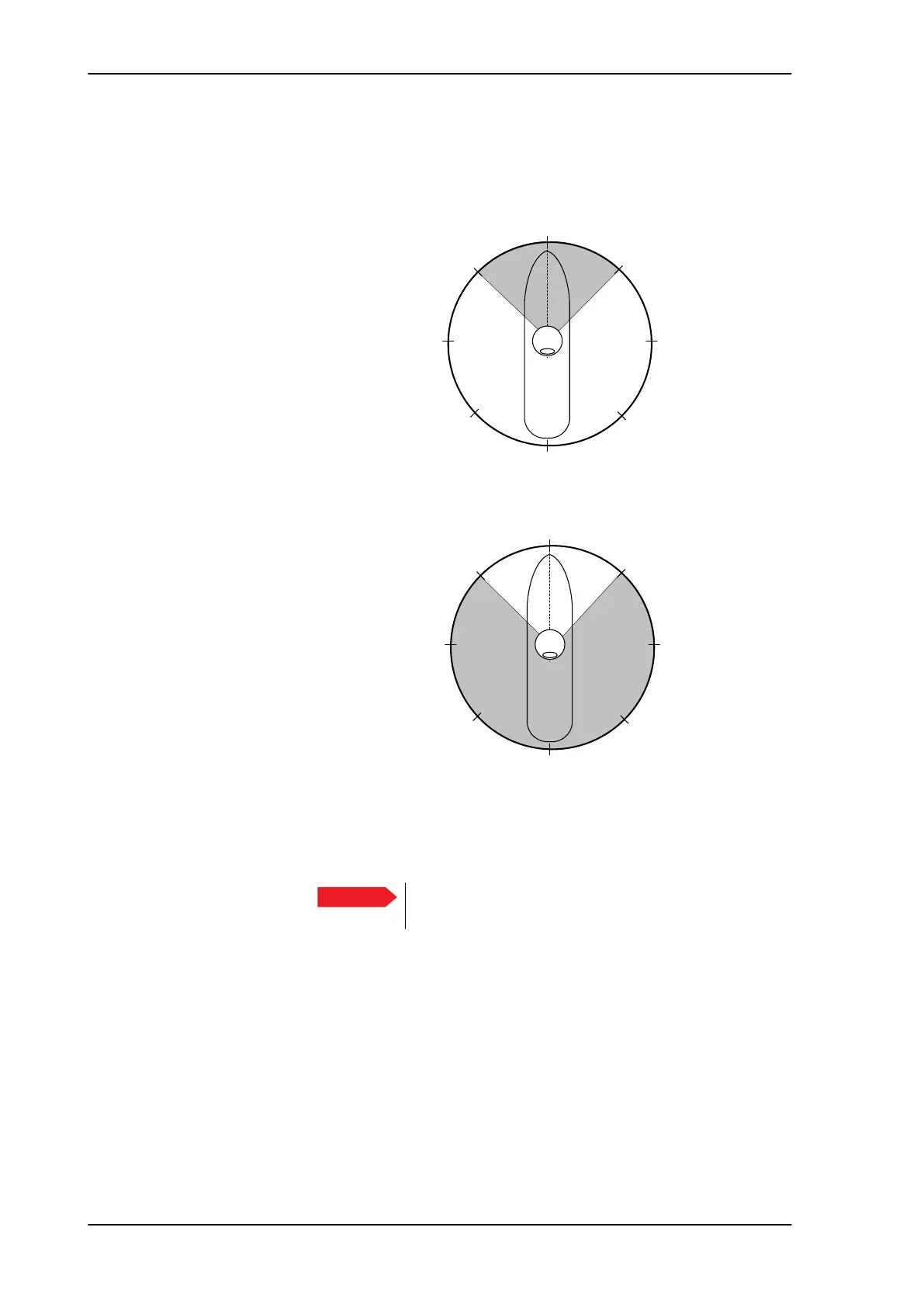
3. Azimuth: Enter start and stop azimuth value in degrees for the
blocking zone. Values allowed: 0 to 360 degrees. Enter clockwise.
4. Elevation: Enter the start and stop elevation angle for the
blocking zone. If you enter nothing, there will be no blocking
zone. Values allowed: -30 to 90 degrees.
5. Click Apply to save the blocking zones.
Figure 6-18: Blocking zone, example: 315 - 45 degrees
Figure 6-19: Blocking zone, example: 45 - 315 degrees
Important
You must enter 2 different elevation angles to have an
active blocking zone.
$QWHQQD
%ORFNLQJ]RQH
$QWHQQD
%ORFNLQJ]RQH
SAILOR100TM.book Page 24 Tuesday, January 29, 2013 2:44 PM



 To Next Page