Getting support: Helpdesk
98-137654-A Chapter 8: Service & maintenance 8-3
8888
Service & maintenance
You can also configure the system to send diagnostic reports at
defined time intervals. For further details on this see Sending a
diagnostics report on page 6-32.
8.1.1.2 Event list
When an event is registered, the web interface shows an event icon
in the icon bar as long as the event is active. The ACU display
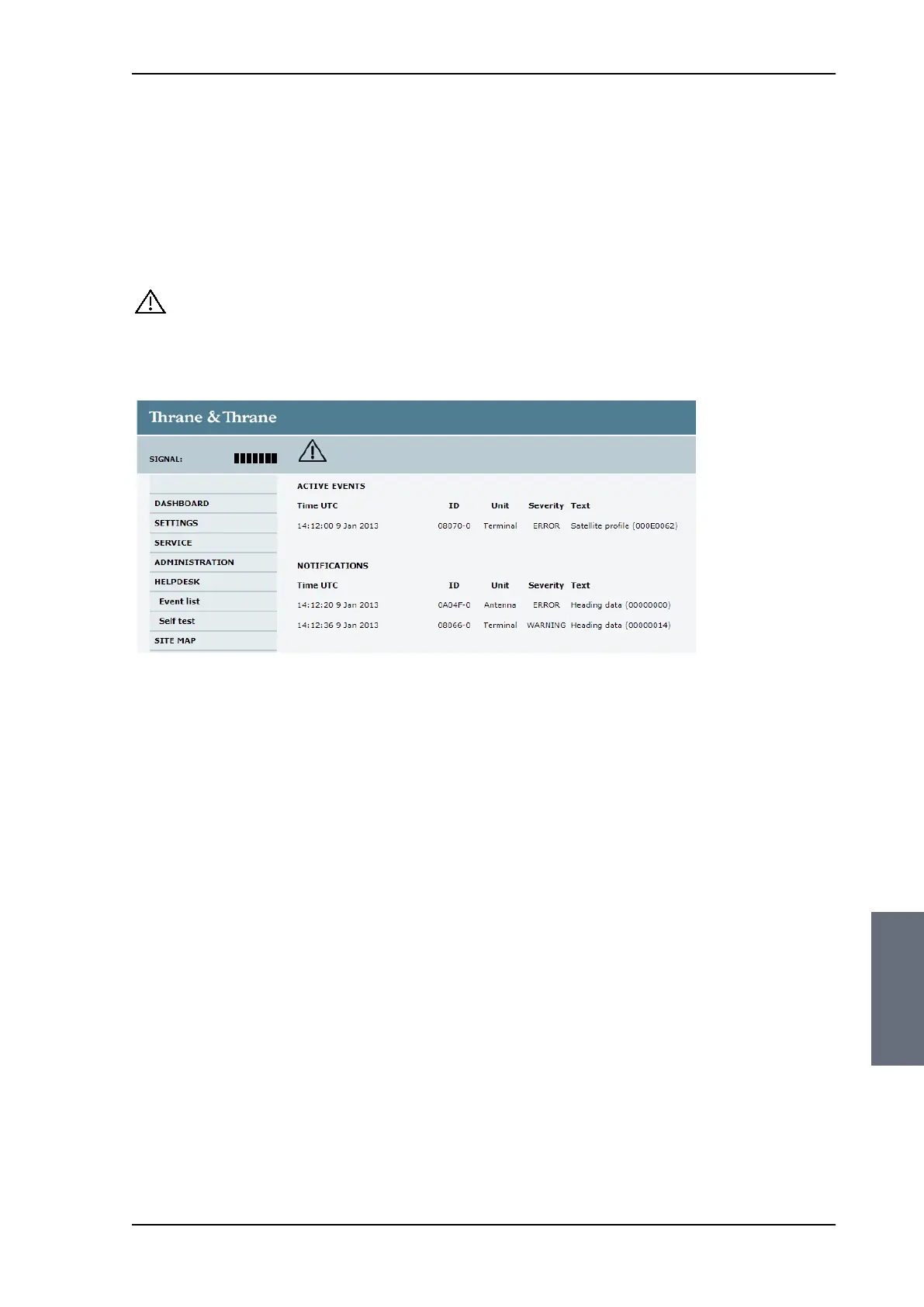
shows also active events. To view the event list with active events,
click the event icon from the icon bar at the top of the web interface,
or select HELPDESK > Event list from the left navigation pane.
The Event list page shows a detailed list of active events and
notifications including the time of the first occurrence, ID and
severity of the event message, and a short text describing the error.
Active events are cleared from the event list when the error is
cleared. They are moved to the section Notifications and are
displayed for 24 hours.
All entries in the section Notifications are cleared automatically
after 24 hours and after restart of the system.
For a list of all events with description, error code (ID), explanation
and remedy see List of events with explanation and remedy on
page C-1.
Figure 8-2: Web interface: HELPDESK, Event list
SAILOR100TM.book Page 3 Tuesday, January 29, 2013 2:44 PM



 To Next Page