Configuration with the web interface
6-18 Chapter 6: Configuration 98-137654-A
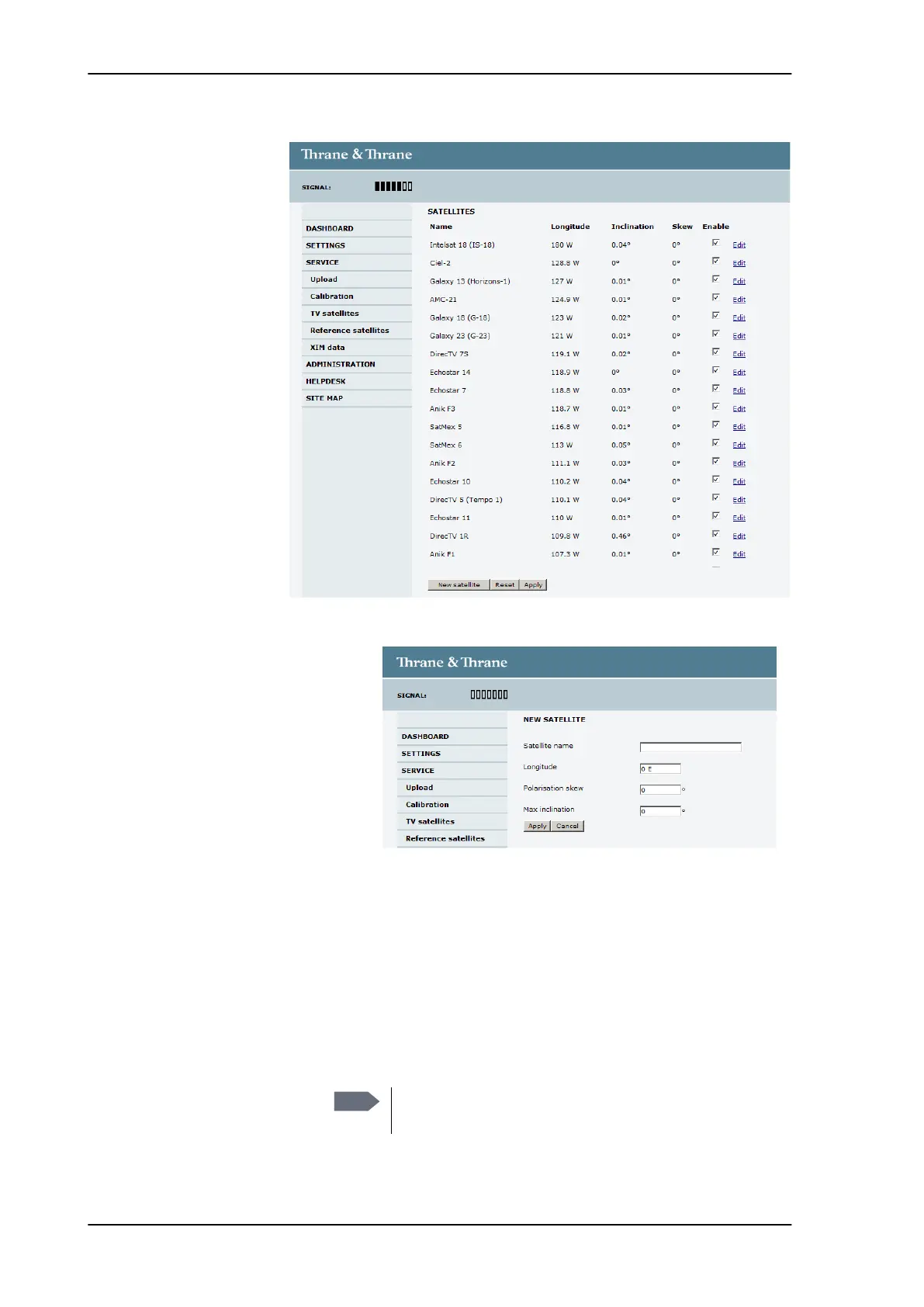
To add or edit a TV satellite, do as follows:
1. Go to SERVICE > TV satellites and click New satellite or Edit next
to an existing entry.
2. Enter or edit the Satellite name.
3. Enter or edit the Longitude, Polarisation skew and Max
inclination of the satellite.
Figure 6-11: Web interface: SERVICE - TV satellites (example)
Figure 6-12: Web interface: SETTINGS > TV satellites — new entry
(example)
Note
For
For best performance, the longitude of the satellites
should be supplied with one decimal precision.
SAILOR100TM.book Page 18 Tuesday, January 29, 2013 2:44 PM



 To Next Page