Removal and replacement of ADU modules
8-56 Chapter 8: Service & maintenance 98-137654-A
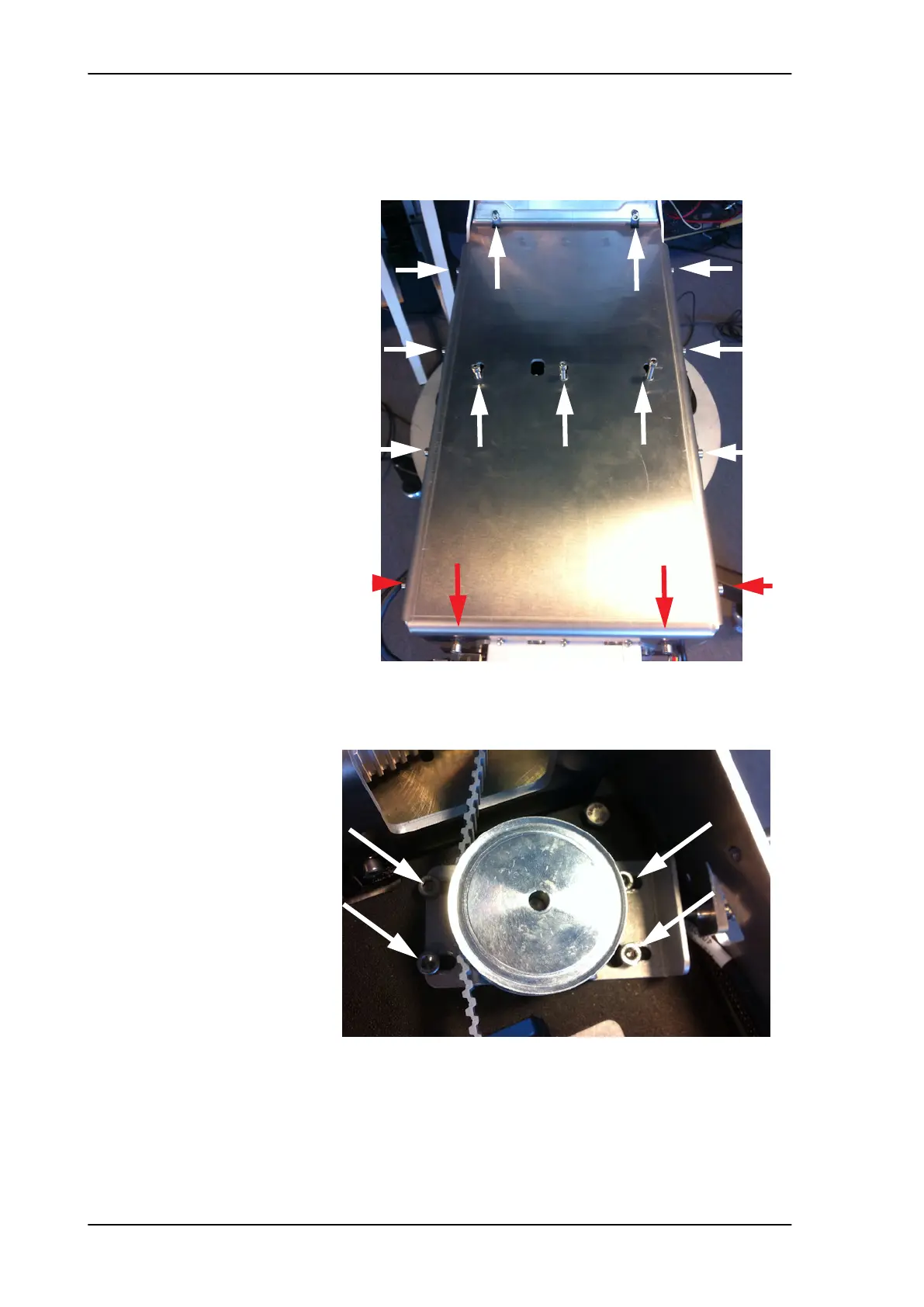
6. Loosen the 15x4 mm Allen screws (the 3 Allen screws on top are
longer than the rest) on the cover over the azimuth drive
modules, and remove the cover (lift and slide).
7. Loosen the belt tension device by loosening the 4x4 mm Allen
screws (thread size M5).
Figure 8-65: Azimuth drive modules, remove cover
Figure 8-66: Azimuth drive belt, loosen the belt tensioner
L=35 mm L=35 mm L=35 mm
SAILOR100TM.book Page 56 Tuesday, January 29, 2013 2:44 PM



 To Next Page