Configuration with the web interface
6-16 Chapter 6: Configuration 98-137654-A
DVB-S / DVB-S2:
By selecting DVB-S / DVB-S2, it is possible to configure the
system to track a specific transponder.
• Polarisation: Linear horizontal, Linear vertical, Left hand
circular or Right hand circular.
• Tracking frequency: Frequency of the transponder (e.g. 11.362
GHz).
• Symbol rate: Mega symbols per second (e.g. 27.500 MS/s).
5. At LNB LO setup you can set the LNB LO frequencies to the
appropriate value for the region covering the satellite profile, see
the drop-down list in Figure 6-8: Web interface: SETTINGS,
Satellite profiles — new entry (example) on page 6-14. If in doubt
leave this setting at the default value (Universal (10.600
GHz/9.750 GHz)). See also the Figure 2-5: Examples of LNB LO
frequencies used worldwide on page 2-6.
6. Click Apply to save the settings for the satellite profile.
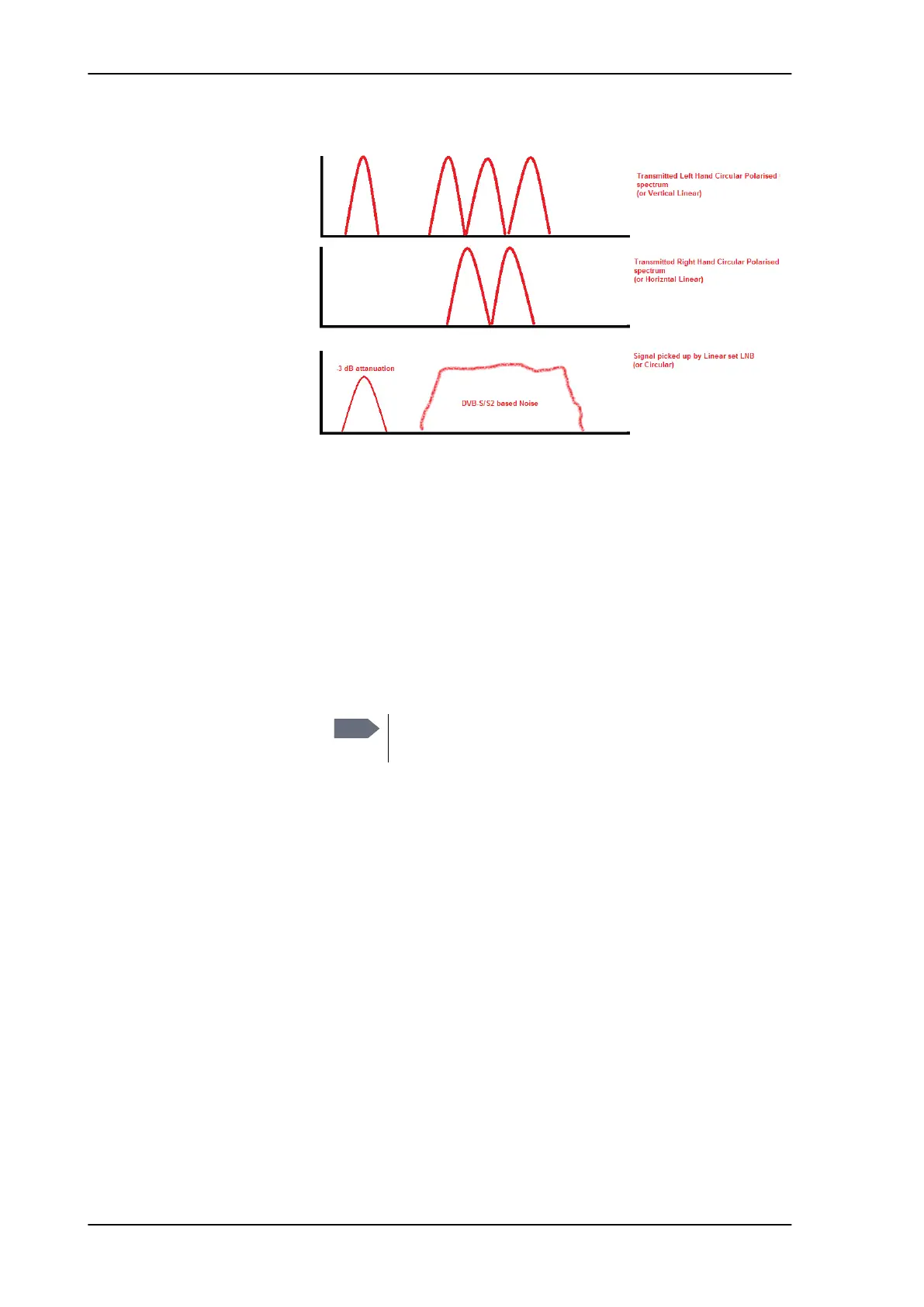
Figure 6-9: Signal picked up by Linear set LNB
Note
It is highly recommended always to use Automatic as
tracking type.
SAILOR100TM.book Page 16 Tuesday, January 29, 2013 2:44 PM



 To Next Page