Configuration with the web interface
98-137654-A Chapter 6: Configuration 6-9
6666
Configuration
6.3.1.2 Navigation
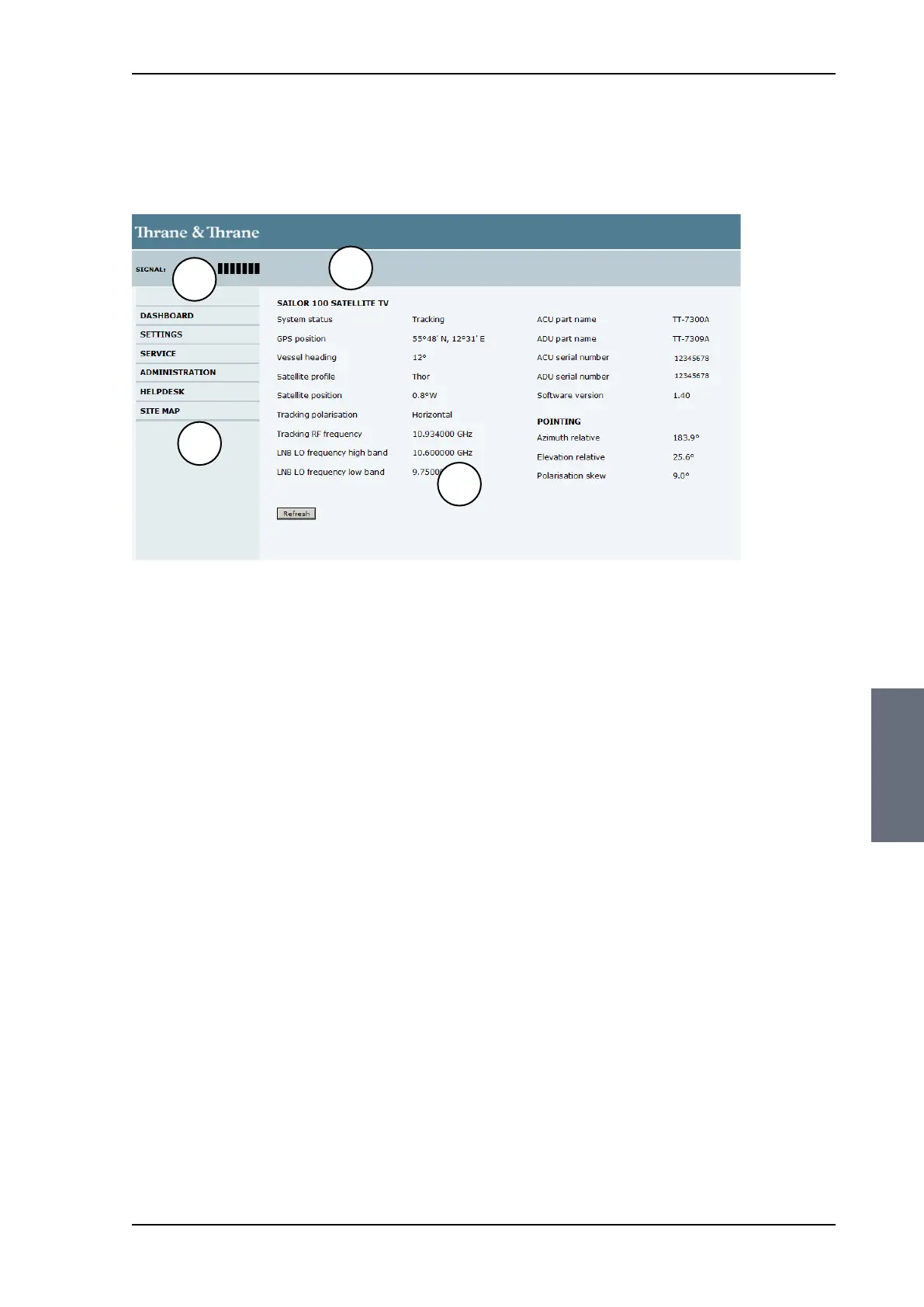
The web interface consists of the following sections:
1. The navigation pane holds the main menu. Clicking an item in
the menu opens a submenu in the navigation pane or a new
page in the contents section.
2. The signal status field shows the signal strength. The signal
strength can vary during operation, depending on the current
position relative to the satellite.
3. The icon bar shows icons for active events, when relevant. For
explanations of the icons, see the next section, Icons in the icon
bar.
4. The contents section shows the page selected in the navigation
pane. This section is used for viewing or changing settings, or for
performing actions.
Figure 6-5: Sections of the web interface
1
2
3
4
SAILOR100TM.book Page 9 Tuesday, January 29, 2013 2:44 PM



 To Next Page