Keypad and menus of the ACU
98-137654-A Chapter 6: Configuration 6-45
6666
Configuration
6.5 Keypad and menus of the ACU
6.5.1 ACU display and keypad
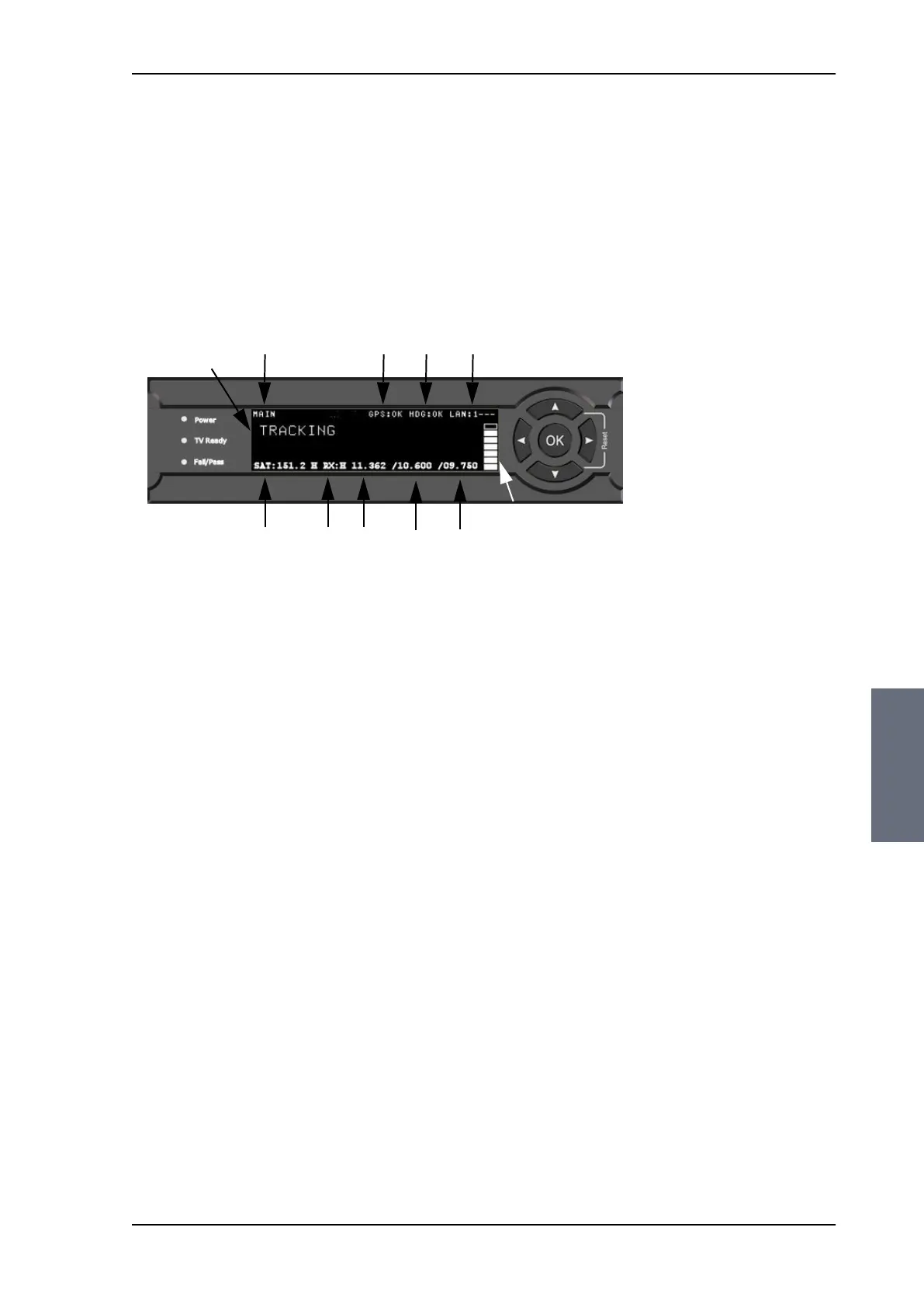
In the ACU display you can see the current state of the system. You
can also see events (warnings, errors and information) and how the
system has been configured. Use the keypad to navigate through
the menu tree.
1. Current status of the SAILOR 100 Satellite TV:
NOT READY (Waiting for input from GNSS, e.g. GPS)
READY (no satellite profile selected)
POINTING ANTENNA (Locating the satellite)
ACQUIRING SIGNAL (Acquiring the satellite signal)
TRACKING (Tracks the current satellite)
FREQUENCY SCANNING (Scanning for transponders)
BLOCKING ZONE (Antenna is pointing into a blocking zone)
2. Current menu.
3. GPS: GPS signal is received from the GPS module, OK or —.
4. HDG: Ship heading data received from the ship’s gyro, OK or —.
5. LAN: LAN connectors used, 1, 2, 3, 4, —.
6. SAT: Satellite position of currently active satellite profile.
7. RX: RX polarisation of currently active satellite profile. H
(horizontal), V (vertical), L (left-hand) R (right-hand).
8. RF tracking frequency in GHz.
9. LNB LO frequency (High)
10. LNB LO frequency (Low)
After 1 hour the display is dimmed to lowest intensity. Press any key
to light up the display.
Figure 6-36: Display (example) and keypad of the ACU
Signal strength
12
3
4
5
8
7
6
9
10
SAILOR100TM.book Page 45 Tuesday, January 29, 2013 2:44 PM



 To Next Page