Configuration with the web interface
6-36 Chapter 6: Configuration 98-137654-A
Change network: Change IP configuration of the LAN connectors.
For further information see Configuring the LAN network on
page 6-25.
Change email settings: Change e-mail addresses for sending
reports. For further information see E-mail setup on page 6-28.
Modify XIM data: Only used during service and maintenance.
3. Click Apply.
The settings to which access is denied are now greyed out for the
non-administrator user.
6.3.13.4 Importing and exporting a system configuration
If you need to reuse a configuration in another SAILOR 100 Satellite
TV system, you can save the current configuration to a file, which
can then be loaded into another SAILOR 100 Satellite TV. You can
also use this feature for backup purposes.
The configuration file contains all the settings you have entered
during system setup: satellite profiles, LAN setup, blocking zones,
etc.
To save a configuration to a file, do as follows:
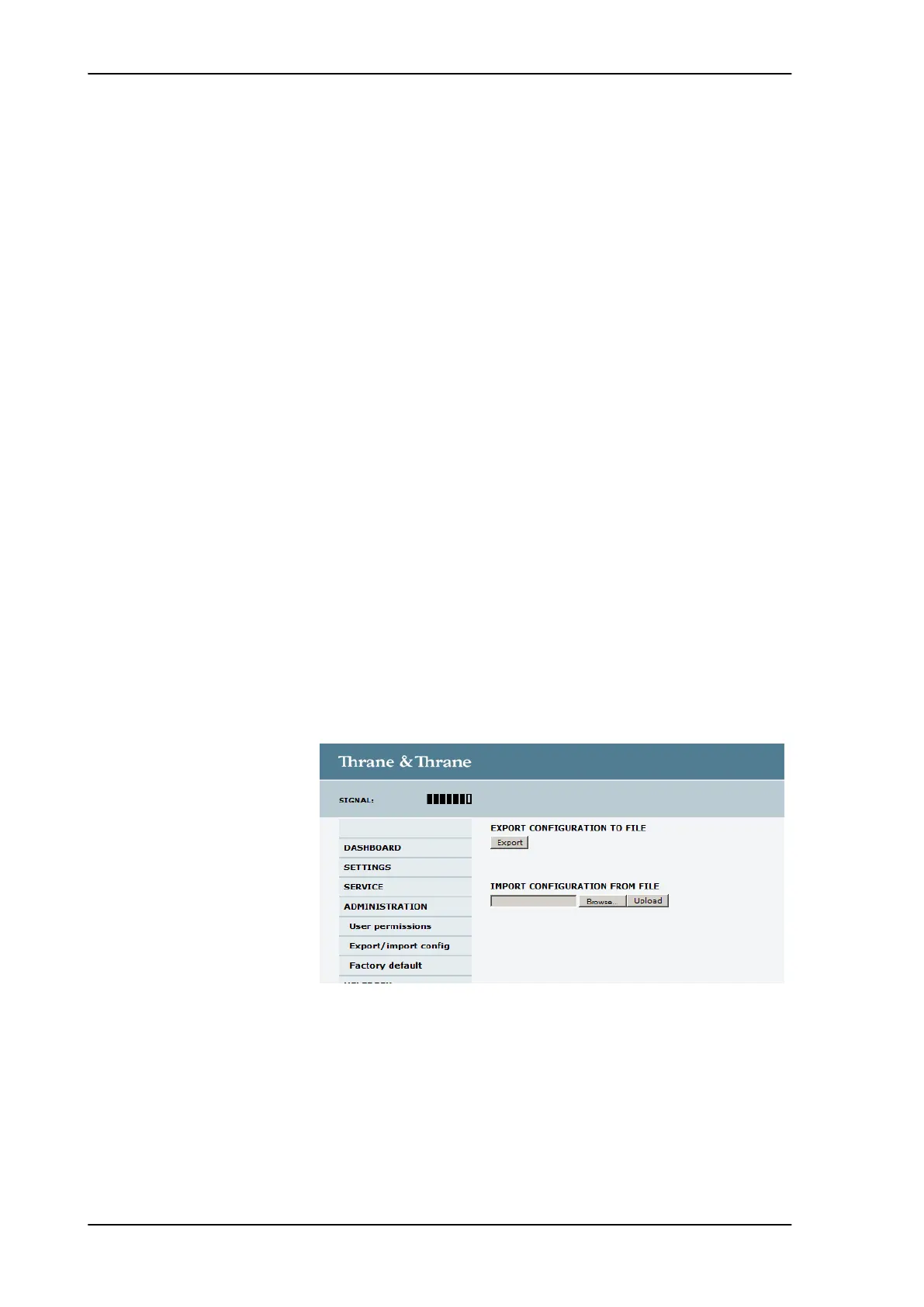
1. Select ADMINISTRATION > Export/import config.
2. Click the button Export. Follow the download instructions on the
screen. You can use this configuration file for upload into another
SAILOR 100 Satellite TV,
To load a configuration from a file, do as follows:
1. Select ADMINISTRATION > Export/import config.
2. Click the button Browse and locate the configuration file (.cfg
file) you want to upload. Then click the button Open.
Figure 6-29: Web interface: Administration, Export/import configuration
SAILOR100TM.book Page 36 Tuesday, January 29, 2013 2:44 PM



 To Next Page