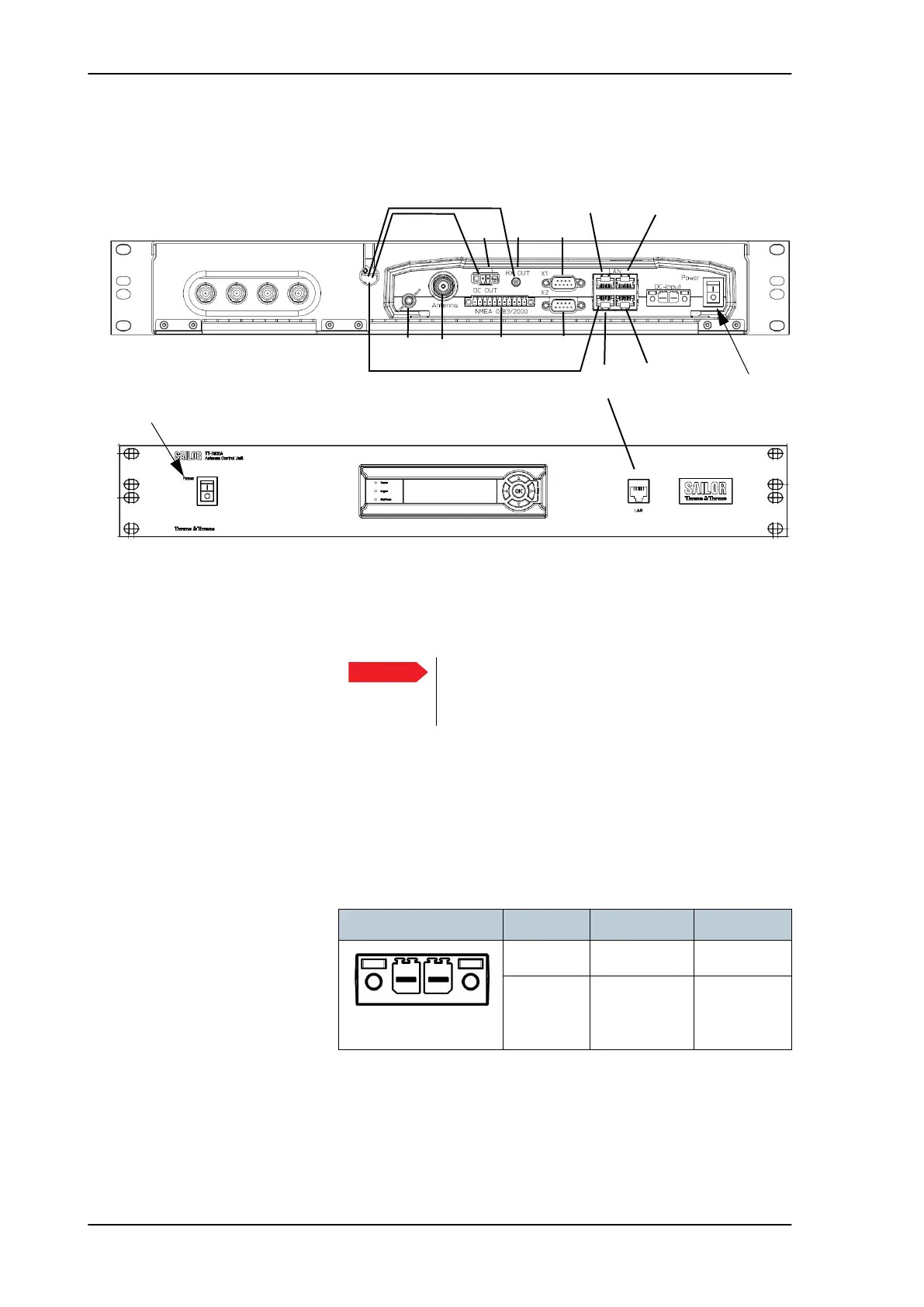
Interfaces of the SAILOR 100 Satellite TV ACU
4-2 Chapter 4: Interfaces 98-137654-A
4.1.2 Connector panel — overview
The connector LAN on the front panel is typically connected to the
service port at LAN3 with a straight Ethernet cable. Then you can
access the service port from the front of the ACU rack version.
4.1.3 DC Input connector
Provide DC power to the ACU, for example by using the TT-6080A
Power Supply or 24 VDC from the vessel’s power supply.
DC input: Female plug (Weidmuller, Part number 1930050000) for
wires up to AWG10/6 mm
2
.
Figure 4-2: ACU, connector panels, overview
NMEA
(reserved)
(reserved)
LAN 1
Power
On/Off
LAN 2
LAN 3
LAN 4
.
Service port
TV output
Set to On
ADU
V
Cable to front LAN connector
Low
H
Low
V
High
H
High
RX
DC out
Cables to internal connector
Ground
Set to On
Important
Set the On/Off switch at the back of the ACU to
On. Then you can use the On/Off switch at the
front panel of the ACU 19.
Outline (on the ACU) Pin Pin function Wire color
Left Vin+ Red
Right Vin- Black
Table 4-1: DC Input plug, outline and pin assignment
Vin+
Vin-
SAILOR100TM.book Page 2 Tuesday, January 29, 2013 2:44 PM



 To Next Page