Removal and replacement of ADU modules
98-137654-A Chapter 8: Service & maintenance 8-43
8888
Service & maintenance
8.5.6.6 Inserting a new Azimuth Encoder
To insert a new Azimuth Encoder follow the instructions above in
reverse order — while observing the following guidelines:
1. String the Azimuth belt around the pulley of the motor assembly
and left around the encoder/belt tensioner.
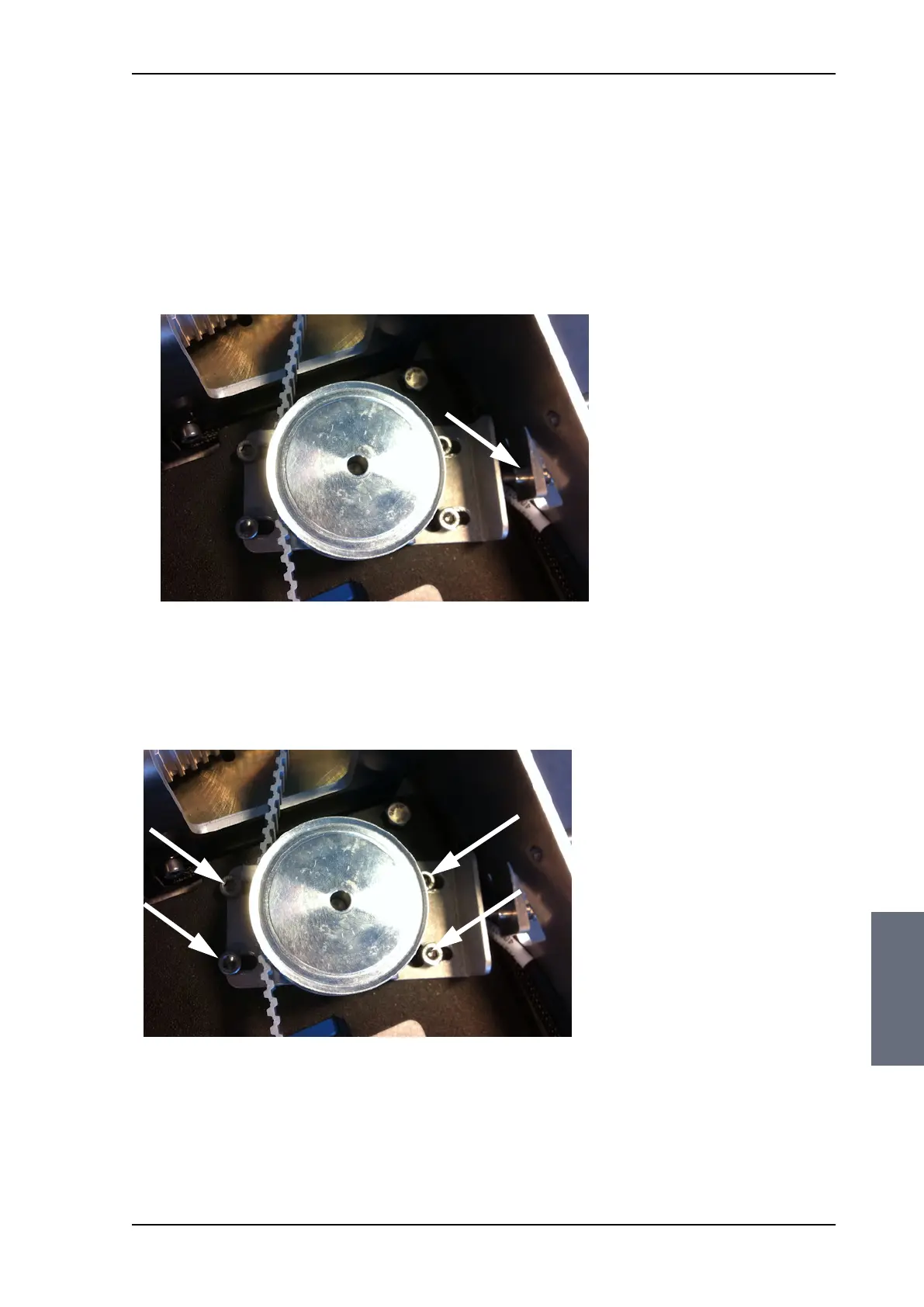
2. Adjust the belt tension using the belt-tension adjustment screw.
The tension of the belt is 90-100 Hz on average (use an Optibel
frequency measuring device or alike).
3. Tighten the belt tension device by tightening the 4x4 mm Allen
screws (thread size M5).
4. Check the tension of the belt again (90-100 Hz). If needed, repeat
the tension adjustment.
Figure 8-48: Azimuth Encoder, adjust belt tension
Figure 8-49: Azimuth motor, tighten the belt tensioner
SAILOR100TM.book Page 43 Tuesday, January 29, 2013 2:44 PM



 To Next Page