Removal and replacement of ADU modules
98-137654-A Chapter 8: Service & maintenance 8-69
8888
Service & maintenance
6. Slide the cable support free in the key holes, and leave it hanging
in the cables.
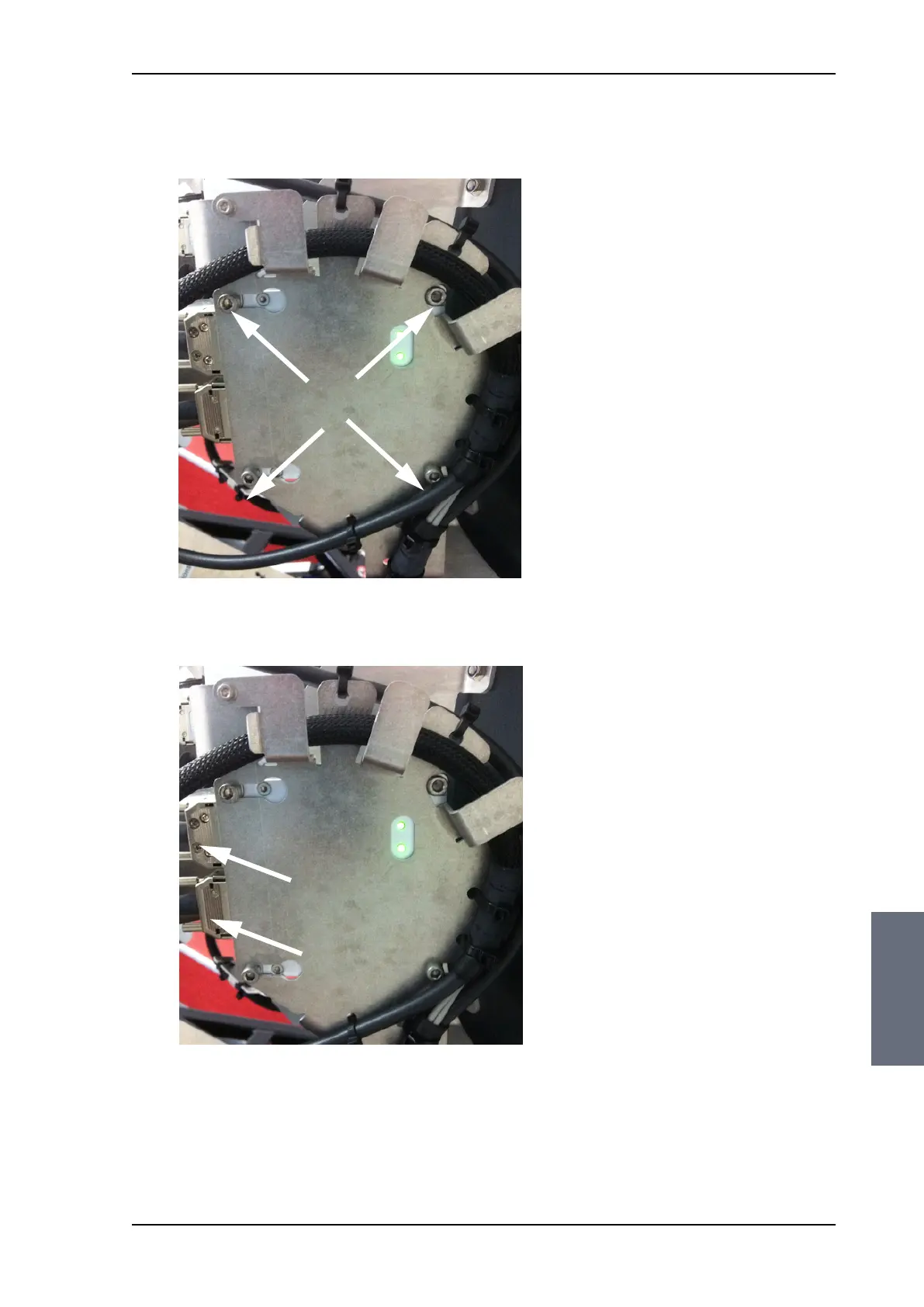
7. Disconnect the two SUB-D connectors using a small flat screw
driver.
8. Remove the 4x4 mm Allen screws (thread size M5), loosened in
step 5.
9. Remove the ISM.
Figure 8-85: Removing the ISM
Figure 8-86: Removing the ISM Sub D connectors
SAILOR100TM.book Page 69 Tuesday, January 29, 2013 2:44 PM



 To Next Page