Getting support: Helpdesk
8-2 Chapter 8: Service & maintenance 98-137654-A
8.1 Getting support: Helpdesk
If this manual does not provide the remedies to solve your problem,
contact your service provider.
8.1.1 Help desk and diagnostic report
During the installation you can enter the support contact for this
installation.
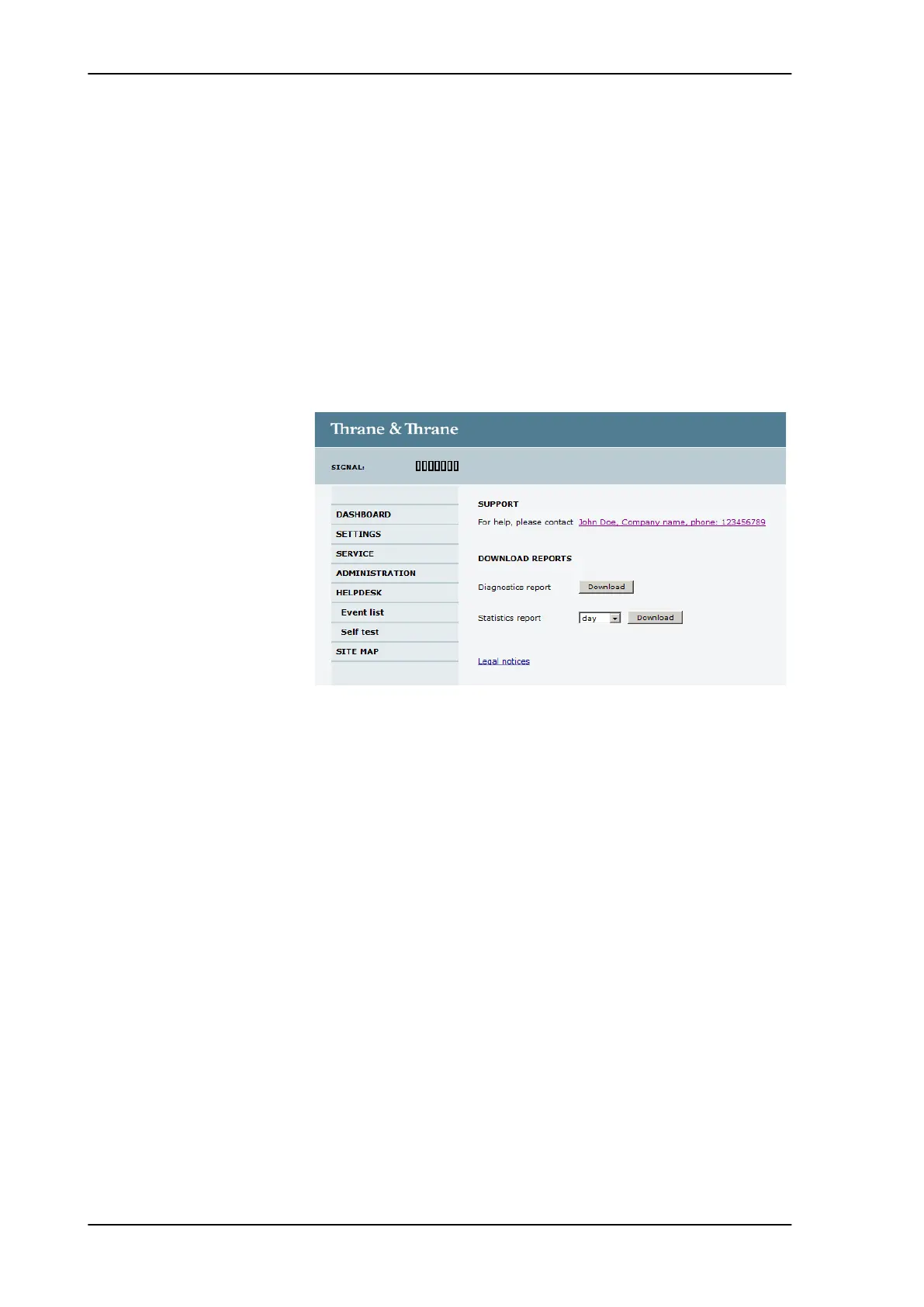
To access the Help desk, select HELPDESK from the left navigation
pane.
Click the link, enter support contact information and click Apply.
Clicking the link Legal notice provides licence text for the source
code of the parts of the SAILOR 100 Satellite TV software that falls
under free and open source software.
If you need help with ACU or ADU related issues call your service
provider.
8.1.1.1 Download of a diagnostic report or a statistics report
You can download a diagnostic report. This report contains
information relevant for the service personnel during
troubleshooting. To generate a diagnostics report click Download.
You can download a statistics report. This report contains
information relevant for the service personnel during
troubleshooting.
To generate a statistics report select the period for the statistics from
the drop down list and click Download.
Figure 8-1: Web interface: HELPDESK
SAILOR100TM.book Page 2 Tuesday, January 29, 2013 2:44 PM



 To Next Page