Software update
98-137654-A Chapter 8: Service & maintenance 8-5
8888
Service & maintenance
8.2 Software update
8.2.1 Hardware and software requirements
(updating ADU and ACU)
The following items are required before the software can be
updated:
• One computer with a standard Ethernet port available.
• A standard Internet browser.
• 1024×768 pixels or higher display resolution. The program is best
viewed using small fonts.
• One straight LAN cable.
• The file containing the new software.
8.2.2 Software update (ADU and ACU)
You can update the software in two ways:
• Using the web interface of the ACU
• Using the TMA program (Thrane Management Application).
You can download the TMA program from the self-service center.
Make sure you use version 1.03 or higher.
8.2.2.1 Software update using the web interface of the ACU
1. Power up the SAILOR 100 Satellite TV system, i.e. switch on the
ACU. Wait until the SAILOR logo has disappeared from the ACU
display.
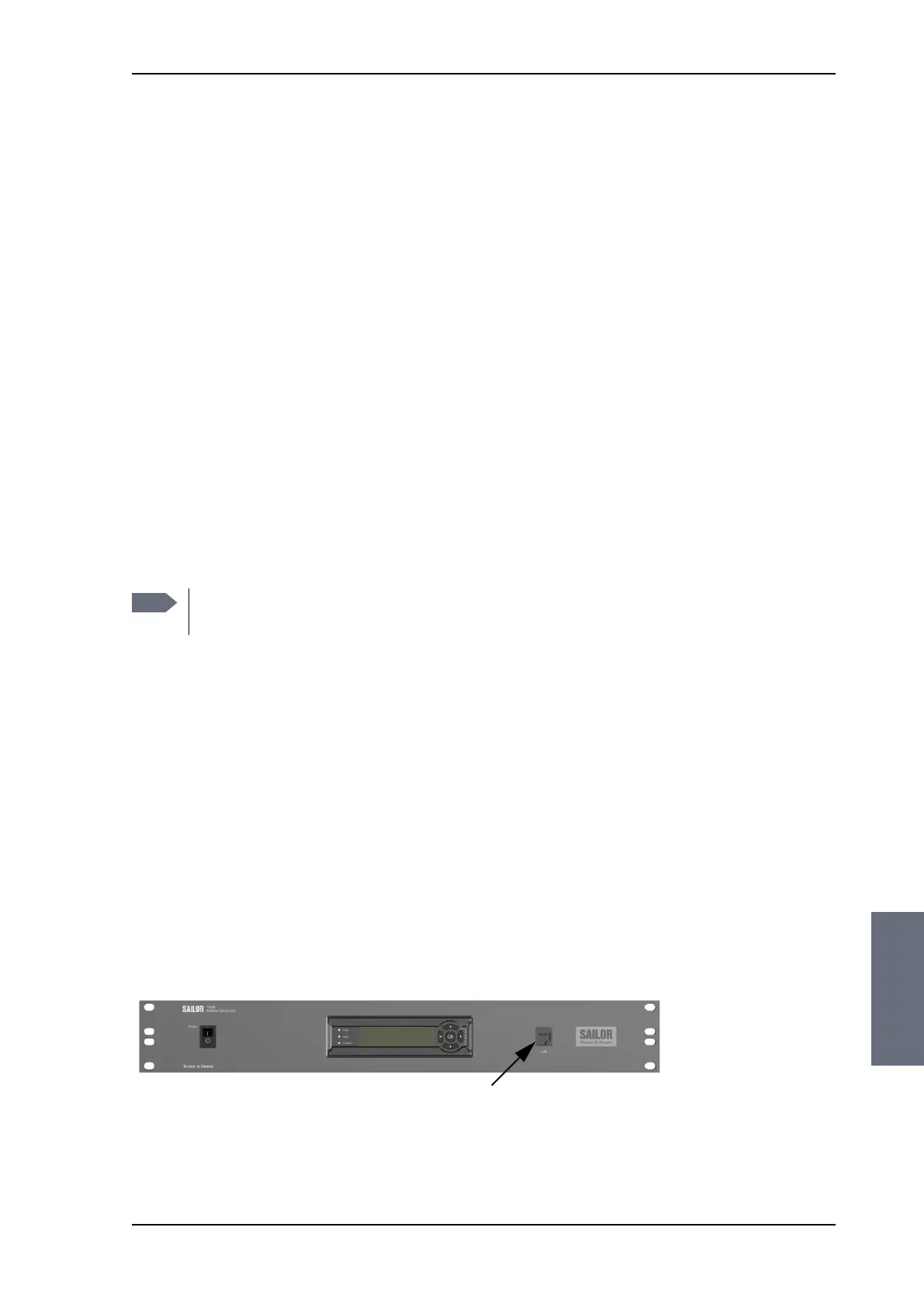
2. Connect a PC to the LAN interface at the front LAN connector of
the ACU.
Note
Software update should only be done by qualified service
personnel.
Figure 8-3: LAN connector used for configuring the SAILOR 100 Satellite TV
SAILOR100TM.book Page 5 Tuesday, January 29, 2013 2:44 PM



 To Next Page