Removal and replacement of ADU modules
8-72 Chapter 8: Service & maintenance 98-137654-A
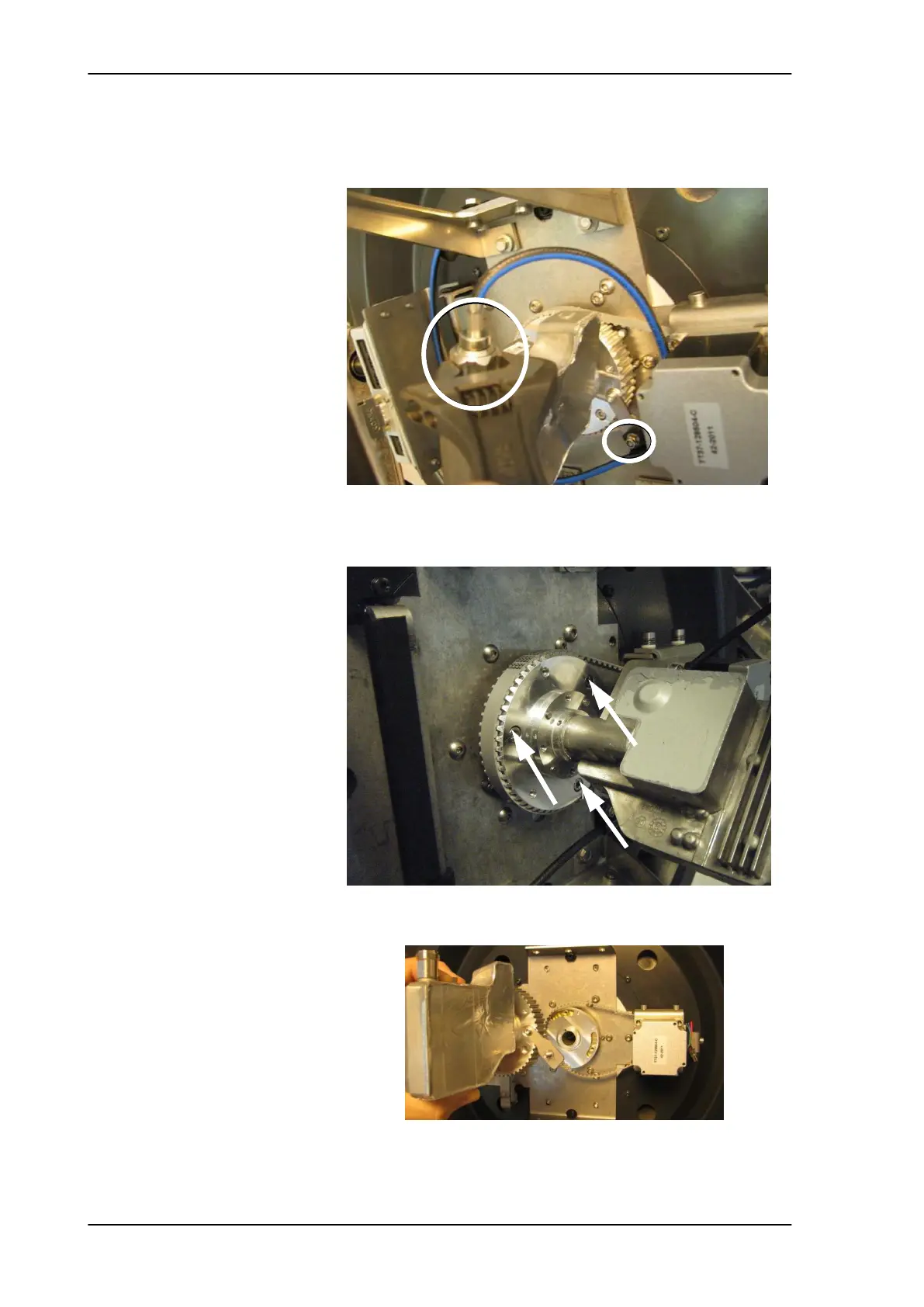
7. Disconnect the LNB cable and loosen the cable from the cable
clamp.
8. Remove the LNB by loosening the 3x4 mm Allen screws.
Figure 8-90: Removing the LNB — disconnecting the cable
Figure 8-91: Removing the LNB — loosening screws
Figure 8-92: Removing the LNB
SAILOR100TM.book Page 72 Tuesday, January 29, 2013 2:44 PM



 To Next Page